
MAC Work Cabling: 5 Checks Office and IT Teams Need Before Hiring
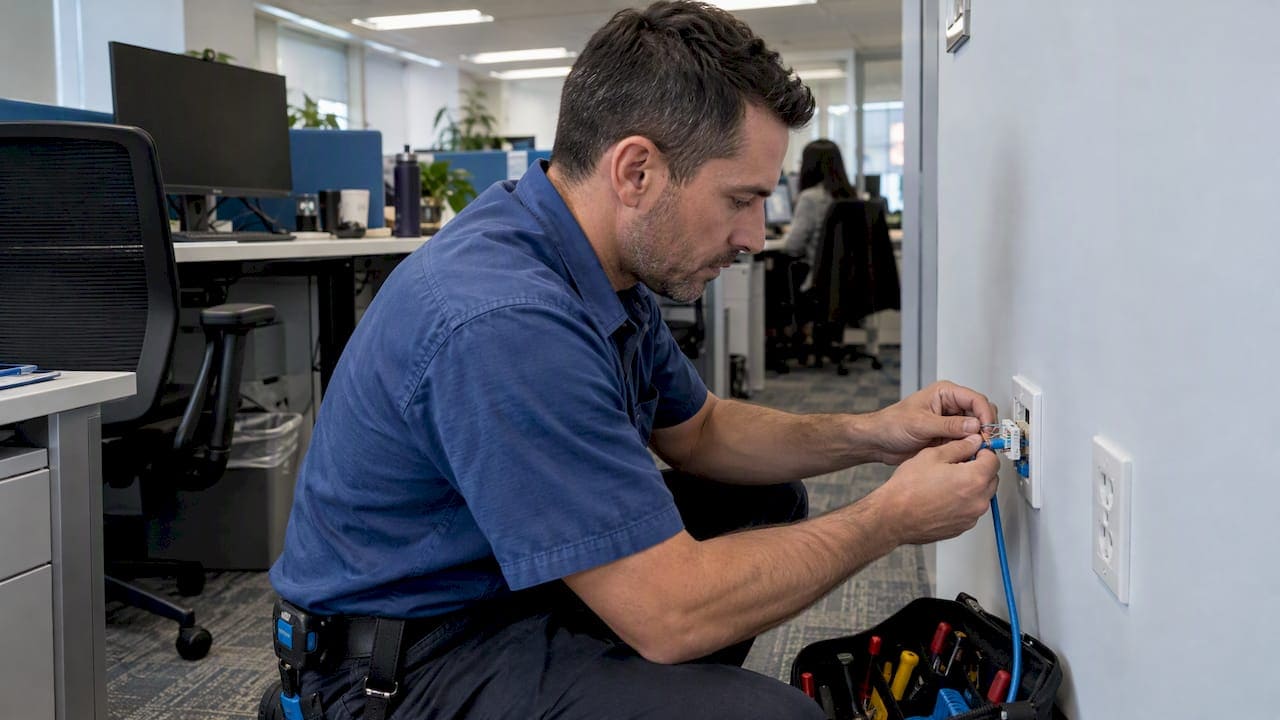
MAC work cabling refers to the moves, adds, and changes made to a commercial structured cabling system after the original installation. The right response to any MAC request is to treat it as a documented, code-compliant installation: schedule a scoped site survey, follow OSHA and BICSI guidance, and update your administration records before the work closes out. We built this playbook for office managers and IT and facilities teams who need to scope, verify, and sign off on MAC work with confidence.
TL;DR:
- A patch panel reassignment may finish the same day, while ceiling access, new pathways, or fire rated penetrations can change timing, permits, and cost.
- A prework survey should confirm current floor plans, access needs, approvals, and acceptance testing, since pathway conditions often drive cost more than cable.
- Require labels at both cable ends, updated port mapping and as built drawings, and a dated change log with test files at closeout.
- Require a certified Cat6 or Cat6A report for every changed run, matched to its port label, and functional checks for affected VoIP or WiFi.
- Require OSHA safe work practices, NEC compliant support and grounding, restored firestopping at rated barriers, and trays free of abandoned or excess cable.
What counts as MAC work in a commercial network
MAC stands for moves, adds, and changes: the routine modifications that keep a structured cabling system matched to how a space is actually used. A new hire needs a desk wired, a department relocates, a VoIP handset moves to a different office, or a WiFi access point gets repositioned for better coverage. Each of these is a MAC, and each one should produce the same result: a labeled, tested drop and an updated record of where it goes.
Not every MAC is equal in complexity. A simple patch-panel reassignment or a short patch-cord swap is a relatively quick task and touches nothing structural. A new drop that requires ceiling tile removal, cable tray access, or a penetration through a fire-rated wall is a different project entirely, one that brings firestopping and pathway work into scope.
Typical MAC tasks include:
- Adding a new workstation drop to an existing panel or switch
- Moving or re-patching connections at the patch panel
- Relocating VoIP handsets to a new location
- Recabling or repositioning WiFi access points
- Terminating or extending short fiber runs between closets
Whatever the task, the outcome should look the same: a clearly labeled cable, an updated floor diagram, and minimal disruption to the people working nearby.
Building a planning checklist before work begins
A MAC project runs smoother when the scope is defined before anyone touches a tool. Start with a site survey and a review of existing documentation; this tells you what already exists and what the new work needs to connect to. From there, the timeline has four parts: survey, scheduling (including any permits or landlord approvals), execution, and testing with documentation handoff.
- Walk the space and compare it against current as-built drawings.
- Confirm access needs: ceiling tiles, cable trays, locked closets, after-hours windows.
- Identify cost drivers: number of drops, pathway complexity, fiber versus copper, firestopping, and testing scope.
- Loop in stakeholders: IT, facilities, building management, and the landlord or general contractor whenever a fire barrier is penetrated.
- Confirm the acceptance criteria, including test certification, before work starts.
Pro Tip: Bring your current floor plans and documentation to the survey. A contractor who sees the existing layout can usually give a tighter, more accurate quote the first visit.
Cost on a MAC project rarely comes from the cable itself; it comes from access. A drop above a dropped ceiling with clear tray access costs far less than one requiring a new pathway through a rated wall. Our guide to planning a structured cabling office buildout covers these scoping steps in more depth, and our checklist for documenting existing cabling before renovation is a useful starting point when a larger buildout is on the horizon.
Keeping labeling and as-built records current after every change
Administration is the part of MAC work most likely to get skipped, and it is also the part that prevents the next technician from guessing where a cable goes. BICSI materials define administration as the labeling, identification, documentation, and recordkeeping needed to perform moves, adds, and changes on telecommunications infrastructure, and that definition is the reason a MAC is never finished until the paperwork matches the cable.
Every MAC should close with these steps:
- Label both ends of the cable immediately, using a consistent schema.
- Update the master administration record promptly.
- Revise the as-built drawing and the port-to-port mapping spreadsheet.
- Record patch-panel and switch-port identifiers alongside the cable ID.
A consistent labeling approach, following a TIA-606 style schema, can make a future troubleshooting call a straightforward lookup instead of a hunt through the ceiling. Our cable labeling system guide walks through setting up that schema, and our as-built documentation guide covers what a complete deliverable package should include.
Meeting OSHA and NEC requirements during every change
Safety and code compliance are not optional extras on MAC work; they are baseline requirements a contractor should meet on every job, large or small. OSHA treats cable installation as a construction activity subject to its safety regulations, and that includes safe-work practices around ladders, lifts, and working near energized equipment.
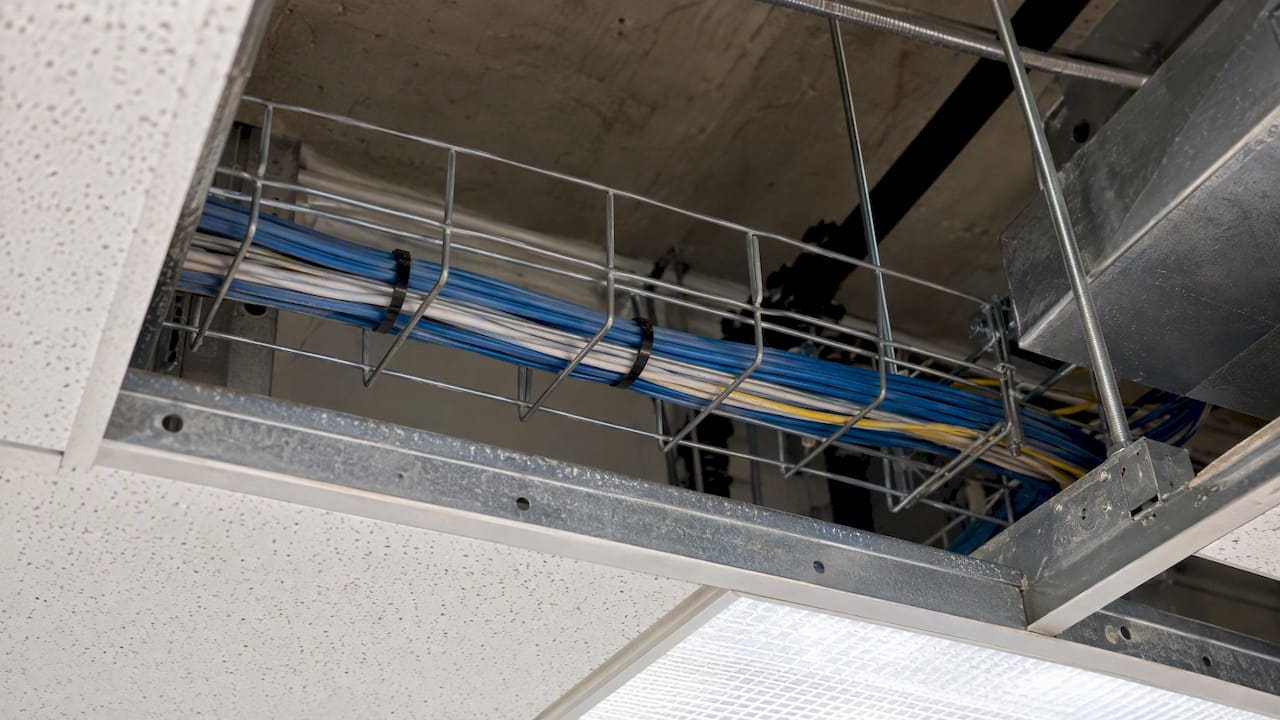
Cable tray work deserves particular attention. OSHA guidance on cable trays warns that overfilled trays can cause heat buildup and mechanical failure, and it recommends following NEC and manufacturer installation guides, maintaining proper grounding, and removing abandoned cable rather than leaving it in place.
Require these checks from any contractor performing MAC work:
- Adherence to OSHA safe-work practices and NEC rules for cable support and grounding
- Firestopping restored wherever a fire-rated penetration is made, consistent with local building code expectations
- No overloaded cable trays, and abandoned cable removed instead of left behind
An OSHA cable-tray guidance bulletin notes that overfilling trays risks heat buildup and mechanical failure, underscoring why tray fill limits matter on every MAC job, not just new construction.
Execution practices that keep performance from degrading
How a MAC is physically executed determines whether the new link performs as well as the rest of the network. Factory-terminated patch cords are the standard for any critical connection; hand-terminated cords introduce variability that can cause a run to fail certification later, even when the original cable and termination point were fine.
Bend radius matters just as much as termination quality. Cables bent tighter than the manufacturer’s minimum radius lose performance and are more prone to damage over time, so secure every run on rated supports or inside proper raceways, following manufacturer and NEC guidance rather than resting cable on ceiling grids or other cable bundles.
- Use factory-terminated patch cords for links that require certification.
- Respect manufacturer bend-radius specifications on every run.
- Secure cable on rated J-hooks, in cable tray, or in conduit rather than letting it rest unsupported.
- Label patching clearly at the rack and remove any cable left abandoned by the change.
Pro Tip: Plan tray and pathway capacity with room to spare. A tray filled to its limit today turns every future MAC into a pathway project instead of a quick add.
Verifying the work: testing, certification, and acceptance
Testing is what separates a finished MAC from one that merely looks finished. Every new or modified run should come with a certified test report, Cat6 or Cat6A as applicable, and the test ID on that report should match the label on the physical port. ANSI/BICSI N1 describes installation verification as part of the minimum requirements for telecommunications cabling work, covering everything from pulling and terminating cable to confirming the finished run meets spec.
Before signing off, ask for:
- Certified test reports for every new or modified run, matched to labeled ports
- A complete acceptance package: test logs, the updated panel spreadsheet, and a remediation plan for any failed runs
- Functional checks on any affected service, including VoIP handsets and WiFi access points
A MAC without a matching test report is an unverified assumption, not a finished job.
Keeping documentation accurate as changes accumulate
Well-documented MACs are easier to maintain. Over time, changes made without a consistent process can leave networks with cables nobody can account for. Keep a dated change log for every MAC, with the relevant test files attached, so the history of the network stays traceable.
- Log every MAC with a date, scope description, and attached test results.
- Schedule periodic audits comparing physical labeling against the documentation on file.
- Plan spare pathway capacity and schedule abandoned-cable removal during larger renovations.
This routine turns documentation from a one-time deliverable into a living record, which is the only version of documentation that stays useful.
Why most MAC failures trace back to missing records
In our experience, the networks that develop mysterious outages are rarely suffering from bad cable. They are suffering from missing records: a move made years ago that was never labeled, a patch change that never made it into the spreadsheet. Professional MAC work closes that gap with a site survey, a standardized labeling schema, and as-built documentation delivered at handoff, not promised for later. If your next change goes beyond a single patch swap, a scoped site survey is the step that keeps the project, and the record of it, under control.
— Ken
How we support your next MAC project
We handle structured MACs, testing and certification, as-built documentation, and MDF/IDF cleanup as part of the same engagement, so a move or add never becomes a documentation gap later.

Before your survey, pull together your current floor plans, any existing documentation, and a plain-language list of what needs to change. From there, we scope the work, confirm access requirements, and build the acceptance testing into the project from day one. Request a no-obligation site survey to get a straight answer on scope and timeline.
FAQ
How long does a typical MAC project take?
A simple patch-panel change can be completed same day, while a new drop requiring ceiling or tray access typically takes longer depending on pathway complexity and whether firestopping is needed. The site survey is what turns this from a guess into a firm timeline.
Do MAC changes require permits?
Most routine patch changes do not require permits, but work involving penetrations through fire-rated walls or floors often does, depending on local building code. Loop in your landlord or general contractor whenever a fire barrier is involved.
What testing should I require after a MAC?
Require a certified test report for every new or modified run, matched to the physical port label, along with a functional check on any affected service like VoIP or WiFi. ANSI/BICSI N1 outlines installation verification as a standard part of the work, not an optional add-on.
Who should update documentation after a MAC?
Whoever performs the physical change should update labeling and the master administration record the same day, per BICSI administration guidance. Waiting creates the exact gap that leads to orphaned cables and future troubleshooting delays.
What should I check before accepting cable tray work?
Confirm the tray is not overfilled and that supports, grounding, and fill levels follow NEC and manufacturer guidance. OSHA’s cable tray bulletin also recommends removing abandoned cable rather than leaving it in the tray.
Sources
Standards and guidance worth bookmarking
For readers who want to verify requirements directly, OSHA’s cable tray guidance and its general safety standards cover safe-work practices. BICSI’s N1 installation practices and N1 standard overview address administration, terminations, and verification, while NEC provisions referenced throughout govern cable support, grounding, and tray fill.