
What Is Visitor Management Cabling? A Buyer’s Spec Guide

Visitor management cabling is the structured cabling, power, and pathway infrastructure that runs behind check-in kiosks, badge printers, card readers, door controllers, and entrance cameras. It has nothing to do with the software that logs a guest’s name. This is the hardware-side wiring, and Ken at Cables and Chips has spent four decades pulling and terminating exactly this kind of run in New York commercial buildings.
If you’re writing a scope of work today, copy these lines directly:
- Cable: Cat6 as the baseline; Cat6A when devices need PoE++ or the building wants headroom for five years out.
- PoE class: Specify 802.3at (PoE+) as the floor for readers and cameras; confirm 802.3bt where kiosks or PTZ cameras draw more.
- Max run: 90 meters, measured as a full channel per EIA/TIA 568B, not just the cable length.
- Acceptance: Require EIA/TIA channel certification with printed test reports and labeled terminations before signoff.
Key Takeaways
Visitor-management cabling succeeds when the cable category, PoE budget, and code-compliant bundling are specified together, not decided separately by whoever happens to be on site that day.
| Point | Details |
|---|---|
| Match cable to device class | Specify Cat6 as the floor and Cat6A for PoE++ cameras, kiosks, or five-year growth plans. |
| Budget PoE for peaks, not averages | Size switch wattage for simultaneous draw from cameras, printers, and kiosks plus 15% margin. |
| Follow NEC and TIA bundling rules | Adjust NEC Article 725.144 ampacity tables for ambient temperature and keep bundles at 24 or under 37 cables. |
| Require certification before signoff | Demand EIA/TIA channel testing and PoE-under-load verification, not just link lights. |
| Bring in a code-aware installer | Cables and Chips designs, installs, and certifies visitor-management cabling for New York commercial buildings. |
Which Cable and Power Setup Fits Each Visitor Device?
Each device on a visitor-management network has different tolerances for cable type, power delivery, and protocol, and specifying the wrong one is the single most common reason projects get re-cabled six months after opening.
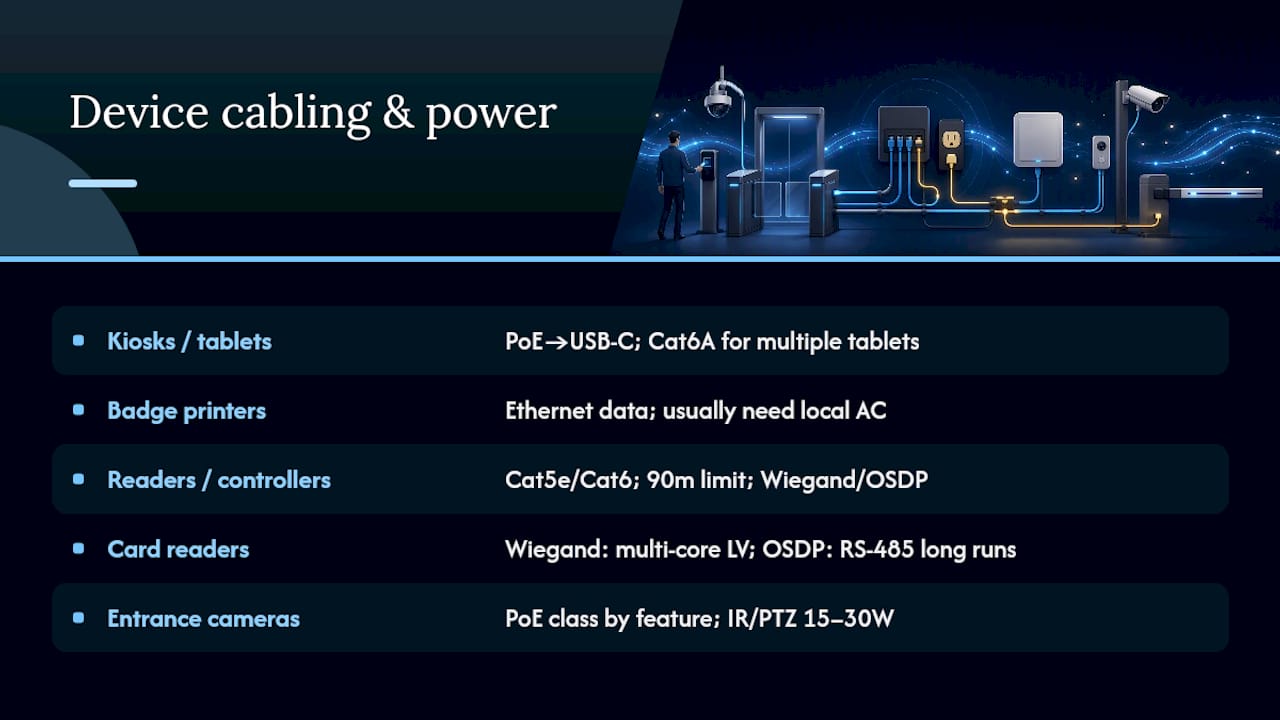
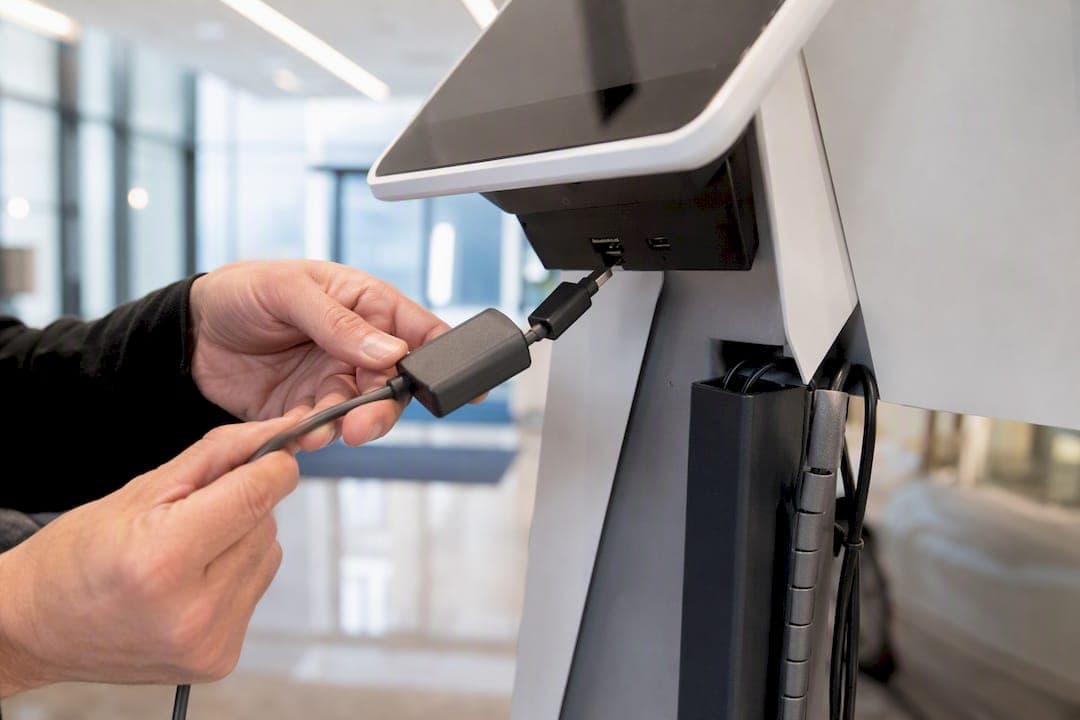
Kiosks and check-in tablets often run on PoE-to-USB-C adapters, which is convenient because it eliminates a wall outlet at every lobby station, but it adds a conversion step that can fail under load. One documented deployment used exactly this setup, powering an iPad kiosk through a PoE-to-USB-C adapter alongside a networked label printer for badge output. For anything beyond a single tablet, Cat6A gives you more thermal margin in the bundle.
Badge printers are usually thermal units that need Ethernet for data but rarely accept PoE. Plan for local AC unless the manufacturer’s spec sheet explicitly confirms a PoE model, because assuming PoE support on a printer is a common source of change orders.
Card readers and controllers split into two camps. Wiegand readers need multi-core low-voltage cable and short runs; OSDP readers can use RS-485 for longer distances, which matters when a controller sits far from the door it manages. Both typically use Cat5e or Cat6 with a 90-meter run limit.
Entrance cameras need PoE class matched to resolution and features. A basic fixed camera draws modestly, but an IR or PTZ unit can require 15 to 30 watts, which pushes you toward 802.3at or 802.3bt and, on dense camera banks, edge PoE switches or fiber backhaul.
How Do You Size a PoE Switch Budget for Visitor Hardware?
The IEEE 802.3 family defines three PoE tiers: 802.3af (PoE, up to about 15W delivered), 802.3at (PoE+, roughly 25 to 30W), and 802.3bt (PoE++, which can push up to 71 watts at the powered device under Type 4). The number stamped on a switch’s PoE budget is a ceiling, not what any single port actually draws, and that gap is where undersized installs fail.
Here’s a working example for a typical four-device lobby cluster:
- Camera (IR-equipped entrance unit): 25W
- Door controller with maglock: 15W
- PoE-powered kiosk tablet adapter: 15W
- Badge printer (if PoE-capable): 10W
That’s 65W of estimated draw.
Pro Tip: A 24-port switch rated for 370W of PoE budget only gives you about 15.4W per port if you spread it evenly, so a single high-draw camera or kiosk can eat the headroom meant for three other devices. Dedicate a switch or midspan injector to the visitor cluster instead of hanging it off the same switch as general office drops. That isolation also lets you power-cycle or service the lobby hardware without touching the rest of the building’s network.
Size the UPS around that same worst-case total, not the average draw, and add enough runtime to cover the building’s expected outage window for locking hardware.
What Do NEC and TIA Say About Bundling PoE Cable?
NEC Article 725.144 governs how many PoE-carrying cables you can bundle before ampacity becomes a problem, and the table it uses is calibrated at 30°C. That’s lower than the 45°C ambient with 15°C rise that IEEE and TIA assume in their own guidance, so a bundle that looks fine on paper can fail once you run the temperature adjustment required by NEC Equation 310.15(B).
TIA TSB-184-A addresses the same problem from the cable-heating side and gives installers a practical exit: keep bundles small enough that you never need to run the ampacity math in the field.
- Group bundles in sets of 24, or cap total bundle size at 37 cables, to stay in territory most inspectors accept without a derating calculation.
- Confirm conductor gauge (23AWG versus 24AWG) and jacket temperature rating before assuming a bundle’s capacity, since thinner 24AWG conductors heat faster under sustained PoE load.
- Separate PoE bundles as they leave the telecom room rather than running one dense trunk the full distance, which eases both inspection and future upgrades.
Projects anticipating 802.3bt or other high-power devices down the line should specify Cat6A with a verified 75°C jacket rating up front. Re-cabling a finished lobby to fix a bundle that cannot safely carry PoE++ costs far more than specifying the right cable the first time.
How Should Visitor-Management Cabling Be Installed and Routed?
Good pathway design prevents two failure modes at once: electromagnetic interference from mains power, and physical damage from tight bends or excess pull tension during installation.
- Choose the pathway deliberately. Cable tray or basket works for open ceiling runs with room to add cable later; conduit protects runs through mechanical rooms or areas with foot traffic risk. Keep low-voltage visitor cabling at least several inches from parallel mains runs, and cross mains at 90 degrees when a crossing is unavoidable.
- Respect bend radius and pull tension. Cat6A has a tighter minimum bend radius tolerance than Cat6 once it’s under PoE load; yanking cable around a sharp corner during the pull is a common cause of intermittent link failures that don’t show up until the switch is under full PoE draw.
- Match jacket rating to the space. Plenum-rated cable is required in air-handling spaces; riser-rated cable is the minimum for vertical shafts. Confirm the jacket’s temperature rating separately from its fire rating, since PoE heat buildup inside a dense bundle behaves differently than a single unloaded cable.
- Fire-stop every penetration. Any cable crossing a fire-rated wall or floor needs a listed fire-stop system, and each penetration should be labeled and photographed for the operations and maintenance package.
Pro Tip: Document every fire-stop penetration with a photo and a label showing the trade responsible, even when the fire-stopping is done by another contractor. This one habit resolves more disputed inspection callbacks than any other single practice.
What Testing and Documentation Should You Require at Handover?
Acceptance testing is where a lot of visitor-management installs get shortchanged, because it’s tempting to sign off once the kiosk boots and the door unlocks. That’s not proof the cabling is correct.
- Require full EIA/TIA channel certification: wiremap, length, near-end crosstalk, and return loss, on every run, not a sample.
- Require PoE verification under load, not just link lights, since a cable can pass a basic wiremap test and still fail to deliver rated PoE wattage under a real device.
- Demand as-built documentation: patch-panel labeling, port-to-switch mapping, printed test reports, UPS configuration and runtime settings, and written O&M instructions.
- Schedule a commissioning walkthrough with IT, facilities, and security together, specifically to confirm VLAN isolation for visitor devices and to watch PoE behavior when every device draws simultaneously.
A completed structured cabling as-built documentation package should let a facilities team troubleshoot a dead kiosk without calling the original installer.
What Mistakes Should You Watch for When Reviewing Bids?
The weakest visitor-management cabling bids share a pattern: they price the pull and the termination, then skip everything that prevents a callback.
Common mistakes to flag: oversized bundles pulled with no ampacity check, Cat5e specified where PoE++ cameras are planned, no written PoE switch budget, and no UPS sizing for door hardware. Red flags in a proposal itself include the absence of any PoE wattage calculation, no line item for EIA/TIA testing, and no mention of fire-stopping for wall or floor penetrations.
- Cable type and jacket: Cat6 minimum, Cat6A for PoE++ or long-term growth, correct plenum or riser rating for the space.
- Termination standard: T568B specified and confirmed on every jack and patch panel.
- PoE budget and UPS: written wattage calculation per device cluster, UPS runtime matched to lock hold-open requirements.
- Testing acceptance criteria: EIA/TIA channel certification reports, PoE verification under load.
- Labeling and O&M: consistent labeling scheme, as-built documentation, patch-panel maps delivered at handover.
What Cabling Defaults Does Ken Recommend?
Cat6 is a reasonable baseline for most visitor-management runs, but Ken defaults to Cat6A whenever a client mentions PoE++ or a five-year horizon, because re-pulling a finished lobby ceiling costs far more than the incremental cable price today.
Coordination with the electrical contractor matters earlier than most GCs schedule it. Mains feed sizing to PoE switches, and a security team’s fail-safe versus fail-secure lock decision, both change the cabling topology, and both need to be settled before conduit goes in, not after.
How Cables and Chips Handles Visitor-Management Cabling
Cables and Chips designs and installs the cabling behind visitor-management hardware for commercial buildings across New York City, and unlike a general low-voltage crew, every run leaves with EIA/TIA channel certification and printed test reports as standard practice, not an add-on.
The scope covers design and PoE budget planning, Cat6 and Cat6A installation, UPS and backup power sizing for door controllers and maglocks, and full as-built documentation for the facilities team that inherits the system. Cables and Chips also coordinates directly with electrical contractors on mains-side feed sizing, so the PoE switch budget and building power plan get resolved before conduit goes in rather than during a change order. For buildings adding card readers, kiosks, or entrance cameras, the CCTV and access control installation service page covers project scope and next steps for getting a site survey scheduled.
Sources
- PoE Explained: Standards, Wattage & Choosing PoE for Cameras/Wi‑Fi/Access Control
- Door Entry Systems: Wiring, Standards and Fire Safety
FAQ
What Is Visitor Management Cabling?
It’s the structured cabling, PoE power, and low-voltage wiring that supports visitor-facing hardware like kiosks, badge printers, card readers, door controllers, and entrance cameras, distinct from the software that manages check-ins.
What Cable Category Should I Use for Visitor Kiosks?
Cat6 works for most kiosk deployments, but Cat6A is the better choice when the kiosk uses a PoE-to-USB-C adapter or when the building anticipates higher-power PoE++ devices later.
How Many PoE Cables Can I Bundle Together?
NEC Article 725.144 sets ampacity limits by bundle size and conductor gauge, adjusted for ambient temperature; most installers keep bundles at 24 cables or under 37 to avoid a full derating calculation.
Do Card Readers Need PoE?
Most card readers run on low-voltage power rather than PoE, with Wiegand models using multi-core cable and OSDP models often using RS-485 for longer runs.
What Should Be Included in Handover Documentation?
A complete handover package includes EIA/TIA channel certification reports, PoE verification under load, patch-panel labeling, port-to-switch mapping, UPS configuration, and written O&M instructions, all of which Cables and Chips provides as standard on structured cabling projects.