
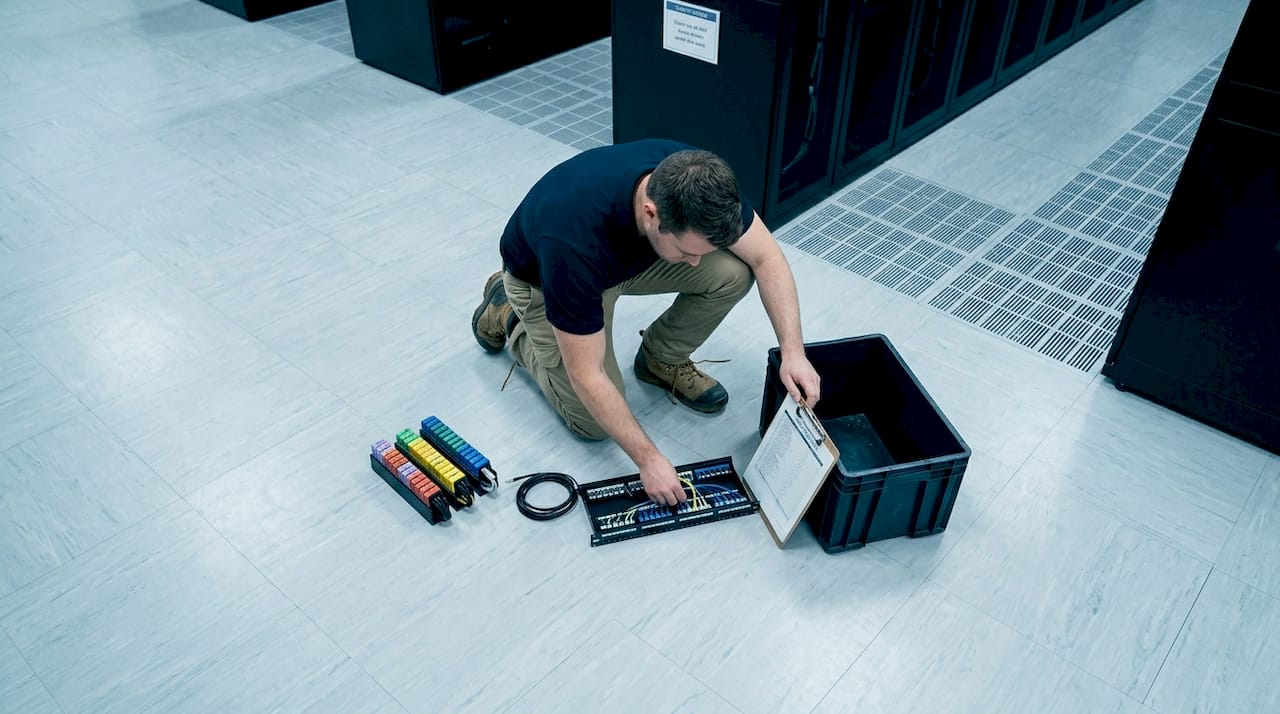
Most people picture a server rack as a tall metal cabinet stuffed with blinking hardware. That picture is incomplete. A server rack is a precisely engineered, standardized enclosure designed to house, organize, and protect IT equipment like servers, switches, patch panels, and storage units. Understanding what a server rack actually is, how it is measured, and why it matters will change how you approach any data center or network room project. This article covers the server rack definition, types, real specifications, and practical guidance for getting the most out of your infrastructure.
Key takeaways
| Point | Details |
|---|---|
| Standardized dimensions matter | Server racks follow the EIA-310-D standard with 19-inch width and Rack Unit height measurements. |
| Three core rack types exist | Open frame, enclosed cabinet, and wall-mount racks each serve different security and space needs. |
| Airflow depends on cable management | Poor cable organization blocks ventilation and causes hotspots that shorten equipment life. |
| Weight placement affects stability | Heavy equipment belongs at the bottom of the rack to prevent tipping and structural stress. |
| Planning before installation saves money | Mapping your rack layout for scalability before physical installation avoids costly rework later. |
What is a server rack: definition and dimensions
A server rack is a standardized enclosure built to mount, organize, and protect IT hardware in a fixed, accessible structure. The word “standardized” is the key word. Without a universal standard, every manufacturer would build equipment at different sizes, and nothing would fit together. Server racks solve that problem.
The 19-inch standard explained
The most widely used server rack follows the EIA-310-D standard, which specifies a 19-inch panel width. Here is where many newcomers get confused. That 19-inch measurement refers to the distance between the mounting ears on the rack rails, not the outer width of the cabinet itself. The actual hole spacing between rails is approximately 18.31 inches, which accommodates the mounting flanges on equipment. The outer cabinet can be 24 inches wide or more depending on the manufacturer. When someone says they need a “19-inch rack,” they mean equipment with 19-inch mounting ears will fit inside it.
Rack Units: how height is measured
Height in a server rack is measured in Rack Units, abbreviated as U or RU. One Rack Unit equals 1.75 inches (44.45 mm). A 1U server is 1.75 inches tall. A 2U server is 3.5 inches tall. This system makes it simple to calculate how much equipment fits in any given rack.
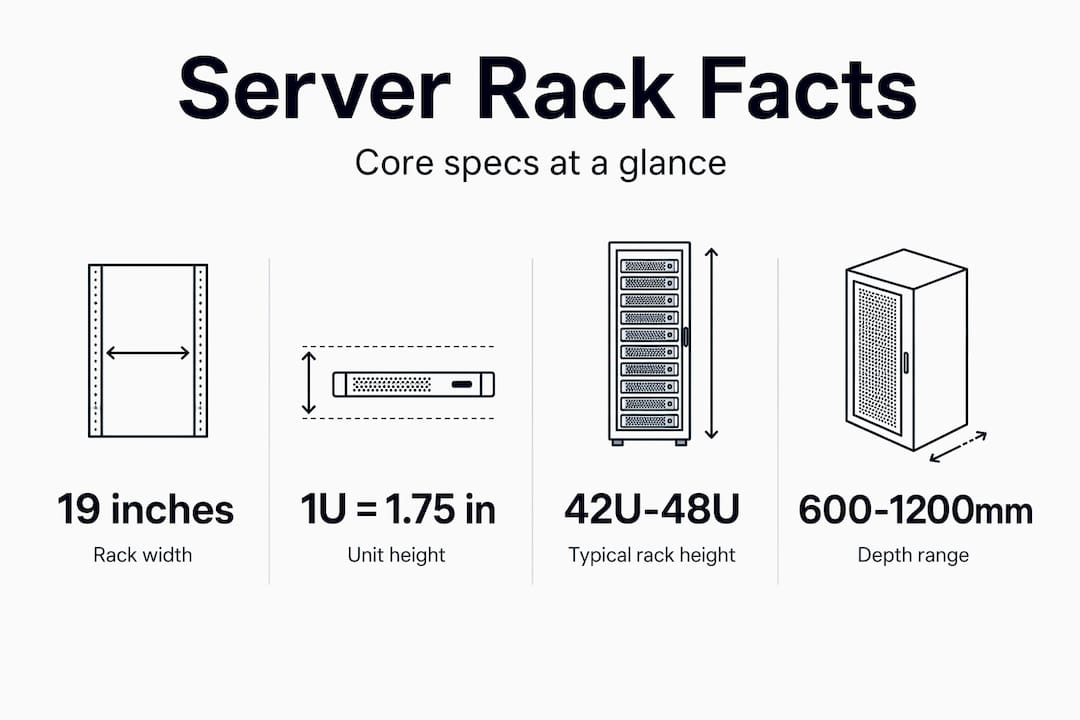
The table below shows common rack heights and their usable space.
| Rack Height | Usable Space | Typical Use Case |
|---|---|---|
| 12U | 21 inches | Small office, edge location |
| 24U | 42 inches | Mid-size telecom room |
| 42U | 73.5 inches | Standard data center rack |
| 48U | 84 inches | High-density data center |
Modern data center racks typically run 42U to 48U, which balances usable capacity with the ability to physically reach equipment without ladders or lifts. Shorter racks like 12U and 24U work well in smaller installations, branch offices, or telecom closets where floor space is limited.
Pro Tip: Before purchasing a rack, always verify the internal usable depth, not just the height. Rack depth ranges from 24 to 48 inches, and deep servers like 1U compute nodes often need 30 inches or more of clearance behind the mounting rails.
Types of server racks
Three primary types of server racks exist, and each one serves a different environment. Choosing the wrong type creates problems that are expensive to fix after installation.
Open frame racks
Open frame racks have no side panels, no doors, and no enclosure. They are exactly what the name suggests: a bare frame with mounting rails. This design maximizes airflow around equipment and makes physical access fast and simple. Technicians can reach cables, swap hardware, and run new cabling without opening any doors or removing panels. Open frame racks are common in controlled data center environments where physical security is managed at the room level rather than the rack level.
The tradeoff is exposure. Equipment mounted in an open frame rack is visible and accessible to anyone in the room. Dust accumulation can also be higher without enclosure panels to limit airborne particles.
Enclosed cabinets
Enclosed server cabinets include front and rear doors, side panels, and often locking mechanisms. This design adds a layer of physical security and allows for more controlled airflow management using blanking panels, hot aisle and cold aisle containment, and built-in fans. Enclosed cabinets are the standard choice for colocation facilities, enterprise data centers, and any environment where multiple teams or vendors share the same space.

The enclosed design does require more attention to airflow planning. Without proper blanking panels filling unused rack space, hot air recirculates inside the cabinet and creates thermal problems.
Wall-mount racks
Wall-mount racks attach directly to a wall and are designed for locations where floor space is at a premium. Network closets, small offices, retail locations, and edge computing deployments commonly use wall-mount racks. They typically range from 6U to 24U and hold lighter equipment like patch panels, switches, and small routers.
Here is a quick comparison of the three types:
| Rack Type | Airflow | Security | Space Use | Best For |
|---|---|---|---|---|
| Open Frame | Excellent | Low | Floor space required | Controlled data centers |
| Enclosed Cabinet | Controlled | High | Floor space required | Enterprise, colocation |
| Wall-Mount | Limited | Medium | Wall space only | Small offices, edge sites |
Key factors to weigh when selecting a rack type:
- Physical security requirements at the rack level vs. room level
- Cooling infrastructure already in place or planned
- Equipment density and total weight
- Available floor space vs. wall space
- Future expansion plans and scalability
Benefits of server racks in real environments
Server racks do more than hold equipment off the floor. The server rack benefits that matter most in practice are space efficiency, airflow control, cable organization, and equipment stability. Each one directly affects uptime and maintenance costs.
Space and vertical stacking
A single 42U rack can hold dozens of servers, switches, and patch panels in roughly 6 square feet of floor space. Without a rack, that same equipment would require tables, shelves, or custom furniture that takes up far more room and provides none of the structural rigidity or cable management that a rack offers. Vertical stacking is the single most effective way to maximize usable space in a server room or telecom closet.
Airflow and cooling
Servers generate significant heat. Racks are designed to support front-to-rear airflow, where cool air enters from the front and hot air exhausts from the rear. When equipment is mounted correctly and blanking panels fill unused rack space, this airflow path stays clean and predictable.
Poor cable organization blocks ventilation, creating hotspots that cause equipment to throttle performance or fail outright. This is not a minor inconvenience. Thermal failures are among the most common causes of unplanned downtime in server environments.
Pro Tip: Unsealed cable cut-outs in raised floors are a hidden cooling killer. Partially filled cut-outs cause up to 22% bypass air, meaning a significant portion of your cooling capacity never reaches the servers. Seal every unused cut-out with brush strips or grommets.
Cable management
Structured cabling using patch panels and vertical cable organizers keeps runs short, labeled, and traceable. This matters during troubleshooting. A technician who can identify and replace a cable in two minutes instead of twenty minutes is the direct result of organized infrastructure. Cable management is not cosmetic work. It is operational work that protects airflow, reduces strain on connectors, and makes the rack serviceable for years.
Equipment stability
Heavy equipment installed at the bottom of the rack lowers the center of gravity and prevents tipping. UPS units, high-density storage arrays, and battery backup systems belong in the lower rack positions. Lighter equipment like patch panels and 1U switches can sit higher without affecting stability. This is a best practice that is frequently ignored during rushed installations, and the consequences range from rack wobble to full tip-over during maintenance.
How to set up and use a server rack effectively
Knowing what a server rack is only gets you so far. How you use server racks determines whether your infrastructure performs reliably or becomes a maintenance problem. Follow these steps to get it right from the start.
-
Map your rack layout before installing anything. Sketch out which equipment goes where, accounting for weight distribution, cable run lengths, and future expansion. Planning cable pathways and rack layout before physical installation avoids costly rework and downtime that come from changing decisions after equipment is mounted.
-
Install heavy equipment first, at the bottom. UPS units and dense storage go in the lowest rack positions. Work upward from there, placing compute servers and then lighter networking gear toward the top.
-
Use blanking panels in every empty rack space. Empty 1U gaps allow hot exhaust air to recirculate to the front of the rack and mix with cool intake air. Blanking panels cost almost nothing and prevent this directly.
-
Route cables through dedicated management panels and organizers. Horizontal cable managers sit between equipment to keep patch cables bundled and off the airflow path. Vertical managers run along the sides of the rack for longer runs. Keep power cables and data cables on opposite sides of the rack to reduce interference and simplify troubleshooting.
-
Seal all cable entry points. Whether you are working with a raised floor or a wall penetration, seal every cut-out that is not actively carrying cables. Brush strip grommets are the standard solution and take minutes to install.
-
Label everything before closing up the rack. Every cable, every patch panel port, and every piece of equipment should carry a label that matches your documentation. A rack that is not documented is a liability, not an asset.
-
Schedule regular maintenance reviews. Check cable tension, verify blanking panels are in place, inspect airflow paths, and confirm that monitoring systems are reporting accurate temperature data. Quarterly reviews catch small problems before they become outages.
My take on what most rack installations get wrong
I have seen server rooms in Manhattan office buildings, secure facilities, and enterprise data centers across New York City. The hardware is almost always fine. The installation almost always has problems.
The most common failure is treating cable management as an afterthought. Cables get run fast during initial installation, and nobody goes back to clean them up. Over time, the rack fills up, cables pile on top of each other, and airflow becomes a guess rather than a managed system. By the time a thermal event happens, the root cause is buried under three years of accumulated cable chaos.
The second most common failure is ignoring the EIA-310-D standard during procurement. Someone buys a rack from a non-standard manufacturer at a lower price, and then discovers that half the equipment they own will not mount correctly. The money saved on the rack gets spent twice over on adapters, custom brackets, and labor to work around the incompatibility.
What I wish more teams understood before their first rack purchase is this: the rack itself is the least expensive part of the infrastructure it holds. Spending the time to choose the right type, the right height, and the right accessories pays back immediately in easier installation and for years afterward in lower maintenance costs. Your network is only as strong as the infrastructure behind it.
— Ken
Build your rack infrastructure with Cables
If you are planning a server rack installation in New York City, Cables brings more than 40 years of experience to every project. From server rack setup and organization to full network closet cleanup and MDF/IDF organization, the team at Cables & Chips handles every detail: equipment placement, cable routing, labeling, airflow management, and documentation. We also supply and install structured CAT6 cabling to support the full infrastructure stack behind your rack.

Whether you are building a new server room from scratch or cleaning up an existing installation that has grown beyond control, Cables serves commercial offices, secure facilities, and enterprise environments throughout New York City. Contact us at 20 Vesey Street in Lower Manhattan to schedule a site survey.
FAQ
What is a server rack used for?
A server rack houses, organizes, and protects IT equipment like servers, switches, patch panels, and storage units in a standardized, space-efficient structure. It also supports airflow management and cable organization to keep equipment running reliably.
What are standard server rack dimensions?
The standard server rack width is 19 inches (measured between mounting ears), and height is measured in Rack Units where 1U equals 1.75 inches. Common data center racks are 42U tall, providing 73.5 inches of usable mounting space.
What is the difference between an open frame rack and an enclosed cabinet?
An open frame rack has no side panels or doors, offering maximum airflow and easy access but minimal physical security. An enclosed cabinet adds locking doors and side panels for security and controlled airflow, making it the standard choice for shared or enterprise environments.
How do I know what size server rack I need?
Count the total Rack Units of equipment you plan to install, add 20 to 30 percent for future growth, and select a rack height that covers that total. Also verify the internal depth of the rack against the depth of your deepest equipment before purchasing.
Why does cable management matter in a server rack?
Cable management directly affects airflow. Disorganized cables block ventilation paths, create hotspots, and can cause equipment failure. Structured cabling with patch panels and cable organizers keeps airflow clean, makes troubleshooting faster, and extends the life of the hardware in the rack.