

What Is a Patch Cord? Types, Uses, and Key Specs

TL;DR:
- A patch cord is a short, pre-terminated cable with connectors on both ends that connect network devices. It uses stranded copper for flexibility, limited to 10 meters per channel to maintain signal quality. High-quality patch cords are essential to prevent failure and ensure reliable network performance.
A patch cord is defined as a short, pre-terminated cable with connectors on both ends, used to link devices within a network rack, patch panel, or workstation. Patch cords typically range from 0.5 to 5 meters, making them distinct from horizontal structured cable runs that can extend up to 100 meters. You will also hear them called patch cables, patch leads, or Ethernet patch cables depending on the context. The TIA-568 standard governs their use in commercial structured cabling systems, and understanding the difference between a patch cord and other cable types is the first step to building a network that actually holds up.
What is a patch cord and how does it differ from other cables?
A patch cord is always connectorized at both ends. Patch cords differ from pigtails, which carry only a single connector and require fusion splicing to connect to a trunk cable. That distinction matters in procurement. Ordering pigtails when you need patch cords creates installation delays and compatibility problems that are entirely avoidable.
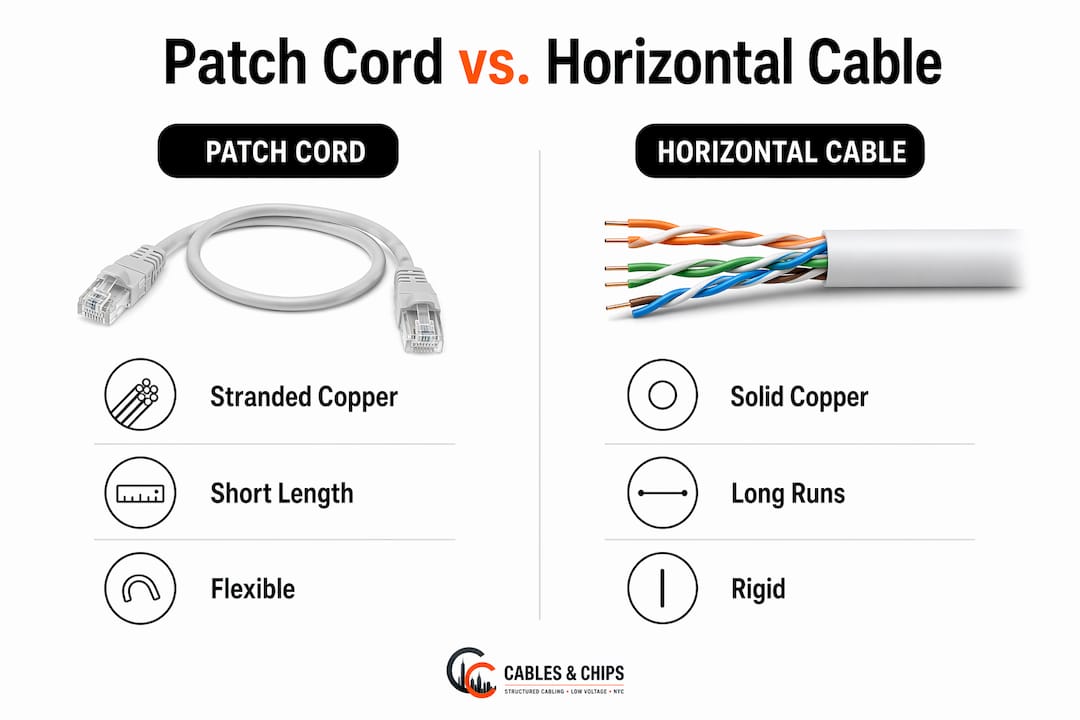
The more common source of confusion is the difference between a patch cord and a standard Ethernet or horizontal cable. The physical difference comes down to the conductor type inside the jacket. Patch cords use stranded copper conductors for flexibility, while permanent horizontal cables use solid-core copper for lower attenuation over long distances. Stranded conductors bend repeatedly without breaking, which is exactly what you need when plugging and unplugging cables in a busy server room. Solid-core cable is stiffer and will crack at the connector if you flex it too often.
That conductor difference has a direct performance consequence. Stranded copper produces slightly higher insertion loss than solid-core copper at the same length. TIA-568 limits the combined patch cord length in a 100-meter channel to 10 meters for this reason. Exceeding that limit degrades signal quality, and the problem is invisible until you start seeing packet loss or failed certification tests.
Pro Tip: Never use solid-core Ethernet cable as a patch cord. Incorrect cable selection causes premature connector failure and measurable signal degradation. Always confirm the conductor type before installation.
The table below summarizes the key differences between patch cords and horizontal structured cables.
| Feature | Patch cord | Horizontal structured cable |
|---|---|---|
| Conductor type | Stranded copper | Solid-core copper |
| Typical length | 0.5–5 meters | Up to 100 meters |
| Flexibility | High | Low |
| Termination | Pre-terminated both ends | Field-terminated or pre-terminated one end |
| Primary use | Device-to-panel, rack connections | Wall jack to IDF/MDF runs |
| Standards limit | 10 meters combined per channel | 90 meters permanent link |
What are the common types of patch cords?
Patch cords fall into two broad categories: copper and fiber optic. Copper patch cords are the most common in commercial office environments. Fiber optic patch cords carry light signals instead of electrical ones, making them the right choice for high-bandwidth backbone connections or runs between buildings.
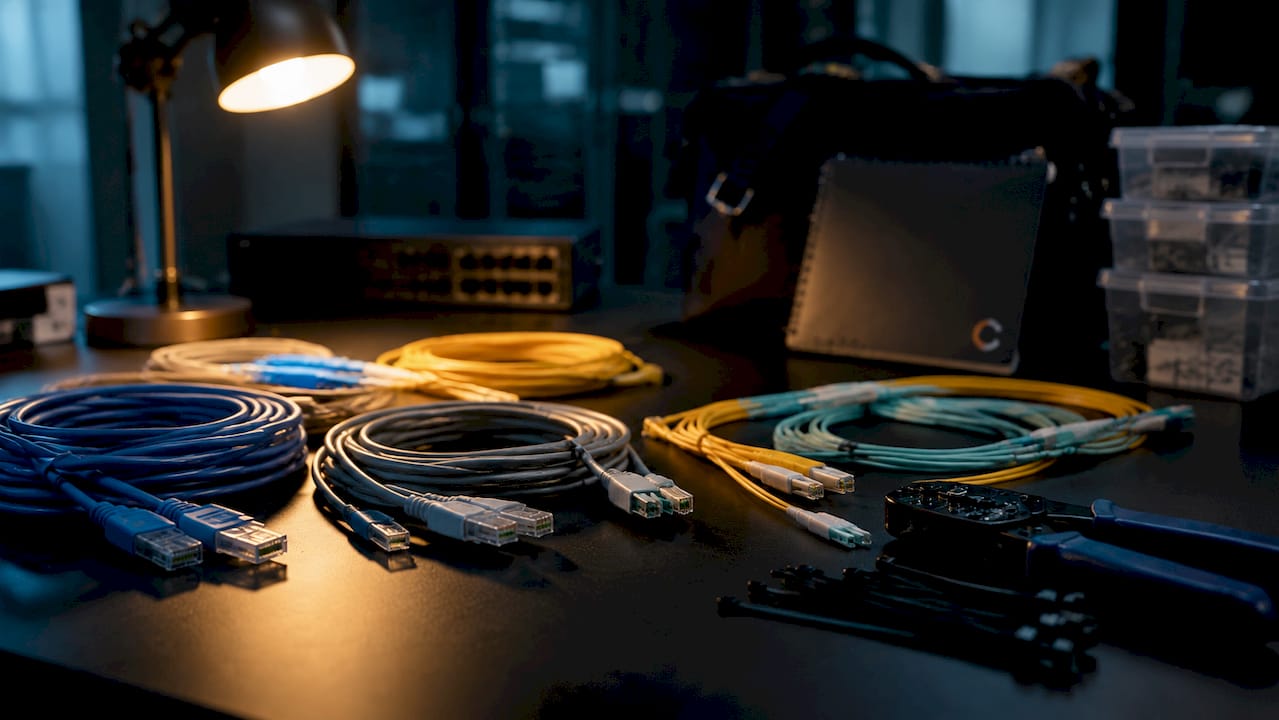
Within copper patch cords, the category rating determines performance. Cat5e supports speeds up to 1 Gbps at 100 MHz bandwidth. Cat6 supports 1 Gbps at 250 MHz and can reach 10 Gbps over short distances. Cat6A supports 10 Gbps at 500 MHz across the full 100-meter channel. For most commercial office builds in 2026, Cat6 is the baseline and Cat6A is the standard for any environment running high-density wireless access points or VoIP infrastructure.
Color-coded patch cords remain the primary strategy for managing complex signal routing in commercial telecom rooms. Assigning a specific color to a specific function, such as blue for data, red for VoIP, and yellow for security systems, makes it immediately clear which cable does what. Color-coding reduces troubleshooting errors and labor time in high-density server rooms and enterprise networks. That is not a minor convenience. In a 48-port patch panel with no color system, tracing a single bad connection can take 20 minutes. With color-coding, it takes 20 seconds.
Pro Tip: Standardize your color scheme across every closet in the building before installation begins. Changing it after the fact means re-labeling or re-cabling, both of which cost more than getting it right the first time.
Typical patch cord applications include:
- Connecting workstations to wall jacks or floor boxes
- Linking patch panels to network switches in IDF and MDF closets
- Connecting servers to top-of-rack switches in data centers
- Bridging switches in stacked configurations
- Connecting routers to firewalls or core switches
- Linking fiber optic transceivers to patch panels in backbone runs
How do you properly use patch cords in structured cabling?
Patch cords play a specific role in structured cabling architecture. They are the flexible, movable segment of an otherwise fixed system. The permanent horizontal run goes from the wall jack to the patch panel. The patch cord connects the patch panel port to the switch port. A second patch cord connects the wall jack to the workstation. Both segments count toward the 10-meter combined patch cord limit per TIA-568.
Understanding how patch panels function in networks is essential before selecting patch cord lengths. A patch panel that is mounted too far from the switch forces you to use longer patch cords, which eats into your channel budget and increases the risk of cable sag and physical damage. Rack layout decisions made during design directly affect patch cord performance in the field.
Best practices for patch cord management in professional environments:
- Use the shortest patch cord that comfortably reaches the destination port. Excess cable creates clutter and increases the chance of accidental disconnection.
- Apply strain relief at every connection point. Connectors that bear mechanical load fail faster than those that hang freely.
- Label both ends of every patch cord before installation. Patch panel labeling done at installation time costs minutes. Doing it after the fact costs hours.
- Store spare patch cords coiled loosely, not tightly wound. Tight coiling stresses the jacket and can deform stranded conductors over time.
- Follow network closet organization best practices to keep patch cord runs separated from power cables and clearly routed through cable managers.
High-quality connectors matter more than most IT managers expect. Patch cords are the most handled and failure-prone cables in any network. A connector that passes certification on day one but uses substandard contacts will degrade within months of regular use. Investing in patch cords with gold-plated contacts and molded strain relief boots pays for itself in reduced replacement cycles.
What are common patch cord problems and how do you fix them?
Physical damage is the leading cause of patch cord failure. Bent connectors, cracked boots, and kinked jackets all produce the same symptoms: intermittent connectivity, slow speeds, and packet loss. The problem is that these symptoms look identical to switch port failures, IP conflicts, and firmware issues. Patch cords get overlooked because they are assumed to be passive and reliable.
Fiber and copper infrastructure professionals identify patch cords as a top source of network failure when they are not properly selected and maintained. The fix is a systematic inspection process, not random cable swapping.
Follow these steps when troubleshooting a suspected patch cord issue:
- Visually inspect both connectors for bent pins, cracked housings, or debris in the port. A flashlight and a magnifier are sufficient for copper. Fiber connectors require a fiber inspection scope.
- Verify the conductor type. Physical inspection of stranded conductors shows fine copper strands at the cut end, unlike the single solid wire in horizontal cable. Using solid-core cable as a patch cord is a common mistake that produces intermittent failures under movement.
- Swap the suspect patch cord with a known-good cable of the same category and length. If the problem disappears, the original cord is the cause.
- Test the replacement cable with a cable certifier or a network performance tool like iPerf3. iPerf3 measures throughput, jitter, and packet loss between two endpoints and confirms whether the channel meets its rated performance.
- Document the failure, the replacement cable specs, and the test result. This record supports warranty claims and helps identify patterns across a fleet of patch cords.
Pro Tip: Run iPerf3 tests on new patch cord installations before closing out a project. A baseline measurement takes less than two minutes per link and gives you a documented reference point for every future troubleshooting call.
Ken’s take: why patch cord quality is the most underestimated decision in network builds
The confusion between Ethernet cables and patch cords is not a beginner mistake. I have seen experienced IT managers spec solid-core cable for patch applications because the price was lower. The network passed initial certification. Six months later, connectors were failing across the board, and no one connected the cause to the original cable selection decision.
The term “patch” is not cosmetic. Manufacturers use it to reflect the dynamic patching function these cables perform, distinguishing them from static permanent cabling. That function requires a cable built for repeated handling. A patch cord that costs a dollar more per unit but lasts three times as long is not a budget line item. It is an infrastructure decision.
My experience across commercial office builds in New York City shows that the network closet is where most performance problems originate, and patch cords are the first thing to check. The patch panel design determines how much slack you have to work with. The patch cord quality determines how long that slack stays functional.
For 2026 and beyond, the shift toward 10 Gbps desktop and high-density WiFi 6E deployments means Cat6A patch cords are no longer optional in new builds. The bandwidth headroom matters. Specifying Cat6 patch cords on a Cat6A horizontal run wastes the investment in the permanent infrastructure. Match the category end to end, use stranded conductors, and label everything before the first device goes live.
— Ken
Cables and Chips: structured cabling done right
Cables and Chips supplies and installs ethernet patch cords across Cat5e, Cat6, Cat6A, and fiber optic categories for commercial offices, server rooms, and enterprise environments throughout New York City. Every installation follows TIA-568 standards, with full labeling, cable management, and post-installation testing included.

Whether you are building a new network closet from scratch or cleaning up an existing one, the structured cabling components guide covers every layer of the infrastructure decision. Cables and Chips brings more than 40 years of low voltage experience to every project. Contact the team at 20 Vesey Street in Lower Manhattan to schedule a site survey.
Key takeaways
A patch cord is a short, stranded-copper cable with connectors on both ends, governed by TIA-568, and limited to 10 meters combined per 100-meter channel.
| Point | Details |
|---|---|
| Patch cord definition | A pre-terminated cable with connectors on both ends, distinct from pigtails and solid-core horizontal cables. |
| Conductor type matters | Stranded copper is required for patch cords; solid-core cable causes connector failure under repeated flexing. |
| TIA-568 length limit | Combined patch cord length in a channel must not exceed 10 meters to maintain signal integrity. |
| Color-coding reduces errors | Assigning colors by function cuts troubleshooting time and prevents misconnections in dense environments. |
| Category matching is critical | Patch cord category must match the horizontal run; mixing Cat6 cords on Cat6A runs wastes infrastructure investment. |
FAQ
What is the standard definition of a patch cord?
A patch cord is a short, pre-terminated cable with connectors on both ends, used to connect devices within a network rack or between a patch panel and a switch. It is always stranded copper or fiber optic and is governed by TIA-568 in commercial installations.
What is the difference between a patch cord and an Ethernet cable?
A patch cord uses stranded copper conductors for flexibility and is limited to short runs, while a standard horizontal Ethernet cable uses solid-core copper for lower attenuation over distances up to 90 meters. Using solid-core cable as a patch cord causes premature connector failure.
How long can a patch cord be?
TIA-568 limits the combined patch cord length in a 100-meter channel to 10 meters. This accounts for both the equipment-side patch cord at the rack and the work-area cord at the workstation end.
What types of patch cords are used in commercial networks?
The most common types are Cat5e, Cat6, and Cat6A copper patch cords, plus single-mode and multimode fiber optic patch cords. Cat6A is the current standard for new commercial builds supporting 10 Gbps and high-density wireless infrastructure.
Why do patch cords fail more often than other network cables?
Patch cords are the most frequently handled cables in any network, making them the most prone to connector wear, jacket damage, and bent pins. Investing in high-quality connectors with strain relief boots and replacing damaged cords promptly prevents cascading network reliability issues.