

A network closet is a dedicated, access-controlled space in a commercial building used to house telecommunications and networking hardware, including patch panels, switches, routers, and structured cabling termination points. The industry standard term for this space is a telecommunications room (TR), though facilities teams and IT professionals use “network closet,” “telecom room,” and “IDF closet” interchangeably depending on context. Understanding what belongs in this space, how it should be organized, and where it should be located directly affects network uptime, troubleshooting speed, and the long-term scalability of your building’s infrastructure. For commercial real estate, IT, and facilities professionals, getting this right is not optional.
What is a network closet and what equipment does it contain?
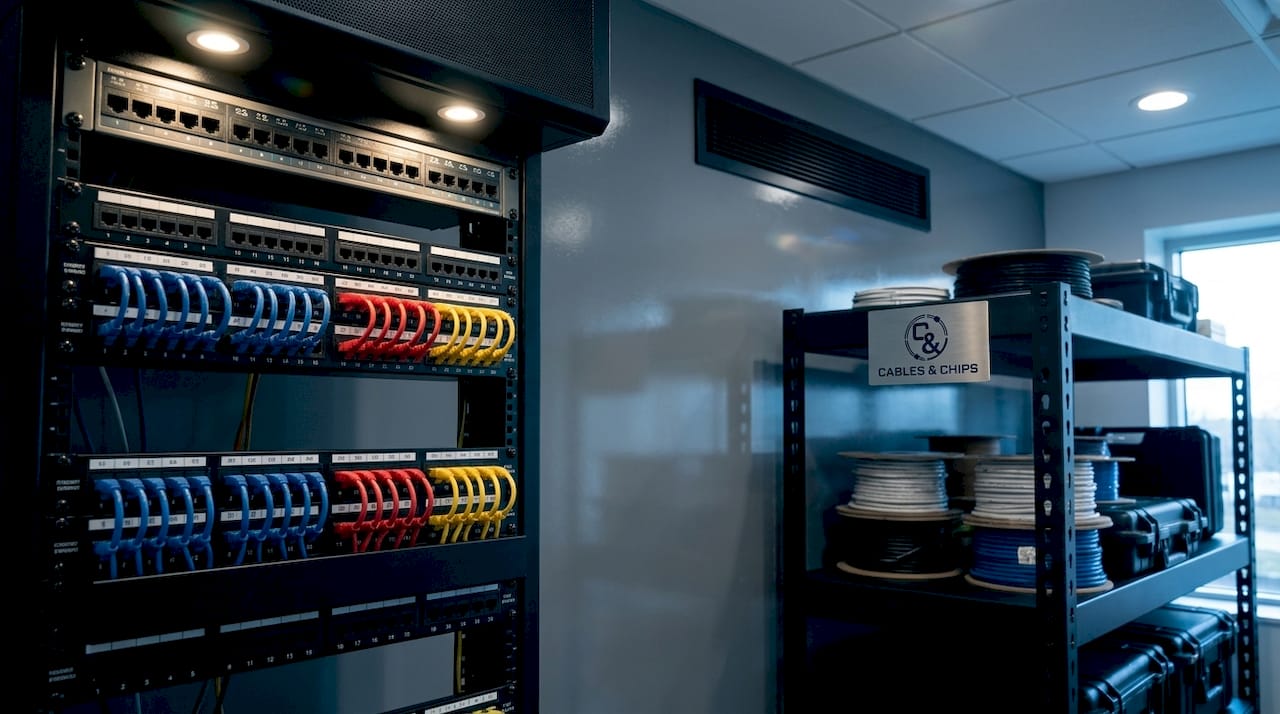
A network closet houses and interconnects telecommunications infrastructure including racks, patch panels, cabling, and active networking equipment like switches and routers. This is where horizontal cabling from workstations and backbone cabling from other floors terminate, and where technicians use patch cords to create cross-connections between circuits. The space is not simply a storage room for gear. It is a controlled environment designed specifically for serviceability.
The standard equipment found in a network closet includes:
- Patch panels: Passive termination points where horizontal and backbone cables land. They provide a clean, labeled interface for cross-connecting circuits using short patch cords.
- Network switches: Active Layer 2 or Layer 3 devices that direct traffic between devices on the local network. Access switches in a closet typically serve the floor or zone directly above or below.
- Routers and firewalls: Present in the primary closet (the MDF) to manage traffic between the internal network and the ISP connection.
- Uninterruptible power supply (UPS) units: Battery backup systems that protect active equipment from power fluctuations and brief outages. Both MDF and IDF closets should have dedicated UPS units.
- Cable management hardware: Horizontal and vertical cable managers, Velcro ties, and patch cord organizers that keep the rack clean and serviceable.
- Environmental controls: Cooling units or dedicated HVAC supply to maintain safe operating temperatures for active equipment.
Pro Tip: Label every patch panel port and every cable end before the closet goes live. Retroactive labeling in a populated rack is one of the most time-consuming tasks in network maintenance, and unlabeled ports are the leading cause of accidental service disruptions during moves, adds, and changes.
A well-organized telecom room maximizes serviceability so technicians can identify and re-terminate individual runs without reworking the entire physical layer. That distinction matters in a 200-person office where a single mislabeled patch cord can take down a VLAN.
How do MDF and IDF closets differ, and why does it matter?
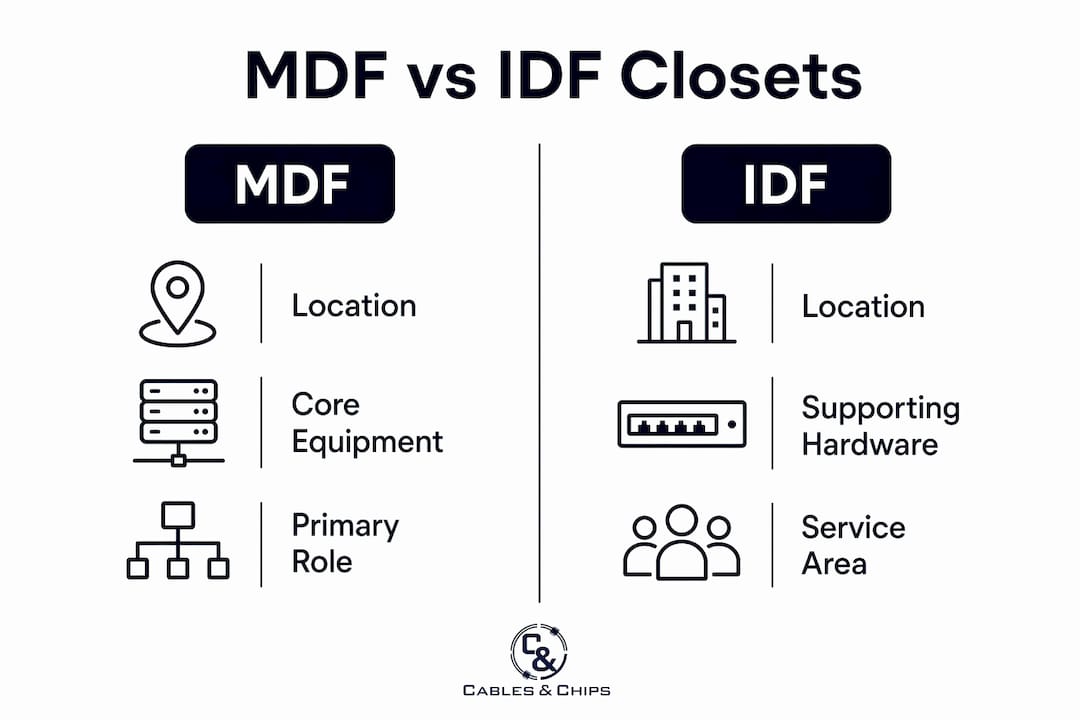
Most commercial office buildings use a hierarchical design with a Main Distribution Frame (MDF) as the central hub and Intermediate Distribution Frames (IDFs) as secondary distribution points located near end-user zones. The MDF is where outside ISP lines land and core switching resides, while IDFs reduce cable run lengths and simplify local distribution on each floor or wing.
| Feature | MDF | IDF |
|---|---|---|
| Location | Near building telecom entry point | Near user zones, per floor or wing |
| Primary function | ISP handoff, core routing, firewall | Local switching, floor-level distribution |
| Typical equipment | Core switch, gateway, firewall, primary UPS, patch panels | Access switches, uplink ports, local UPS, patch panels |
| Cabling role | Backbone and ISP termination | Horizontal cabling termination |
| Scale | One per building or campus | One per floor or zone |
The MDF typically houses the ISP handoff, core switch, gateway and firewall, patch panels, documentation, and primary UPS. IDFs hold local patch fields, access switches, uplinks, and local UPS units. This clear role division prevents network fragmentation and supports a maintainable infrastructure as the building grows or changes tenants.
The technical reason IDFs exist is cable distance. Copper structured cabling limits permanent link length to 90 meters and full channel length to 100 meters. In a multi-floor office building, running copper directly from a basement MDF to a workstation on the 15th floor exceeds that limit and produces unreliable links. Placing an IDF on each floor keeps every horizontal run within standard distance, and a fiber backbone connects each IDF back to the MDF without distance constraints.
Pro Tip: When planning IDF placement during a tenant buildout or renovation, position each closet as close to the geometric center of its serving zone as possible. This minimizes the longest cable run on that floor and gives you the most flexibility for future desk reconfigurations without re-cabling.
Failing to plan MDF and IDF placement correctly leads to expensive retrofits or unstable service. IT and facilities teams that treat closet placement as an afterthought during construction typically pay for it during the first major office reconfiguration.
What are best practices for organizing, securing, and maintaining a network closet?
A disorganized or unsecured network closet is a liability. The following practices reflect what separates a professionally built telecom room from a tangle of unlabeled cables behind a locked door.
-
Implement electronic access control. Network closets should be access-controlled with electronic card systems restricting entry to authorized IT and facilities staff. Access logs should be reviewed periodically, and emergency access protocols must be documented and approved by IT leadership.
-
Maintain an accurate as-built record. Every patch, every port, and every cable run should be documented in a physical binder or a network documentation platform like NetBox or Racktables. When a technician can reference an accurate diagram, fault isolation drops from hours to minutes.
-
Use structured cable management. Route patch cords through horizontal managers between panels and switches. Keep power cables physically separated from data cables to reduce electromagnetic interference. Use Velcro ties rather than zip ties so cables can be rerouted without cutting.
-
Control the environment. Active switching equipment generates heat. A closet without dedicated cooling will see ambient temperatures rise above safe operating thresholds, shortening equipment lifespan and increasing the risk of thermal shutdowns. Maintain temperature between 64°F and 75°F and monitor humidity levels.
-
Schedule periodic audits. Walk every closet quarterly. Verify that documentation matches the physical state of the rack, remove decommissioned equipment, and replace any damaged patch cords. A closet that looked clean at installation can deteriorate quickly in a busy office environment.
Access-controlled closets reduce troubleshooting time by preventing unauthorized rearrangements. Preserving an accurate as-built state speeds fault diagnosis because technicians know exactly what is connected where. For network closet organization in commercial buildings, these practices are the baseline, not the ceiling.
Pro Tip: Color-code your patch cords by function. Use blue for data, red for voice over IP (VoIP), yellow for uplinks, and gray for management ports. This single practice cuts the time to identify a specific circuit in a dense patch field by more than half.
Why does network closet design and location matter in office environments?
Location determines performance. A telecom room placed in the wrong part of a building creates cable distance problems, environmental risks, and access difficulties that compound over time. The telecommunications room should avoid moisture, heat sources, electromagnetic interference, and shared space with janitor closets or electrical panels. Basements and attics are specifically discouraged due to environmental risk and limited access.
Key design considerations for commercial office environments include:
- Proximity to the telecom entrance facility: The MDF should sit as close as possible to where the ISP fiber or copper enters the building. Every additional foot of backbone cabling between the entrance and the MDF adds cost and potential failure points.
- Central placement for IDF closets: Each IDF should serve a defined zone and be positioned to keep all horizontal runs under the 90-meter permanent link limit for CAT6 and CAT6A cabling.
- Dedicated space, not shared space: A network closet that doubles as storage for office supplies or cleaning equipment is a compliance and reliability problem. The space must be dedicated to telecommunications infrastructure.
- Conduit and pathway planning: Sleeves, conduit, and cable trays between the MDF and each IDF should be sized for future growth, not just current capacity. A conduit that is 80% full at installation leaves no room for additional backbone runs during expansion.
- Power and grounding: Each closet requires dedicated circuits for active equipment and UPS units, plus a proper telecommunications grounding and bonding system per TIA-607 standards.
Adherence to structured cabling standards, including TIA-568 for cabling and TIA-569 for pathways and spaces, directly affects uptime and the ability to certify the installation. Buildings with properly planned cabling infrastructure command higher tenant confidence and reduce the cost of future IT buildouts.
How do network closets integrate with broader building infrastructure?
A network closet does not operate in isolation. It is the physical intersection point between structured cabling, active networking, security systems, and building management infrastructure. Telecommunications rooms terminate backbone and horizontal cabling and are critical for organized network distribution within a serving zone. That function extends well beyond data networking.
In a modern commercial office, the network closet also supports:
- CCTV and IP camera systems: IP-based surveillance cameras connect back to the network closet via CAT6 cabling and require Power over Ethernet (PoE) switch ports and dedicated VLANs.
- Access control systems: Card readers, door controllers, and intercoms all rely on low voltage cabling that terminates in or near the network closet.
- VoIP infrastructure: IP phone systems use the same structured cabling plant as data, making the closet the central distribution point for voice traffic as well.
- Wireless access point cabling: Each ceiling-mounted WiFi access point requires a dedicated CAT6 or CAT6A run back to the closet for both data and PoE power delivery.
- Building automation systems: HVAC controls, lighting systems, and energy management platforms increasingly use IP-based protocols that tie into the same network infrastructure.
Coordination between IT, facilities management, and commercial real estate teams is required to get this right. When these groups operate in silos, the result is closets that are undersized, improperly located, or missing the conduit pathways needed to support security and automation systems. Scalable cabling infrastructure planning must account for all low voltage systems from the start, not just data networking.
Key takeaways
A network closet is the physical foundation of every office network, and its design, location, and organization determine how reliably and efficiently that network performs.
| Point | Details |
|---|---|
| Core definition | A network closet is a dedicated telecom room housing patch panels, switches, and structured cabling termination points. |
| MDF vs. IDF hierarchy | MDFs serve as the building’s primary hub; IDFs distribute connectivity per floor within the 100-meter copper distance limit. |
| Access control is non-negotiable | Electronic card access and audit logs protect the as-built state and reduce troubleshooting time significantly. |
| Location drives performance | Closets placed near telecom entry points and user zones, away from moisture and EMI, deliver better uptime and longevity. |
| Integration extends beyond data | Network closets support CCTV, access control, VoIP, and WiFi, requiring coordinated planning across IT and facilities teams. |
What 40 years in telecom rooms has taught me about getting them right
The most common mistake I see in commercial office buildouts is treating the network closet as an afterthought. A general contractor finishes the space, hands the keys to the IT team, and suddenly there is a 4-by-6-foot room with no cooling, no dedicated power circuit, and conduit that runs to the wrong part of the floor. Fixing that after the fact costs three times what it would have cost to plan it correctly.
The second pattern I see consistently is the “temporary” patch. Someone needs to move a workstation quickly, so they run a cable across the ceiling without labeling it and patch it into an open port. Six months later, nobody knows what that cable does or where it goes. Multiply that by a few years and a few different IT staff members, and you have a closet that looks like a fire hazard and functions like one too.
What actually works is treating the network closet with the same discipline you apply to the electrical room. Document everything before it goes live. Restrict access to people who are authorized and trained. Schedule regular audits and enforce them. Use color-coded patch cords and label every single port. These are not complicated practices. They are consistent ones.
The buildings I have seen with the cleanest, most reliable networks are not always the ones with the most expensive equipment. They are the ones where someone took the time to build the closet correctly from day one and then protected that investment with disciplined maintenance. Your network is only as strong as the infrastructure behind it.
— Ken
Professional network closet installation and organization in NYC
Cables & Chips designs and builds network closets for commercial offices, secure facilities, and enterprise environments throughout New York City. From structured CAT6 and CAT6A installation to full rack setup, cable cleanup, labeling, and testing, we deliver closets that are clean, documented, and built to last. Our team handles MDF and IDF buildouts, fiber backbone installation, and integration with CCTV and access control systems. Whether you are building out a new floor, inheriting a disorganized closet, or planning a full infrastructure upgrade, Cables & Chips brings more than 40 years of low voltage expertise to every project. Contact us at 20 Vesey Street in Lower Manhattan or schedule a site survey to get started.
FAQ
What is the difference between a network closet and a server room?
A network closet, or telecommunications room, houses passive cabling infrastructure and local distribution equipment like patch panels and access switches. A server room is a larger, more controlled environment designed to house compute servers, storage systems, and core data center equipment with higher power and cooling requirements.
How many network closets does an office building need?
The number depends on floor plate size and the 100-meter copper cabling distance limit. Most multi-floor buildings require one IDF per floor, with a single MDF near the building’s telecom entrance. Large floor plates may require two IDFs per floor to keep all horizontal runs within standard distance.
What temperature should a network closet be kept at?
Active networking equipment operates reliably between 64°F and 75°F. Without dedicated cooling, closet temperatures can exceed safe thresholds during peak load, which shortens equipment lifespan and increases the risk of unplanned outages.
Who should have access to a network closet?
Access should be restricted to authorized IT and facilities staff using electronic card systems, with access logs reviewed regularly. Emergency access protocols must be documented and approved by IT leadership before they are needed.
Can a network closet support both data and security systems?
Yes. A properly designed network closet supports data networking, VoIP, WiFi access point cabling, CCTV, and access control systems from the same structured cabling plant. Each system requires dedicated VLANs and, in the case of cameras and access control, PoE-capable switch ports.