
AV Integrators: Acceptance Testing for USB-C Over Cat6 (100 meters)
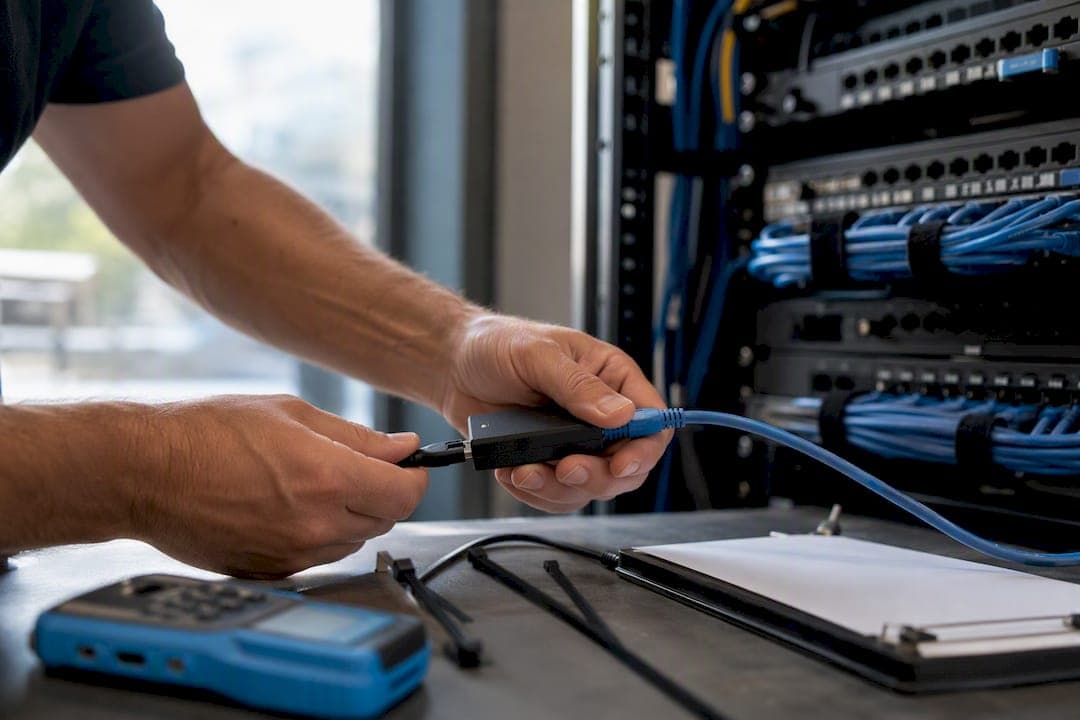
For most pro-AV deployments, point-to-point CatX extenders, including HDBaseT-class and BlueRiver-style 10G AV transports, are the right default for extending USB-C over Cat6 or Cat6A. They deliver deterministic, low-latency performance that USB-over-IP can’t match. Reserve USB-over-IP for low-bandwidth, non-time-critical sharing. Any run carrying 4K video or USB 3.x traffic beyond short distances needs Cat6A or shielded cable and professional termination and testing.
TL;DR:
- Use Cat6A shielded cabling and professional termination for runs supporting 4K video or USB 3.x to ensure reliable high-bandwidth performance.
- Point-to-point CatX extenders are preferred for latency-sensitive applications like cameras and touch panels, avoiding network jitter and delay.
- USB-over-IP is suitable only for low-bandwidth peripherals that tolerate some delay, and passive adapters are unreliable beyond short distances or high data demands.
- Distances of up to 100 meters are achievable for USB 2.0 over Cat6X cables and up to 100 meters for USB 3.x at 5Gbps with proper hardware and cabling quality.
- Proper installation, including consistent T568B termination, minimal untwisting, shielding, and cable testing, is essential for reliable performance and troubleshooting.
Point-to-Point CatX Extenders vs. USB-Over-IP vs. Passive Adapters
The method you choose depends entirely on what the device needs to do in real time. A PTZ camera panning during a live board meeting has zero tolerance for lag. A file transfer from a badge reader across the building does not.
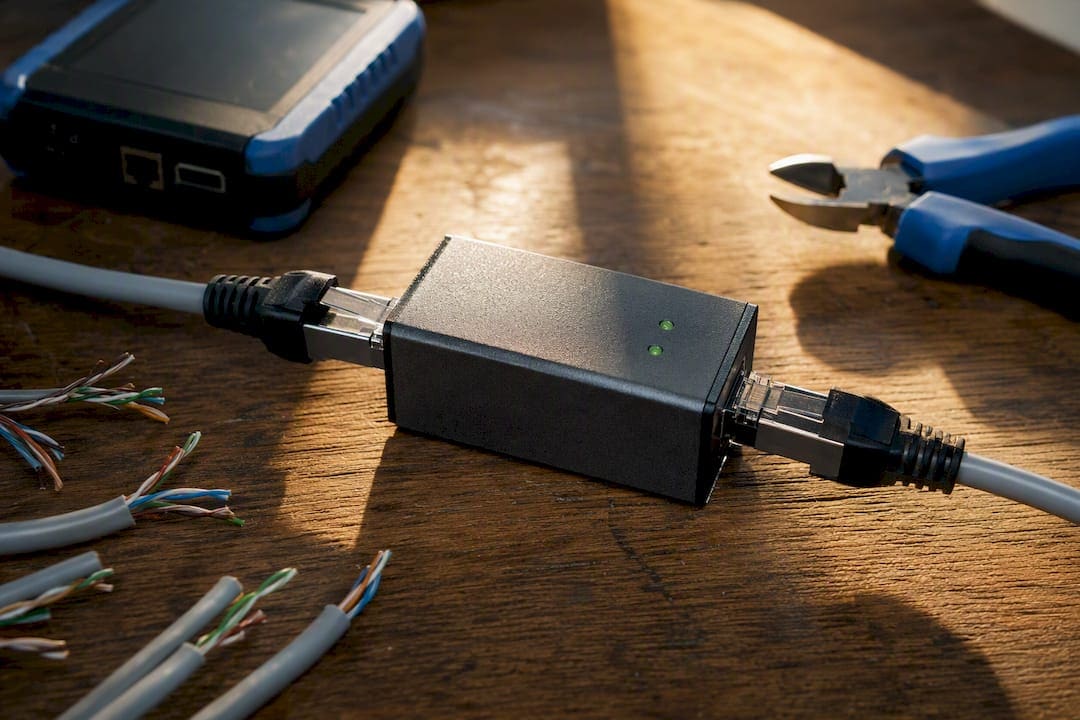
Point-to-point CatX extenders transmit USB signals directly over category cable without converting them into IP packets, which is why they avoid the jitter and packetization delay that plague network-based methods. Many models add Power over Cable (PoC) or USB PD pass-through, making them the standard choice for conference cameras, interactive displays, and touch panels.
USB-over-IP routes USB traffic through the existing network switch fabric. That flexibility comes at a cost: shared bandwidth, variable latency, and dependence on network health. It works fine for keyboards, low-speed scanners, or license dongles that tolerate a little lag.
Passive adapters (simple baluns with no active electronics) fail once you push beyond a few meters or add anything with real bandwidth demands. Signal degradation shows up as dropped frames, disconnects, or a device that simply won’t enumerate.
- Choose CatX extenders for cameras, displays, and anything latency-sensitive
- Choose USB-over-IP only for low-bandwidth, delay-tolerant peripherals
- Avoid passive adapters for any run over a few meters or any AV application
How Do Extenders Carry USB-C Signals Over Cat6?
USB-C’s flexibility comes from DisplayPort Alt Mode, which lets a single cable carry native DisplayPort video alongside USB data and power delivery signals on the same connector. A CatX extender has to intercept those signals at the source, encode them for transport across category cable, and reconstruct them faithfully at the far end.
HDBaseT and BlueRiver-style transcoders handle this by treating the link as a dedicated transport channel rather than a shared network path, as explained in this integrator’s implementation briefing on BACnet Secure Connect. Semtech’s BlueRiver platform uses 10G Ethernet-based transmission to deliver uncompressed 4K60 video, multi-channel audio, USB data, and control signals together over a single Cat6A run, with optional PoE or PoC power. That’s a meaningfully different job than moving USB packets across a corporate LAN.
USB data classes matter here too. Full-speed and high-speed USB 2.0 devices (most conferencing cameras) extend cleanly at native speed. Push into USB 3.x or 5Gbps territory, and you need an extender purpose-built for that throughput, or you’ll see the connection negotiate down. Point-to-point transport keeps latency and jitter low because there’s no queuing, no competing traffic, and no packet reassembly. Network-based methods introduce all three, which is fine for a mouse and disastrous for a PTZ camera mid-shot.
Cabling and Termination Rules That Actually Matter
Cable selection and termination quality determine whether an extender performs at spec or underperforms in ways that look like a bad product.
- Choose Cat6A for any run supporting 4K video or USB 3.x. Standard Cat6 works for shorter, lower-bandwidth links, but Cat6A gives you headroom and future-proofs the run.
- Go shielded (F/UTP or S/FTP) in environments with heavy EMI, such as spaces near elevator motors, fluorescent ballasts, or dense electrical conduit.
- Terminate consistently to T568B across the entire installation. Mixed standards on the same job create needless troubleshooting later.
- Watch pair untwist at the termination point. Industry best practice calls for minimal untwist and proper shield grounding to control EMI, and both are cheap insurance against intermittent faults.
Pro Tip: Keep untwisted lengths under half an inch at every termination point. That single habit prevents more intermittent USB dropout calls than any other field fix we’ve made.
How Far Can USB-C Signals Travel Over Cat6?
Distance and bandwidth trade off against each other, and the numbers vary by product tier and cable quality.
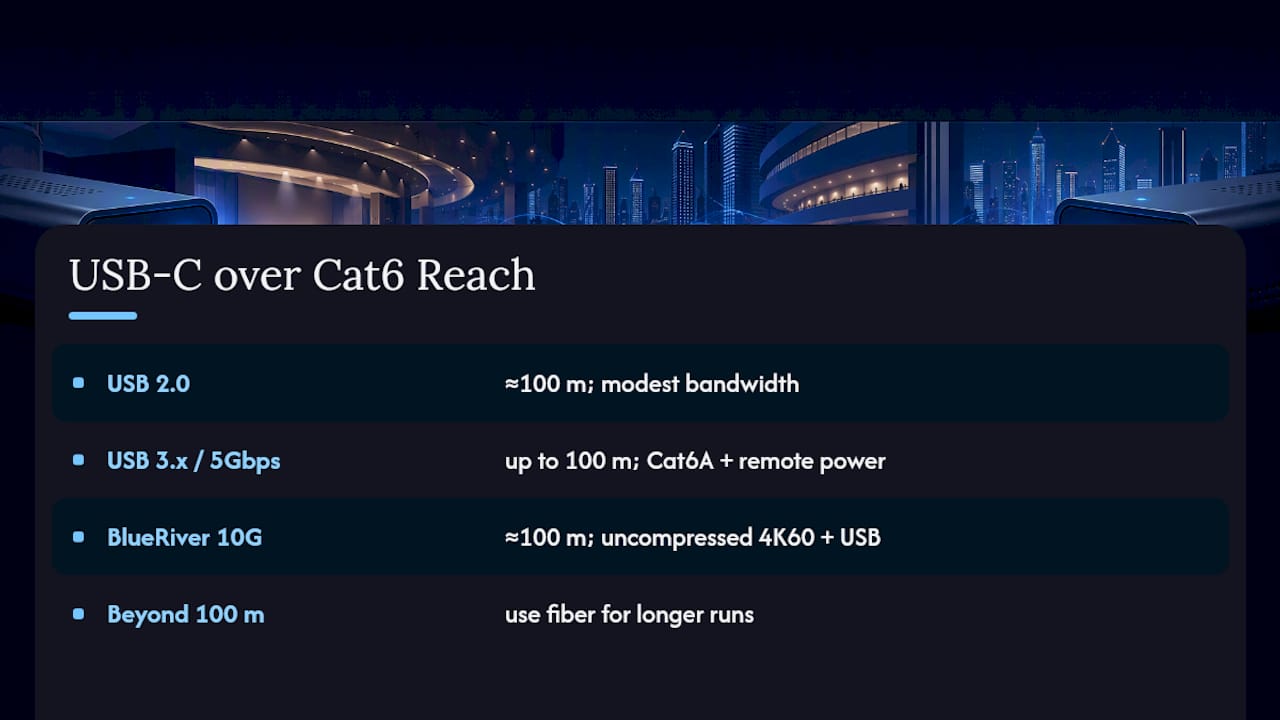
USB 2.0 devices extended over CatX links commonly reach up to about 100 meters without issue, since the bandwidth demand is modest. USB 3.x and 5Gbps data are a tighter squeeze: Extron’s UCS 910 Series supports full USB 5Gbps data up to 100 meters (330 feet) over Cat6A with remote device power, which represents a realistic ceiling for professional-grade hardware rather than a marketing best case. BlueRiver-class 10G AV designs hit similar 100-meter marks on Cat6A for uncompressed 4K60 plus USB, with fiber as the answer once you need to go further.
Advertised maximums assume quality cable, clean terminations, and short patch cord runs at each end. Cheap cable, excess connector count, or poor shielding all eat into that real-world margin quietly, until a device starts dropping intermittently under load.
Power is its own constraint. PoC and PD pass-through on most extenders comfortably power cameras and small hubs, but full laptop charging at higher wattages often exceeds what the extender’s power budget supports, which means local power or a dedicated inserter may be required. Specify with margin: pick the higher-rated cable and confirm the PD budget against your heaviest device before you commit to a design.
Which Devices Work Best Over Cat6 Extenders?
Device compatibility is where most installs succeed or quietly fail months later.
- Conference room cameras and USB 2.0 peripherals extend cleanly and reliably
- PTZ cameras perform well specifically because point-to-point transport avoids network jitter
- Displays and touch panels supporting DP Alt Mode work as long as the extender matches the video standard
- Simple USB hubs and keyboards tolerate either extension method without issue
The traps show up with multi-function docks, proprietary laptop charging combinations, and hubs that expect specific PD negotiation sequences. Before any deployment, verify DP Alt Mode support on both ends, confirm the PD wattage the extender actually delivers, check the USB speed class, and test with the exact target device rather than a similar one.
Installation and Testing Checklist for Acceptance
A clean install still fails commissioning if nobody tests it properly. Work through this sequence on every job:
- Pre-install: confirm cable spec against the design, plan pathways to avoid EMI sources, and label every run at both ends.
- Install: minimize pair untwist, terminate to T568B consistently, secure shield grounding, and respect minimum bend radius.
- Test: run a cable certifier for NEXT and attenuation, then verify functional performance, meaning video, USB throughput, and PD, with the actual device that will live on that run.
- Troubleshoot: if something fails, swap the patch cord first, then try local power, then substitute a known-good host or device to isolate the fault.
Pro Tip: Cable certification tells you the link is electrically sound. It doesn’t tell you the camera will actually negotiate 4K over it. Run both tests, every time, before sign-off.
Field Lessons From Cables and Chips
After decades of structured cabling and AV wiring projects across New York City, the failure modes we see repeat: cable rated below spec for the bandwidth asked of it, shields terminated loosely or not grounded at all, PD budgets sized for the demo unit rather than the client’s actual laptop fleet, and installs with no as-built documentation to troubleshoot against later.
The fix is procedural, not exotic. Pre-test runs before devices go live, document every cable path and termination as installed, and recommend fiber backbone where copper distance limits would otherwise force a compromise. Our structured Cat6 and Cat6A installation work follows this same discipline on every commercial job.
What Integrators Should Tell Clients About Cost and Performance
Push for Cat6A or fiber whenever a room might upgrade to 4K or add USB 3.x devices later. Retrofitting copper is expensive; specifying headroom up front rarely is. Quote PD and PoC limitations honestly, since a client assuming full laptop charging over an extender they weren’t told had limits becomes a support call. Build acceptance testing into the contract itself. It protects both sides and ends arguments before they start.
— Ken
Get USB-C Over Cat6 Done Right the First Time
Cables and Chips designs, installs, and certifies the structured cabling that USB-C extension depends on, and that’s a different starting point than buying an extender off a shelf and hoping the run performs. We handle the Cat6A specification, the shielding decisions, the T568B termination, and the certification testing that determines whether a PTZ camera or a BYOM hub actually works at 100 meters instead of dropping frames six months in.
A site survey from our team covers pathway planning, cable and termination recommendations, and a written test report with as-built documentation you can hand to your IT department or building owner. If you’re planning a conference room refresh, a security upgrade, or new office buildout that depends on reliable USB-C extension, request a site survey for structured Cat6/Cat6A installation and get a project scoped before the cable order goes in.
Sources
FAQ
Does USB-C to Ethernet Actually Work?
Yes, when the goal is extending USB-C signals over category cable using a purpose-built extender, not routing USB-C through a standard Ethernet port. Point-to-point CatX extenders are the reliable method for AV-grade performance.
How Can I Extend My USB-C Connection Over Ethernet?
Use a point-to-point CatX extender pair (one transmitter, one receiver) connected by Cat6 or Cat6A cable, which carries USB data, video, and often power without routing through your network switch. Cables and Chips can install and certify that cabling run to spec.
Is There a USB-C to Cat6 Adapter Available?
Simple passive adapters exist but fail for distances beyond a few meters or any real bandwidth demand. Active point-to-point extenders, like BlueRiver-based or Extron-class products, are the dependable option for professional installs.
Can You Run USB Over Cat6?
Yes. USB 2.0 devices commonly extend up to 100 meters over CatX links, and USB 3.x/5Gbps data can reach up to 100 meters on Cat6A with the right professional-grade extender and properly terminated cable.