
Avoid Callbacks: PoE Over Cat5e Fails Near 90 Meters for Installers

Cat5e can carry Power over Ethernet, including IEEE 802.3af and 802.3at, and it will even pass 4-pair 802.3bt power in many cases. The catch is thermal and voltage margin, not signaling. On short runs with light loads, Cat5e performs fine. On long runs, dense bundles, or sustained high-watt PoE++, Cat6 or Cat6A is the safer call.
TL;DR:
- Cat5e can support high-power PoE standards up to 90 meters, but voltage drop and heat buildup may cause reliability issues in dense bundles or at long distances.
- For high-wattage PoE devices or long runs, upgrading to Cat6 or Cat6A provides better margin by reducing resistance and minimizing voltage drop.
- Proper cable termination, avoiding copper-clad aluminum, and matching connectors to conductor gauge are crucial to prevent field failures and ensure PoE stability.
- Bundled cables exceeding 24 in density or passing through hot environments require careful planning, shielding, or splitting into smaller groups to avoid overheating and power loss.
- Regular site surveys and cable testing help identify marginal runs early, preventing unexpected failures when adding high-power PoE devices or expanding network infrastructure.
Standards Baseline: What 802.3af/at/bt and TIA TSB-184-A Allow
The IEEE 802.3 family sets the ceiling on how much power a switch or injector can push down a cable, and each generation raised that ceiling considerably. 802.3af delivers up to 15.4W at the source (about 12.95W usable at the device). 802.3at, commonly called PoE+, pushes that to 30W. The 802.3bt amendment split power into two classes using all four pairs instead of two: Type 3 delivers roughly 60W, and Type 4 reaches around 90W.
These standards govern signaling, classification, and safe negotiation between the power-sourcing equipment and the powered device. They don’t govern what happens inside the cable jacket once current starts flowing, which is where cabling choice matters.
- 802.3af (PoE): 15.4W at source, two-pair delivery
- 802.3at (PoE+): 30W at source, two-pair delivery
- 802.3bt Type 3: roughly 60W, four-pair delivery
- 802.3bt Type 4: roughly 90W, four-pair delivery
TIA TSB-184-A fills the gap the IEEE standards leave open. It’s the industry’s derating guidance for running PoE over installed cabling, and it specifically flags Cat5e’s higher DC resistance as a limiting factor for sustained high-watt deployments.
How Far Can You Run PoE Cat5e Distance Before It’s Marginal?
Every foot of copper resists current flow, and that resistance is what determines your PoE Cat5e distance ceiling. Cat5e uses 24 AWG conductors with roughly 9.38 ohms of resistance per 100 meters. Cat6 steps up to 23 AWG, dropping resistance to about 7.61 ohms per 100 meters. That difference sounds small until you calculate voltage drop at the far end of a 90-meter run under full load.
| Attribute | Cat5e (24 AWG) | Cat6 (23 AWG) |
|---|---|---|
| DC resistance | ~9.38 Ω/100m | ~7.61 Ω/100m |
| PoE/PoE+ (up to 30W) at 90m | Reliable | Reliable, more margin |
| 802.3bt Type 3/4 at 90m | Marginal, temperature-dependent | Better headroom |
| Voltage drop vs Cat5e | Baseline | About 20% lower |
A 30W PoE+ access point running the full 90 meters on Cat5e can experience significant voltage drop under load, particularly in warm environments, which can reduce the operational margin for the powered device. Voltage drop calculations show Cat5e comfortably handles 802.3af to 100 meters, but PoE+ performance starts tightening near 90 meters, and 802.3bt Type 3 or Type 4 becomes genuinely marginal depending on ambient heat and termination quality.
For camera runs pushing close to the 100 meter ceiling, that margin matters even more, a topic covered in more depth in this guide to choosing CCTV cable types.
Why Bundling and Heat Change Your PoE Math
Bundle a hundred PoE cables together in a J-hook or conduit and something counterintuitive happens: the cables in the middle of the bundle can’t shed heat as fast as the ones on the outside, so the whole bundle runs hotter than any single cable would alone. Higher temperature raises copper resistance, which increases voltage drop, which can push a marginal PoE+ or PoE++ run into failure.
TIA TSB-184-A addresses exactly this scenario with temperature rise guidelines for bundled cabling carrying PoE. Field-tested rules that keep installations inside those limits:
- Keep bundles at 24 cables or fewer for worst-case 802.3bt Type 4 (90W) runs
- Split large bundles into smaller groups with airflow between them
- Choose shielded F/UTP or Cat6A for dense, high-power bundles, since shielded cable can raise safe bundle size by roughly 10%
- Route through ventilated pathways rather than sealed conduit where possible, and bond metallic conduit per code
Pro Tip: If your bundle runs through a plenum ceiling above 40 degrees Celsius ambient, treat every PoE++ calculation as if you’ve already lost 5 to 10 percent of your voltage margin to heat before the cable even leaves the rack.
Cable Construction and Termination: Where PoE Actually Fails
Most PoE failures on Cat5e trace back to the cable and connectors, not the standard itself. Four checks catch the majority of field issues:
- Rule out CCA immediately. Copper-clad aluminum has meaningfully higher resistance than solid copper, and it will eat your voltage margin on any run over 50 meters. If a spool doesn’t specify solid bare copper, don’t use it for PoE.
- Match connectors to conductor gauge. An RJ45 rated for 24 AWG won’t seat properly on 23 AWG Cat6 conductors, and a loose crimp is a resistance point waiting to overheat.
- Use solid conductor for horizontal runs, stranded for patch cords. Mixing them at a punch-down block is a common source of intermittent PoE negotiation failures.
- Test every termination before commissioning. A wiremap test catches pair swaps; a DC resistance test catches a bad crimp long before it shows up as a flaky camera or phone months later.
When to Upgrade to Cat6 or Cat6A for PoE
Four questions decide whether Cat5e is good enough for a given run or whether you should spec Cat6A instead:
- What wattage will the connected devices actually draw? Anything approaching 802.3bt Type 3 or Type 4 favors thicker conductors.
- How long is the run? Anything past 70 to 80 meters loses margin fast on 24 AWG.
- What’s the ambient temperature at the worst point in the pathway?
- How dense is the bundle, and how many high-watt ports will it eventually carry?
For most new commercial installs, Cat6 is the sensible default given how common PoE++ devices have become. Cat6A earns its added cost when a building has many high-watt ports, long backbone runs, or dense IDF bundles. One detail installers overlook: never mix 24 AWG and 23 AWG segments in the same channel. The inconsistent gauge creates an unpredictable resistance profile that makes troubleshooting far harder later. If a full re-cable is on the table, this migration guide walks through the tradeoffs, and the Cat6A versus fiber decision guide covers what happens when even Cat6A runs out of headroom.
How to Troubleshoot PoE Failures on Cat5e
When a PoE device won’t power up or drops intermittently, work through these steps in order before assuming the cable needs replacing:
- Check switch port statistics and negotiation logs to see whether the PSE and PD are even completing classification.
- Verify the PD’s actual class request against what the switch port is configured to deliver.
- Swap the patch cord first. Cheap, undersized patch cables are a disproportionately common cause of marginal PoE failures.
- Measure voltage under load at the far end with a dedicated PoE tester, not just a basic cable tester.
- Check for CCA, pair swaps, or bad crimps using a wiremap and DC resistance test.
If the run tests fine but still runs hot or drops power intermittently under load, shorten it if possible, replace patch cords with matched-gauge parts, and flag the segment for re-cabling rather than patching around it indefinitely. More detail on matching PoE class to cabling lives in this guide to preventing PoE callbacks.
Installer Perspective: What Actually Fails on Site
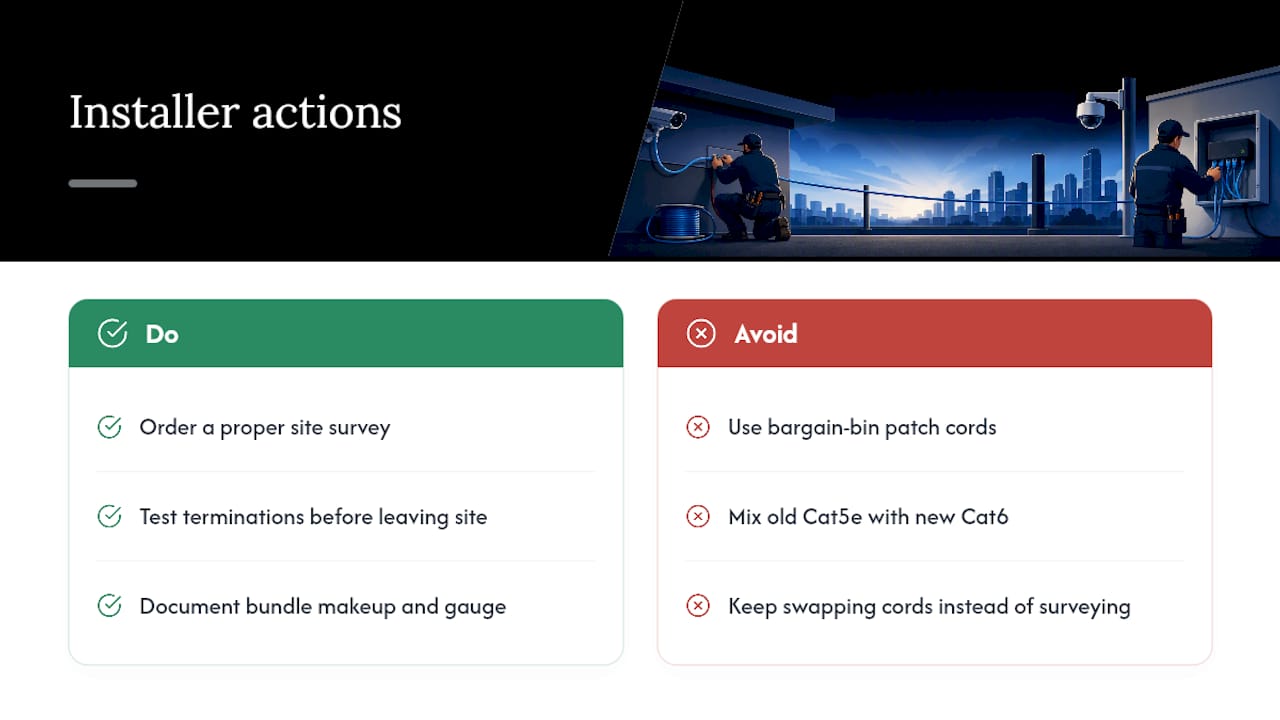
A contractor with decades of experience running structured cabling for commercial buildings across New York City notes that the PoE failures they are called in on rarely trace back to the standard itself. They trace back to shortcuts: a patch cord from a bargain bin, a termination nobody tested, or a bundle that mixed old Cat5e runs with new Cat6 in the same conduit without anyone checking the gauge match.
The pattern we see most: a building runs fine for a year, then adds a wave of PoE++ cameras or access points, and suddenly runs that were never marginal before start failing under the added thermal load of new dense bundles. That’s not a standards failure. It’s a capacity planning gap. If you’re staring at multiple borderline runs, a growing count of high-watt devices, or a bundle that’s gotten denser than anyone documented, that’s the point to order a proper site survey rather than keep swapping patch cords.
— Ken
Get Your Cabling Assessed Before PoE++ Becomes a Problem
A direct-install alternative to guessing your way through a PoE upgrade is to get marginal Cat5e runs tested and documented by a team experienced in commercial cabling projects across New York City.
Every site survey starts with no obligation attached, and it covers exactly the variables this article walks through: run length, bundle density, conductor gauge, and termination quality. If your building needs a full upgrade, Cables and Chips handles structured Cat6 and Cat6A cabling, cable testing and certification, and MDF/IDF cleanup as part of the same engagement, so you get a documented, tested network instead of a patchwork of quick fixes. Request a quote or schedule that survey through the services page and get a straight answer on whether your existing cabling can carry the power load you’re planning to add.
Standards and Reference Links
- TIA TSB-184-A PoE cabling guidelines
- Belden on TSB-184-A and PoE
- Leviton PoE cabling white paper
- PoE installation best practices
Sources
- PoE voltage drop and cable length (CableTestShop)
- Cabling and connectivity for Power over Ethernet (Leviton white paper)
FAQ
Can PoE Run Over Cat5e?
Yes. Cat5e supports IEEE 802.3af, 802.3at, and even 4-pair 802.3bt power, though sustained high-watt loads need careful attention to run length, heat, and bundle size.
Does Cat5e Cable Support PoE for IP Cameras?
Yes, most PoE-powered IP cameras draw well under 15W and run reliably on Cat5e at typical run lengths, though cameras with heaters, PTZ motors, or IR arrays pushing toward 30W or higher benefit from Cat6.
Which Is Better for PoE, Cat5e or Cat6?
Cat6 has lower resistance (23 AWG versus 24 AWG), giving it roughly 20% less voltage drop than Cat5e on identical runs, which makes it the better choice for higher-wattage PoE or long, hot, or densely bundled runs.
How Far Can PoE Run on Cat5e?
Cat5e reliably handles 802.3af to the full 100-meter limit, but PoE+ and 802.3bt power become marginal near 90 meters depending on ambient temperature and bundle density.
Does Cables and Chips Test Existing PoE Cabling?
Yes. Cables and Chips offers cable testing and certification along with structured cabling installation for commercial buildings, and current details are available through the services page.