
How to Maintain CCTV Cabling Over Time and Prevent Failures
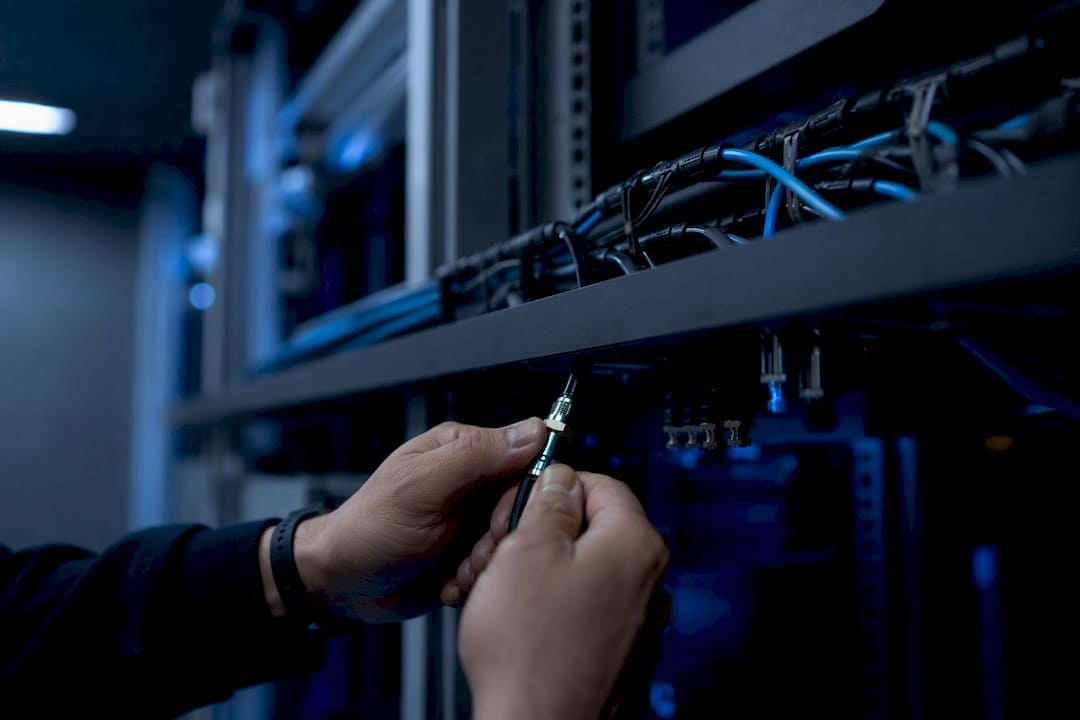
Maintain CCTV cabling over time by inspecting routes monthly, testing suspect runs with a cable tester, and following conduit, bend-radius, and UV-protection rules. Most camera outages trace back to the cable, not the camera. Walk exposed outdoor routes quarterly, and treat any camera with intermittent video or PoE dropouts as a cabling problem until proven otherwise. Check for jacket damage, corroded connectors, missing drip loops, and conduit that no longer supports the run properly. Cables & Chips builds these runs to the IEEE 802.3 100 m PoE limit and standard Cat6 specifications, but even the best install needs a maintenance rhythm.
- Inspect visible indoor and outdoor runs monthly during camera monitor checks.
- Walk exposed exterior routes quarterly for UV cracking, sag, and pest damage.
- Test any run with intermittent signal, reboot loops, or PoE issues before assuming the camera is bad.
- Log every suspect run with a photo, location, and priority level.
Pro Tip: Before opening a junction box or climbing a ladder, plug a known-good camera into the suspect run at the camera end. If it also fails, the problem is the cable or the switch port, not the camera.
Key Takeaways
Maintaining CCTV cabling over time requires a monthly monitor check, a quarterly outdoor route walk, an annual technician inspection, and a clear repair-versus-replace rule for every failed run.
| Point | Details |
|---|---|
| Inspect on a schedule | Monthly monitor checks, quarterly outdoor walks, and annual technician inspections catch most faults early. |
| Know the 100-meter PoE limit | Stay under the IEEE 802.3 100-meter cap, or use extenders and mid-span injectors for longer runs. |
| Match cable to environment | UV-rated or direct-burial jackets are required for any exterior-exposed segment. |
| Document every run | Label both ends, photograph penetrations, and keep test reports in the network closet. |
| Bring in a contractor for critical work | Cables & Chips handles re-terminations, PoE audits, and full replacements with documented test reports. |
Which Cable Types Affect CCTV Cabling Longevity?
The cable type installed determines both how long it lasts and what kind of maintenance it needs. Legacy analog systems still run on coax, which is durable but limited to short distances and offers no data capability. Most modern IP camera systems run on Cat6 or Cat6A, both of which carry PoE power alongside video data over standard Ethernet. Fiber handles the longest runs and highest resolutions, immune to electromagnetic interference and distance limits that cap copper.
Choosing the right cable for the environment prevents a huge share of premature failures. Cat6A costs more but handles PoE heat buildup better in bundled runs and future-proofs a system for higher-resolution cameras. Fiber becomes the better option once a run exceeds standard copper limits or crosses between buildings. Any cable run with an outdoor segment needs a UV-rated or direct-burial jacket. A standard indoor-rated jacket left in direct sun becomes brittle fast, and the IEEE 802.3 standard caps any PoE data-and-power link at 100 meters regardless of cable grade.
- Match cable type to environment before worrying about brand or price.
- Reserve fiber for long backbone runs or sites with heavy electrical interference.
- Never install indoor-rated cable in any exterior-exposed segment.
| Cable Type | Typical Useful Life | Max Run Length | Common Failure Mode | Best Environment |
|---|---|---|---|---|
| Coax | a typical useful life over many years | 300+ ft (with amp) | Connector corrosion, signal loss | Legacy analog, short indoor runs |
| Cat6 (indoor) | a typical useful life over many years | 100 m | PoE voltage drop, jacket cracking outdoors | Indoor IP cameras, standard PoE |
| Cat6A | a typical useful life | 100 m | Rare; better heat tolerance in bundles | Indoor/protected outdoor, high PoE load |
| Fiber (single/multimode) | a very long useful life | Kilometers | Connector contamination, bend damage | Long runs, EMI-heavy sites, backbone links |
| Direct-burial/UV copper | a standard useful lifetime | 100 m | Water intrusion, UV embrittlement | Buried or fully exposed exterior runs |
How Long Does CCTV Cabling Last Before It Fails?
Indoor cabling installed correctly and left undisturbed typically lasts many years. Exterior runs protected inside conduit last roughly a decade before jacket degradation or connector corrosion forces a repair. Fully exposed exterior cable, the kind stapled along a fence line or run across a rooftop with no shielding from sun and rain, may fail considerably sooner depending on climate and UV exposure.
The visible warning signs show up well before total failure. Cracked or chalky jacket material, abrasion where cable rubs against metal, chewed insulation from rodents, standing water inside junction boxes, and greenish corrosion on connector pins all point to a run nearing the end of its service life. Sagging or unsupported cable bundles put mechanical stress on connections at both ends, accelerating wear that would otherwise take years to show up.
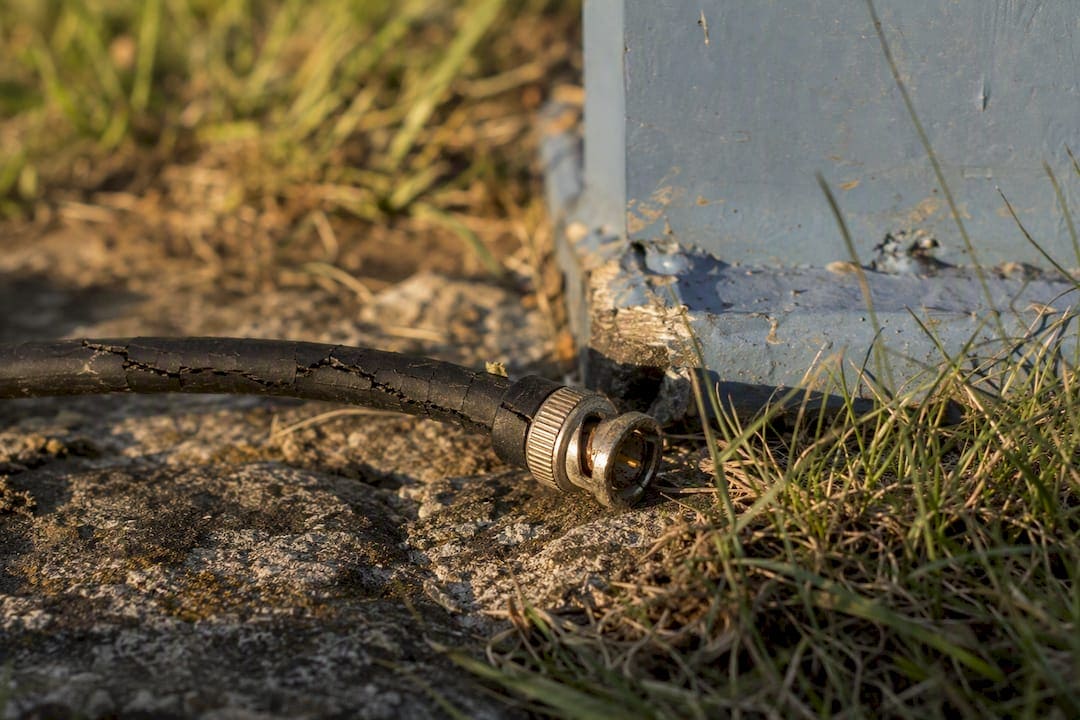
Electrical symptoms matter just as much as visible damage. Intermittent video, cameras that reboot on their own, dropping link speeds, and PoE under-voltage readings at the camera end all signal a degrading run. Bad cabling causes more CCTV failures than any other single factor in commercial systems, more than camera hardware faults, more than NVR issues, more than software bugs. Log every observed sign with the camera’s age and its environment. A five-year-old rooftop run showing jacket cracks needs prioritization well above a fifteen-year-old indoor run with the same symptom.
What Should a CCTV Cable Inspection Checklist Include?
A structured walk-the-route inspection catches most problems before they turn into a dead camera at 2 a.m. Facility staff can safely perform the visual portions of this checklist; anything involving re-termination, live PoE measurement, or work at height belongs to a qualified technician, a distinction confirmed by inspection guidance from the security cabling industry.
- Check live camera feeds for dropouts, artifacts, or reboot patterns.
- Walk exposed outdoor routes looking for jacket cracking, sagging, and physical damage.
- Open accessible junction boxes and check for standing water or insect nests.
- Inspect connector seating at patch panels and camera ends for corrosion.
- Verify supports and drip loops are intact and cable is not pinched.
- Look for rodent chew marks and UV damage on any exposed jacket.
Recommended frequencies keep this from becoming an overwhelming task: monitor checks monthly, exposed outdoor route walks quarterly, accessible connector checks semi-annually, and full technician inspections annually.
Recording findings matters as much as finding the problem. A minimum log needs five fields: camera ID, route/location, issue observed, priority level, and a photo. Photos and labels turn a vague complaint like “camera 12 keeps going out” into a documented handoff a contractor can act on immediately, rather than a repeat truck roll to diagnose from scratch.
Pro Tip: Standardize your photo angles: one wide shot of the penetration point, one close-up of the connector, and one of the label or tag. Consistent framing across hundreds of camera points makes a contractor handoff faster and cheaper.
What Tools and Tests Confirm a Cable Is Bad?
A handful of tools cover almost every diagnostic scenario facility teams face. A PoE tester confirms whether power is reaching the camera end and at what voltage. A basic multimeter checks continuity on individual conductors. A tone generator locates a specific cable in a bundle or behind a wall. A network cable tester checks pair mapping and wire sequence. For deeper diagnosis, a Fluke-like certifier or a time-domain reflectometer (TDR) pinpoints the exact distance to a break or short, information no visual inspection can provide.
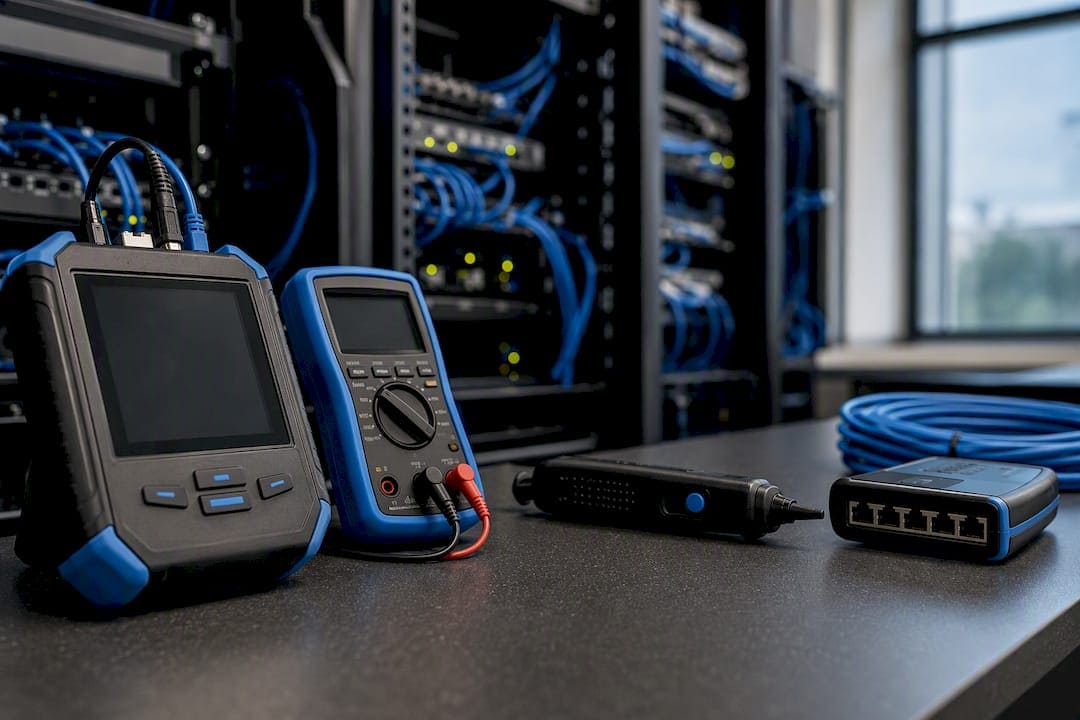
The testing sequence follows a logical order. Swap in a known-good camera at the suspect run first; if it fails too, the fault sits in the cable or the switch port, not the camera. Run a continuity and pair-order test next to confirm the wiring itself is intact. Measure PoE voltage at the camera end to rule out power delivery issues. Check link speed negotiation, since a cable degrading from corrosion often still passes but negotiates a lower speed than it should.
Facility staff can safely perform the swap test, visual inspection, and basic continuity checks. Measuring live PoE voltage, running a TDR, and any re-termination work should go to a certified cabling technician.
Pro Tip: Isolate a bad run by testing at both ends, not just the camera end. A fault that reads clean at the switch but fails at the camera almost always points to termination or connector damage, not a mid-run break.
How Often Should CCTV Cabling Be Maintained?
A realistic maintenance schedule spreads the workload between in-house facility staff and outside technicians instead of dumping everything on one annual visit.
| Frequency | Task | Owner | Why It Matters |
|---|---|---|---|
| Monthly | Live feed check for dropouts/reboots | Facility staff | Catches degrading runs before full failure |
| Quarterly | Walk exposed outdoor routes | Facility staff | UV and weather damage progresses fast outdoors |
| Semi-annually | Inspect accessible connectors and junction boxes | Facility staff | Corrosion and water intrusion start small |
| Annually | Full technician inspection, PoE budget audit | Certified technician | Confirms electrical health and catches hidden faults |
| As needed | Re-termination, splicing, full replacement | Certified technician | Requires proper tools and safety training |
- Tighten loose camera mounts and cable supports during scheduled walk-throughs.
- Replace visibly corroded connectors rather than reseating them.
- Clear vegetation growth away from aerial and exterior runs.
- Re-secure any sagging bundle before it stresses end connections.
- Verify patch-panel terminations remain seated during annual technician visits.
- Confirm the PoE switch budget still covers every connected camera.
Folding cable checks into existing camera maintenance rounds, rather than treating them as a separate task, keeps the overhead low. Anyone already checking image quality can flag a cracked jacket or a sagging bundle in the same visit.
What Installation Practices Extend Cable Life?
The choices made during installation determine how much maintenance a system needs for the next decade. Routing dedicated conduit for CCTV cable, separate from AC power runs, prevents interference and physical wear from shared pathways. Keep at least 300 mm of separation from standard 230V power lines and 500 mm from variable-frequency drives or motor feeds, crossing at 90 degrees when a crossover is unavoidable, according to commercial CCTV installation guidance.
Support hardware matters more than most facility teams assume. Space J-hooks properly rather than stapling cable directly to studs or walls, which crushes the jacket over time. Maintain a minimum bend radius of at least 5 cm for typical CCTV cable, and leave 18 to 24 inches of service loop at every camera so future re-terminations don’t require pulling new cable.
Termination quality determines whether a connector survives five years or fifty. Maintain pair twist within half an inch of the connector, use weatherproof boots and sealed junction boxes outdoors, form a proper drip loop so water runs away from the connection instead of into it, and apply dielectric grease where corrosion risk is high. Outdoor terminations left unsealed fail fast; this single step accounts for a disproportionate share of seasonal service calls.
- Route CCTV cable in dedicated conduit whenever the budget allows.
- Maintain separation distances from AC power and motor feeds.
- Leave service loops at every camera for future maintenance.
- Seal every outdoor termination against water intrusion.
Pro Tip: In electrically noisy environments like warehouses with heavy machinery, use shielded S/FTP Cat6A and ground the shield at one end only, typically the switch end. Grounding both ends creates a ground loop that shows up as hum bars or rolling interference in the video feed.
Should You Repair, Splice, or Replace a Damaged Cable Run?
The right call depends on where the fault sits, not just how bad it looks.
- Fault within 12 inches of a connector: re-terminate. This is the cheapest fix and usually permanent if done correctly.
- Fault accessible mid-run with a single damage point: splice using a weatherproof junction rated for outdoor use.
- Fault buried or in a wall with multiple damage points: replace the full run rather than chasing repeated splices.
- Cable with UV-perished jacket along its whole exposed length: replace, since one repaired section won’t stop the rest from failing soon after.
- Heavily corroded metal connectors from long-term water exposure: replace the connector and inspect the adjacent cable section.
Cost factors tilt the decision further. A splice at height or in a tight ceiling space costs nearly as much in labor as a straight replacement, and if the environment causing the damage (unsealed conduit, UV exposure, rodent access) isn’t fixed, the same failure recurs within a year or two. For cameras covering critical entry points or high-liability areas, the downtime risk of a repeat failure often justifies replacement over a cheaper repair.
- Replace: buried runs with multiple damage points, UV-perished exposed cable, corroded connectors on critical cameras.
- Repair: isolated termination faults, single accessible mid-run breaks in low-risk locations.
How Do PoE Limits Affect Long-Term Cable Performance?
The IEEE 802.3 standard caps PoE data-and-power delivery at 100 meters for any single run. Leave margin by keeping permanent link segments under roughly 90 meters once patch cords at both ends are factored in.
Bundling matters more than most installers account for. Many powered cables packed tightly together raise the internal temperature of the bundle, which reduces the PoE capacity each cable can safely deliver. Plan the PoE budget against the switch’s total power output, not the maximum rating of a single port, since a fully loaded switch rarely delivers full power to every port simultaneously.
For runs approaching or exceeding the 100-meter limit, PoE extenders, mid-span injectors, local power at the camera with surge protection, or a fiber run with local PoE injection all solve the distance problem without stressing the copper run.
- Budget PoE by total switch capacity, not per-port maximum.
- Use extenders or mid-span injectors for runs near the 100-meter ceiling.
- Consider fiber with local injection for any run exceeding standard copper limits.
Pro Tip: Checking PoE voltage at the camera end tells you whether you’re dealing with voltage drop from a long or degraded run versus an outright device failure. This is a technician-level test requiring proper meter safety.
How Do You Protect CCTV Cabling From Surges and Grounding Faults?
Lightning and electrical surges travel down exposed cable runs straight into recorders and switches if nothing intercepts them. Install PoE surge protectors at building entry points, and where budget allows, protect both the camera end and the recorder end, particularly at sites in lightning-prone regions, as recommended in commercial installation guidance.
Grounding mistakes cause their own category of problems. When using shielded Cat6A S/FTP cable, bond the shield at one end only, typically the switch end. Bonding both ends creates a ground loop that injects mains hum into the video signal, a subtle but persistent issue that often gets misdiagnosed as a camera defect.
Physical protection rounds out the picture: bury direct-burial cable at proper depth, mark buried runs with caution tape during installation, and favor conduit over exposed cable for any exterior segment.
- Install PoE surge protection at building entry points.
- Bond shielded cable at one end only to prevent ground loops.
- Use proper burial depth and conduit for all exterior runs.
Never work on live mains power or attempt grounding modifications yourself. Schedule a qualified technician for any surge device installation or grounding change.
What Documentation Keeps CCTV Cabling Maintainable?
Minimum as-built records save hours on every future troubleshooting call. A useful package includes a floor plan marked with camera IDs and fields of view, a cable route list, cable type and length per run, PoE budget per switch port, and a termination panel map.
Label both ends of every run with a consistent format: camera ID, port or patch ID, and installation date. Centralize patch panels in the network closet with documented port mappings and store test reports or continuity checks in the cabinet itself.
- Document camera ID, route, cable type, and PoE load per run.
- Label both ends of every cable, not just the camera end.
- Store test reports alongside patch-panel documentation in the closet.
- Update as-built records annually or after any repair.
How Do You Troubleshoot a Cable-Related CCTV Problem?
A consistent troubleshooting flow keeps a single dead camera from turning into a half-day mystery.
- Check the recorded feed for a pattern: constant failure, intermittent dropouts, or degraded image quality.
- Swap in a known-good camera at the same connection point to isolate cable versus camera.
- Test continuity and pair mapping if the swap confirms a cable issue.
- Inspect connectors and junction boxes along the run for visible damage or corrosion.
- Escalate to a technician for PoE voltage measurement and TDR fault location if the issue persists.
Certain symptom patterns point to specific causes almost every time. Intermittent dropouts usually trace to loose or corroded terminations. Complete signal loss often means a cut or rodent-damaged cable. Poor night image quality, when the camera’s infrared illuminators underperform, frequently signals a PoE voltage drop or a corroding connector rather than a failing camera sensor.
- Safe for facility staff: visual inspection, swap testing, checking feed patterns.
- Requires a technician: measuring live PoE voltage, TDR fault location, opening mains-adjacent boxes.
When Should You Call a Professional Cabling Contractor?
Certain jobs cross the line from routine maintenance into work that requires proper tools, training, and insurance. Re-terminations at height, TDR fault localization, PoE voltage checks under load, full run replacement, and any work inside mains-adjacent ducts or certified burial splices all belong to a qualified contractor.
A good contractor visit should deliver more than a quick fix. Request as-built documentation, labeled patch panels, a PoE budget sheet, test reports or certification for new terminations, and photos of any repaired penetration points. Prioritize repairs by which cameras cover critical areas and which faults show the highest recurrence risk, rather than working strictly by complaint order.
- Confirm the contractor provides labeled, tested documentation, not just a repaired camera.
- Ask for a PoE budget audit alongside any run replacement.
- Compare quotes against a fixed checklist so scope stays consistent across bids.
- Prioritize critical-area cameras and repeat-failure runs first.
Why Maintenance-First Beats Reactive Cable Replacement
Cabling is the silent failure point in almost every CCTV system I’ve studied. Cameras get blamed for problems that trace straight back to a cracked jacket or a corroded connector nobody inspected in three years. Prevention through proper routing, UV protection, and a scheduled inspection rhythm costs a fraction of what repeated emergency truck rolls cost over the same period.
The checklist and schedule in this guide work as a handoff document. Bring it to your next contractor conversation or use it to structure an annual maintenance contract, and you convert a system that fails randomly into one that fails predictably, with time to plan the fix.
How Cables & Chips Keeps Your CCTV Cabling Running
Cables & Chips is the contractor option for facility teams who want the inspection findings from this checklist turned into an actual repair plan, not just a longer punch list. Where a generic handyman patches a connector and moves on, Cables & Chips builds documentation into every visit: labeled patch panels, PoE budget sheets, and test reports you keep on file.

A typical engagement starts with an onsite inspection of your existing runs, followed by a written estimate and a prioritized repair plan that tackles critical cameras first. Services relevant to what you’ve just read include CCTV cabling inspection, Cat6/Cat6A replacement, PoE budget audits, and full network closet documentation cleanup. If your system serves a secure facility with zero tolerance for downtime, a dedicated CCTV cabling plan replaces the patchwork approach most buildings inherit from years of ad hoc fixes. Request a site visit and get a prioritized repair plan built around the runs that matter most.
Sources
- CCTV Cabling Guide: Cat5e vs Cat6 vs Cat6a, Fibre, Coax (2026)
- Surveillance Camera Cable Runs: IP Camera Cabling Guide for Installers | CrimpShop
- CCTV Cable Inspection in India (2026): The Invisible Failure Point Behind a Dark Camera — The cabling is the quiet weak link in every CCTV system
- Cctvplanner
- Security Camera Cable Failure: How to Troubleshoot It | Edge CCTV
FAQ
How long do CCTV cameras and their cabling typically last?
Indoor cabling installed correctly and left undisturbed typically lasts many years. Exterior runs protected inside conduit last roughly a decade before jacket degradation or connector corrosion forces a repair. Fully exposed exterior cable may fail considerably sooner depending on climate and UV exposure.
How long can a CCTV cable be before performance drops?
The practical PoE limit is 100 meters per the IEEE 802.3 standard. Beyond that, use PoE extenders, mid-span injectors, or switch to fiber with local power injection.
How often should CCTV cabling be inspected and maintained?
Check live feeds monthly, walk exposed outdoor routes quarterly, inspect accessible connectors semi-annually, and schedule a full technician inspection annually.
What is the fastest way to tell if a cable, not the camera, is failing?
Connect a known-good camera to the suspect run at the camera end. If that camera also fails, the fault is in the cable or the switch port.
Can facility staff perform CCTV cable maintenance themselves?
Facility staff can safely handle visual inspections, swap tests, and basic continuity checks. Re-terminations, live PoE voltage measurement, and work at height should go to a qualified contractor like Cables & Chips.