
Avoid 100 Meter Failures: Field Proven HDBaseT Cabling for Installers
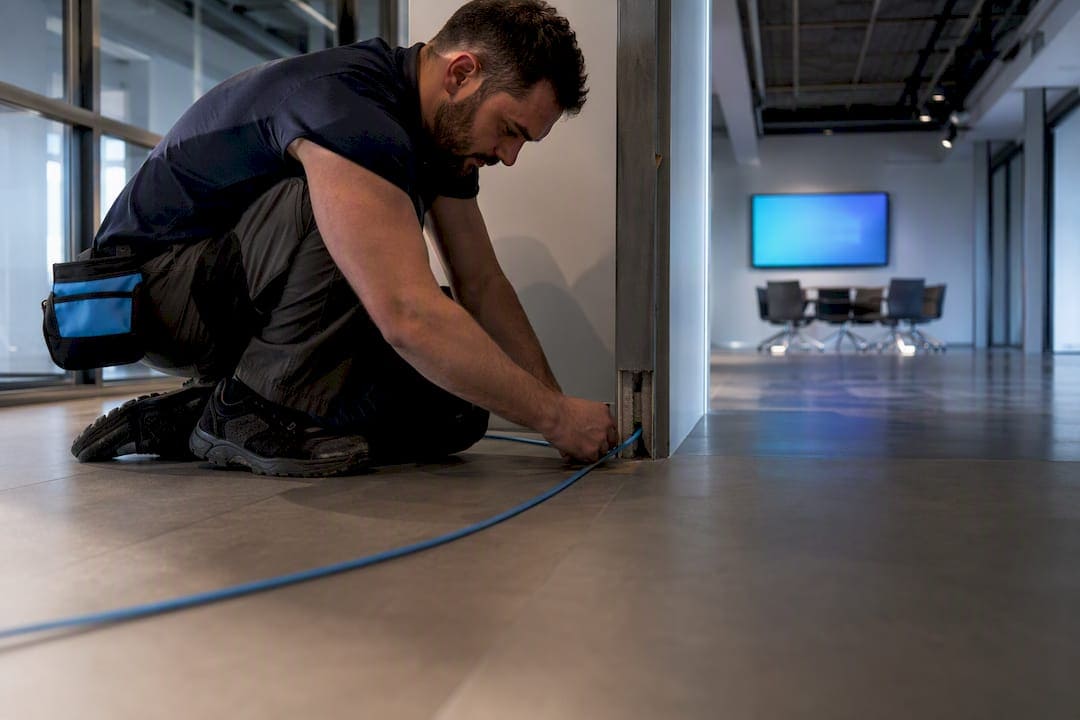
For most installs, Cat6 handles HDBaseT 1.0 and 2.0 reliably, but Cat6A U/FTP is the recommended standard for HDBaseT 3.0 and any project that needs to support uncompressed 4K@60 4:4:4 out to the full HDBaseT 3.0 supported distance. Cat5e remains the technical floor, not a target. Reliability depends less on the cable jacket printing and more on shielding strategy, clean terminations, and minimizing patch connections along the run. Test every link beforehand and document the results.
TL;DR:
- Using Cat6A U/FTP cable is essential for HDBaseT 3.0 applications requiring uncompressed 4K@60 over full 100-meter runs, especially in bundled pathways.
- Proper termination practices, such as single run cabling and avoiding unnecessary patch panels, significantly reduce common HDBaseT failures.
- Shielded cables like U/FTP or F/UTP are recommended for dense bundles to prevent alien crosstalk, which mostly affects the first 20 meters of a run.
- Installation quality is usually the weak link; miswiring, improper shielding, and loose bundle density often cause failures more than the cable category itself.
- Fiber optic solutions are preferable when distances exceed 100 meters, EMI is a factor, or larger campus-scale systems are involved.
Which HDBaseT Cabling Category Should You Specify?
HDBaseT is a transmission standard, not a cable type, and that distinction trips up more installers than it should. Assuming “any Cat6 will do” is exactly the kind of shortcut that produces intermittent dropouts six months after handoff, once a client adds a device or the building’s RF environment shifts.
The HDBaseT Alliance’s cabling guidance sets clear tiers. Cat5e is the minimum for basic point-to-point links. Cat6 is recommended for HDBaseT 1.0 and 2.0 deployments, covering most 1080p and standard 4K applications. Cat6A U/FTP is recommended for HDBaseT 3.0, where the higher symbol rate demands the extra bandwidth headroom to push uncompressed 4K@60 4:4:4 the full supported distance.
- Cat5e: functional in isolated runs, but leaves no margin for error in commercial environments.
- Cat6: the practical baseline for most conference rooms and digital signage runs.
- Cat6A (U/FTP or F/UTP): required for HDBaseT 3.0 and any install where alien crosstalk is a risk.
Shielded constructions like U/FTP or F/UTP matter most in bundled pathways with dozens of parallel cables. When specifying, require manufacturer documentation confirming the cable meets HDBaseT CTS requirements, not just a generic Cat6A rating. Pulling Cat6A now often costs less than a mid-life upgrade once labor and drywall repair enter the math.
How Far Can HDBaseT Actually Transmit?
HDBaseT’s headline spec is up to 100 meters under proper conditions. What changes by version is what you can push through that distance. HDBaseT 1.0 and 2.0 handle standard HD and compressed 4K comfortably at their maximum cable length. HDBaseT 3.0 targets uncompressed 4K@60 4:4:4, and its higher symbol rate is engineered specifically around Cat6A’s extended frequency spec, which is why mixing 3.0 equipment with Cat6 cable shortchanges the system.
The 100-meter figure assumes a clean, continuous run. Every intermediate patch panel, coupler, or degraded segment eats into that budget. A run rated at 100 meters on paper can fail well short of that distance if it passes through two patch panels and a coil of low-grade Cat6 in the ceiling. Distance specs describe the cable’s ceiling, not a guarantee independent of how it’s installed.
What Causes Alien Crosstalk in HDBaseT Runs?
Alien crosstalk, or AXT, is interference that leaks between adjacent cables bundled together rather than between pairs inside a single cable. HDBaseT installations are particularly sensitive to AXT in the first 20 meters, where signal strength is highest and crosstalk has the most energy to couple into neighboring cables.
In tray runs carrying dozens of cables side by side, that risk compounds fast. Leviton’s technical guidance found that Cat5e frequently produces high packet error rates in bundled, high-density installs, even when the same cable performs fine in an isolated point-to-point test.
- Specify Cat6A U/FTP or F/UTP for any bundle exceeding a handful of parallel runs.
- Reserve standard UTP for short, isolated links away from EMI sources like fluorescent ballasts or motor conduits.
- Maintain physical separation from power cabling and avoid tight zip-tie bundling that flattens cable jackets.
Pro Tip: Keep bundle density loose enough that you can still see individual cable jackets in a cross-section. If a tray looks like a solid mass of sheathing, you’ve compressed the bundle enough to invite AXT.
Why Do Terminations Cause Most HDBaseT Failures?
The long cable run is rarely the problem. In field reviews of failed HDBaseT installs, Atlona’s cabling guide found the culprit is almost always the termination or an unnecessary patch connection, not the cable itself meeting spec over distance.
Patch cables and stacked couplers are the weakest link in any HDBaseT chain. Each mated connection is a chance for impedance mismatch, and stacking several between source and display multiplies that risk.
- Favor a single home-run cable from source to display whenever the pathway allows it.
- Skip EZ or pass-through RJ45 connectors. They’re faster to terminate but notoriously prone to intermittent failures under HDBaseT’s tighter tolerances.
- Keep pair twists intact all the way to the contact point. Untwisting more than a half inch invites crosstalk right where the signal enters the connector.
- Use shielded connectors on any shielded cable run. Pairing U/FTP cable with an unshielded jack defeats the purpose of the shield.
- When PoH or chassis-grounded devices are in the chain, terminate the shield according to the manufacturer’s grounding scheme, either at one end or at chassis ground, to avoid ground loops.
What Belongs on an HDBaseT Installation Checklist?
A reliable HDBaseT link starts before the first cable gets pulled and ends with paperwork the next technician can actually use.
Before the pull: confirm the cable category and shielded construction match the HDBaseT version in play, and plan pathways with conduit fill and bend radius in mind rather than routing around obstacles after the fact.
After termination: run a full cable certification test, not just a continuity check. Wiremap confirms correct pinout, while NEXT and FEXT measurements catch crosstalk problems a simple tone test misses entirely. Compare results against your certifier’s pass/fail thresholds for the cable category, not a generic pass light.
- Log every test result by run ID, not just a summary pass count.
- Photograph terminations before closing walls or ceilings.
- Note any PoH-powered endpoints and their power draw for future troubleshooting.
At handoff: package test results, as-built drawings, and labeling keys into a single documentation set the client’s IT team can reference without calling you back for basic questions.
When Should You Choose Fiber Over HDBaseT?
HDBaseT covers a lot of ground, but it isn’t the right tool past its 100-meter ceiling or in environments where electromagnetic interference is unavoidable. Fiber supports runs well beyond that limit and carries full EMI immunity, which makes it the better call for campus-scale distribution, industrial spaces near heavy machinery, or any run where copper simply won’t reach.
Active HDMI extenders can bridge shorter gaps than HDBaseT handles, but they trade distance for simplicity and rarely make sense past a room or two. For large, multiroom, or campus-scale deployments, AV-over-IP architectures riding a fiber backbone scale more predictably than daisy-chaining HDBaseT extenders across a building.
Field Lessons From Cables and Chips on HDBaseT Installs
Four decades of pulling cable in New York City commercial buildings teaches you where HDBaseT installs actually go wrong, and it’s rarely where people expect. Home-run continuous runs consistently outperform installs stitched together with patch panels and couplers, even when every individual segment tests fine in isolation. The failure shows up as an intermittent handshake drop that’s maddening to trace, because it’s not one bad component, it’s cumulative impedance stacking across several connections.
The most common termination errors we catch during walkthroughs: pair twists pulled back too far from the contact, connectors seated at an angle that looks fine but reads marginal on a certifier, and shielded cable landed on unshielded jacks because a rush job grabbed whatever was in the bin. Every one of these passes a casual glance and fails under load.
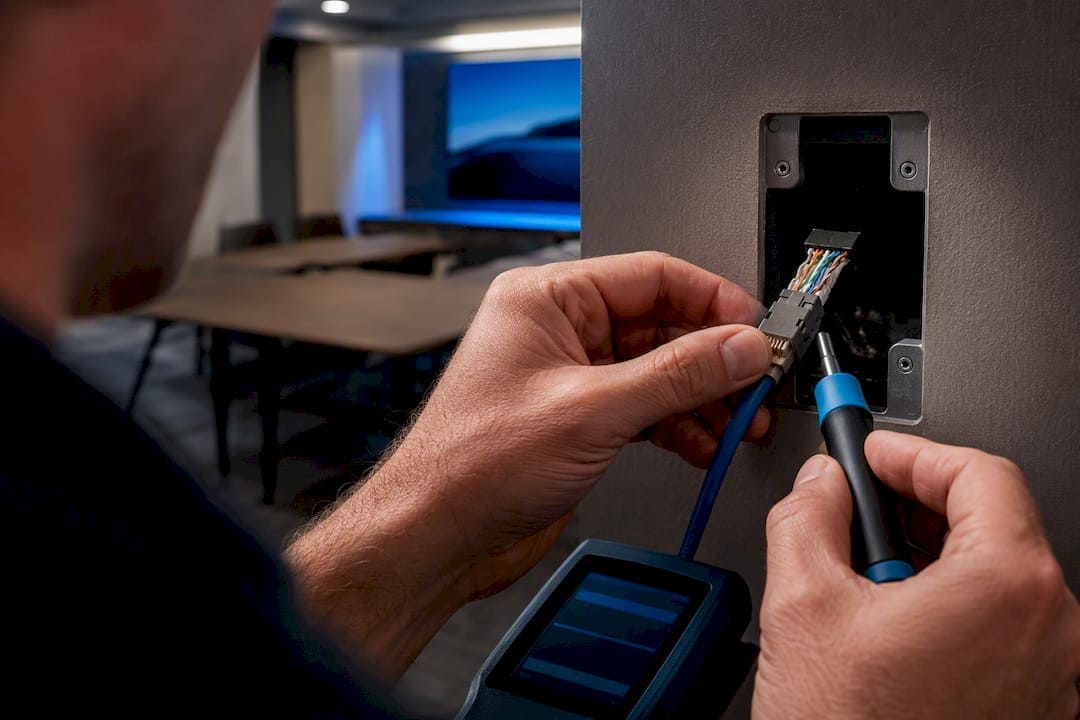
Labeling and as-built documentation matter more than most integrators budget for. A run labeled by source and destination, tied to a certification report, turns a two-hour troubleshooting call into a five-minute fix.
The Overlooked Variable in HDBaseT Reliability
Most guides treat HDBaseT cabling as a distance-and-bandwidth problem, and technically that framing is accurate. But the actual failure data tells a different story: cable that meets spec rarely fails on its own. What fails is the workmanship around it, the extra patch panel someone added for convenience, the twist left too long at the jack, the bundle packed too tight because the tray ran out of room.
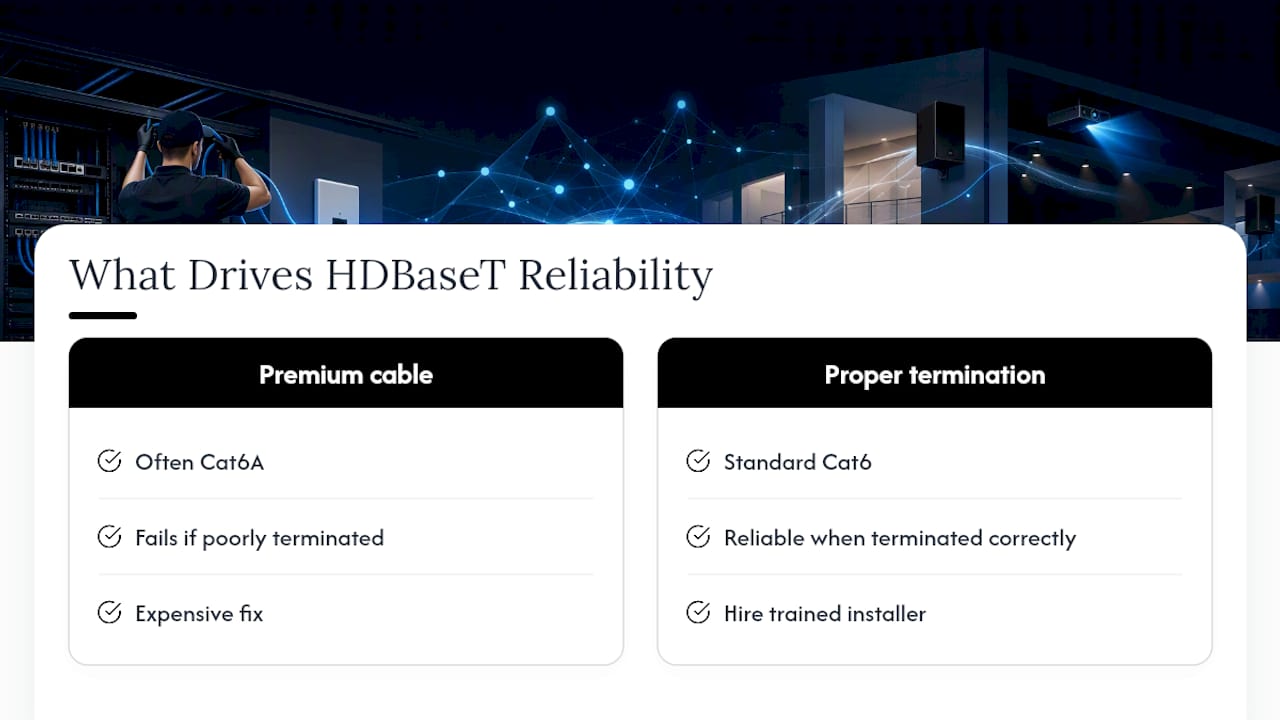
That’s an uncomfortable truth for an industry that loves spec sheets, because it means the cheapest fix, better termination discipline, gets less attention than the more expensive one, upgrading to Cat6A. Both matter. But if a budget forces a choice between spending on premium cable or spending on a trained installer who terminates correctly and tests every run, choose the installer. A perfectly rated Cat6A cable terminated with an EZ connector and an untwisted pair will fail faster than a properly terminated Cat6 run.
The standards bodies give you the ceiling. What determines whether you hit it is what happens on the ladder, not on the spec sheet.
— Ken
Get HDBaseT Cabling Done Right the First Time
There are alternatives to guesswork on your next AV build: installers who pull, terminate, and certify HDBaseT runs the way the standards actually specify.
Our teams handle Cat6A U/FTP structured cabling pulls with shielded terminations built for AXT-sensitive bundles, full certification testing on every run, and as-built documentation your IT team can actually use months later. For projects that combine AV distribution with security infrastructure, we also coordinate with partners like GSGI’s systems integration team on combined CCTV and low-voltage scopes.
For conference room, boardroom, or building-wide AV projects, consider planning cabling requirements before installation begins.
Sources
- Optimizing cabling for HDBaseT 3.0 – HDBaseT Alliance (January 2022)
- HDBaseT Cabling: A Guide — Atlona Support
- Installing HDBaseT in AV Projects — Leviton tech brief
FAQ
What Does HDBaseT Stand For?
HDBaseT refers to High Definition Base T, a transmission standard developed by the HDBaseT Alliance for sending uncompressed video, audio, Ethernet, control signals, and power over a single category cable.
What Type of Cable Is Recommended for HDBaseT?
Cat6 is recommended for HDBaseT 1.0 and 2.0, while Cat6A U/FTP is recommended for HDBaseT 3.0 to reliably support uncompressed 4K@60 4:4:4 at the full 100-meter distance.
Is HDBaseT Better Than Fiber HDMI?
HDBaseT is simpler and cheaper for runs under 100 meters using standard category cable, but fiber wins on longer distances, EMI-heavy environments, and campus-scale deployments where copper can’t reach.
What Are the Disadvantages of HDBaseT?
HDBaseT is capped at a 100-meter transmission distance, is sensitive to alien crosstalk in bundled cable runs, and depends heavily on proper termination since patch cables and multiple connections are common failure points.