
How to Document Network Infrastructure in an Existing Office

Document network infrastructure in an existing office by capturing a prioritized as-built inventory, separating physical and logical diagrams, and folding every update into your change management process. That’s the whole job in one sentence, but the execution takes discipline.
Start this week with:
- Photograph every rack, front and rear, with doors open.
- Record port-to-patch mapping for each active connection.
- Export a current IP address list with VLAN assignments.
- Label unlabeled cables at both ends before anyone forgets what they connect.
- Build a single spreadsheet or NetBox instance to hold all of it.
- Note firmware versions and warranty dates for core switches and routers.
Prioritize the as-built rack elevation, a physical cable schedule, and an IPAM CSV export first. Everything else can wait a week.
Pro Tip: Take the photos before you touch anything. A messy rack photographed honestly is more useful than a tidy diagram drawn from memory.
Key Takeaways
Accurate office network documentation depends on separating physical and logical diagrams, capturing data through both automated discovery and manual audits, and tying every update to change management.
| Point | Details |
|---|---|
| Capture first, organize second | Photograph racks, map ports, and export an IP list before building polished diagrams. |
| Separate physical and logical views | Combining cabling and topology into one diagram makes both harder to read during outages. |
| Use hybrid discovery methods | Pair automated tools like nmap and SNMP scans with hands-on audits to catch what scanners miss. |
| Tie updates to change tickets | Require documentation updates before any change ticket closes to prevent drift. |
| Bring in a contractor for scale | Cables and Chips provides on-site audits, certified testing, and as-built drawings for multi-floor or secure facilities. |
Quick starter links and templates
- Structured cabling as-built documentation guide
- NetBox documentation guide
- Office renovation cabling checklist
What to Document in an Office Network Existing Infrastructure
A field checklist only works if it forces you to write down specifics, not categories. “Document the switches” is not a task. “Record hostname, model, serial number, and management IP for each switch” is.
Site and rack-level details
Every location needs a consistent identity. Record the building, floor, room number, and rack or IDF/MDF designation for each closet. Note the circuit panel and breaker number feeding that rack, along with HVAC coverage. A closet without dedicated cooling is a support ticket waiting to happen, and that detail belongs in your documentation, not just your memory.
Device inventory fields
For every switch, router, firewall, and server, capture:
- Hostname and role (core, distribution, access)
- Manufacturer, model, and serial number
- MAC address and management IP
- Firmware version
- Warranty expiration and support contract number
Cabling and patching
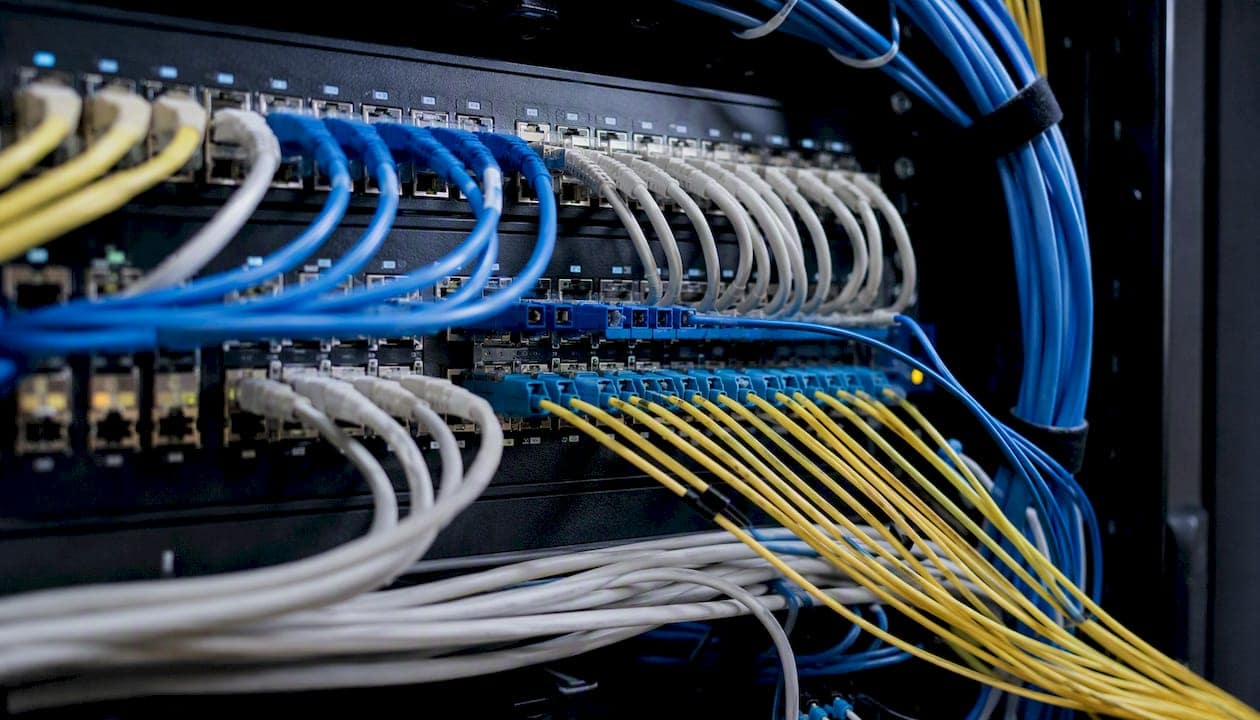
This is where most existing-office documentation falls apart, because cabling outlives whoever installed it. Capture port-to-patch mapping (which patch panel port connects to which wall jack or device), cable category (CAT6, CAT6A, or fiber), approximate run length, color coding scheme, and fiber splice or connector IDs where applicable.
IP addressing, VLANs, and Wi-Fi
Build a subnet list with gateway addresses, DHCP scope ranges, and reserved or static addresses called out explicitly. A usable IPAM export should include columns for IP address, hostname, MAC, VLAN ID, subnet, and status (active, reserved, retired). For wireless, log every access point’s physical location, SSID assignments, channel, controller name, and whether it draws Power over Ethernet from a specific switch port.
A hybrid approach that combines automated discovery with manual, on-site verification catches details that pure scanning misses, like which jack is actually behind the file cabinet.
Pro Tip: Build your IPAM export as a CSV from day one, even if you’re not using dedicated software yet. It migrates cleanly into NetBox or any spreadsheet-based system later.
How Do You Capture Existing Network Data Accurately?
Capturing accurate data on a live office network requires a workflow, not a single afternoon with a laptop. Start by scoping the floor or building segment you’re auditing, then run automated discovery before you ever touch a rack.
- Prepare. Define the subnet ranges and physical zones you’re auditing, and pull any prior documentation as a baseline.
- Run automated discovery. Use nmap to scan subnets for live hosts and open ports, and pull SNMP data from managed switches to capture MAC address tables.
- Perform the physical audit. Walk every rack, photograph front and rear, trace visible cable runs, and record patch panel labels by hand.
- Reconcile. Match discovery output to physical findings by hostname and MAC address, flagging anything that doesn’t line up.
- Ingest into your source of truth. Load reconciled data into NetBox or your documentation platform of record.
Automated discovery and physical audits aren’t interchangeable. They catch different failure modes.
| Method | Strength | Blind spot |
|---|---|---|
| Automated discovery (nmap, SNMP) | Fast, covers hundreds of devices in minutes | Misses unpowered gear, mislabeled ports, physical damage |
| Manual physical audit | Catches obstructed airflow, loose cables, mislabeled panels | Slow, doesn’t scale past one floor per day |
For diagramming, Diagrams works well for teams that want a free, browser-based option, while Lucidchart and Microsoft Visio suit organizations that already standardize on those ecosystems. None of them are a substitute for an authoritative inventory system. NetBox fills that role as a source-of-truth for devices, IP addresses, and VLANs, separate from the diagrams that visualize them.
Pro Tip: Run your nmap scan during business hours once and after hours once. Devices that only appear on one scan often reveal scheduled backups or shadow IT you didn’t know existed.
Should Physical and Logical Diagrams Be Separate?
Yes. Keeping physical and logical topology diagrams separate prevents the unreadable, over-layered mess that happens when you try to show cable runs and VLAN boundaries on the same page.
A physical diagram should show rack elevations, port mappings, cable types, and termination points for a single location. A logical diagram shows Layer 2 and Layer 3 topology, VLAN boundaries, IP address blocks, and service dependencies, none of which need a physical location to make sense.
Useful deliverables from this split include:
- A printable rack elevation per closet
- A single-location physical diagram showing cable paths
- A WAN-level logical map showing site-to-site connectivity
- A high-level service flow diagram for troubleshooting outages fast
Pro Tip: If a diagram needs a legend with more than eight symbols, it’s trying to do the job of two diagrams.
Physical and logical documentation each answer a different question during an incident, and conflating them slows down the person trying to fix things at 2 a.m.
| Diagram type | Answers |
|---|---|
| Physical | Where is this cable, and what port does it terminate on? |
| Logical | Which VLAN does this device belong to, and how does traffic reach it? |
Naming, Labeling, and Version Control That Prevent Drift
Consistent naming templates stop documentation from becoming a guessing game six months after the person who built it leaves. Use a pattern like BLDG-FLR-RM-RU for rack positions or LOCATION-RACK-DEVICE for hostnames, and apply it everywhere without exception.
Labeling rules that actually hold up over time:
- Label both ends of every cable, not just one.
- Use durable, printed labels rather than handwritten tape.
- Include the installation or audit date on rack photos so staleness is obvious at a glance.
- Record serial numbers as metadata fields in your source-of-truth system, not buried in a separate spreadsheet.
For storage and versioning:
- Keep authoritative files in one platform, whether that’s NetBox, a wiki, or a document management system with version history.
- Require a change ticket number on every documentation update, no exceptions.
- Back up configuration files separately from diagrams and inventory data.
- Store credentials and secrets in a password manager, and link to them from documentation rather than embedding them directly.
Pro Tip: A documentation system without access control is a liability, not an asset. Restrict edit access to the people actually doing fieldwork, and give everyone else read-only.
How Do You Keep Network Documentation Updated?
Documentation only stays useful if updating it is part of the work, not an afterthought you get to eventually. Tying updates to change management stops the slow decay that turns a good record into a liability.
- Require a documentation update before any change ticket closes.
- Run automated discovery scans on a schedule, daily for dynamic environments and weekly for stable ones.
- Schedule quarterly hands-on physical audits to verify what automation can’t see.
- Attach evidence, photos, exported CSVs, and configuration backups, to every closed ticket.
A minimal change-ticket checklist should force updates to: device inventory, IP/VLAN assignments, physical diagrams if cabling moved, and rack photos if hardware changed.
Field-proven tips and common pitfalls from infrastructure teams
Practitioners often describe diagrams as the blueprint of a skyscraper. Nobody renovates a building without updating the blueprint first, and network changes deserve the same discipline.
Hands-and-feet audits catch what scanners can’t: loaded PDUs, missing grounding straps, breaker panels mislabeled since the last renovation. The most common pitfall isn’t missing data, it’s one giant diagram trying to cover every site, or physical and logical layers mashed together until nobody trusts either one.
Pro Tip: If your documentation only gets touched during quarterly audits, you don’t have living documentation. You have a snapshot that’s wrong for eleven weeks out of thirteen.
Security and Privacy Considerations for Network Documentation
Network documentation is a map of your attack surface, which means it needs the same access discipline as the network itself. IP schemes, device credentials, and rack locations in the wrong hands turn a routine audit into a security incident.

Store configuration backups and credential references separately from general documentation. A NetBox instance or documentation wiki can hold device metadata and IP assignments, but actual passwords and API keys belong in a dedicated secrets manager with its own access logging. Link to credentials from your documentation rather than embedding them directly, so a documentation breach doesn’t automatically become a credential breach.
Restrict edit and even read access based on role. An office manager coordinating a renovation doesn’t need visibility into firewall rule sets, and a facilities contractor photographing a rack doesn’t need VLAN documentation. Segment access the same way you’d segment a network.
Physical documentation carries its own exposure. Rack photos showing asset tags, serial numbers, or visible security camera feeds can leak information useful to a bad actor if that documentation ends up on an unsecured shared drive. Treat exported CSVs and PDF diagrams as sensitive files, encrypt them at rest, and audit who has downloaded them.
Finally, when a vendor or contractor requests documentation to scope a project, share only what that specific engagement requires. A cabling contractor auditing a single floor doesn’t need your full enterprise IPAM export.
A note from the field
Documented networks shorten outages because technicians stop guessing and start checking a record. On one buildout, an accurate as-built rack elevation let a vendor swap a failed switch in under twenty minutes instead of half a day.
How Cables and Chips Handles As-Built Documentation
Cables and Chips is the practical alternative to piecing together documentation in-house with whatever tools happen to be on hand. Instead of an IT team squeezing rack photography and cable tracing between other priorities, a dedicated on-site audit produces certified test results, labeled patch panels, and as-built rack elevations in one coordinated visit.

Contractor involvement makes the most sense when the scope crosses floors, involves secure facilities with restricted closet access, or requires certified cable testing that holds up for warranty and compliance purposes. Keeping documentation in-house works fine for a single small office; it gets harder fast once you’re managing multiple IDFs, mixed cable generations, and years of undocumented changes.
Cables and Chips delivers on-site audits, photographic evidence, certified testing, and as-built drawings, then helps get that data into a usable source-of-truth format. If your office’s documentation is outdated, incomplete, or nonexistent, the structured cabling as-built documentation guide outlines exactly what a proper audit covers. Request a site survey to get started.
Sources
- Network Documentation Best Practices: A Comprehensive Guide
- Network Refresh Series – Part 3: Discovery and Documentation – Tejas Dhotre | Network Architect
- Network topology diagrams that actually stay updated (Paessler blog)
- Logical vs Physical Topology (Creately guide)
FAQ
What are examples of network infrastructure?
Network infrastructure includes switches, routers, firewalls, wireless access points, patch panels, structured cabling, servers, and the racks and power circuits that support them.
What is the best software for network documentation?
There’s no single best tool. NetBox works well as an authoritative source-of-truth for devices and IP addresses, while diagrams.net, Lucidchart, and Microsoft Visio handle visual diagramming, and nmap supports automated discovery.
What are the three types of documentation?
For office networks, the three core types are physical documentation (racks, cabling, ports), logical documentation (IP addressing, VLANs, topology), and process documentation (change logs, audit checklists, and update procedures).
How often should office network documentation be updated?
Update documentation immediately after major changes, run automated discovery scans weekly or daily depending on how dynamic the environment is, and schedule a hands-on physical audit quarterly.
Can a contractor help audit an existing office network?
Yes. A contractor like Cables and Chips can perform on-site audits, certified cable testing, and produce as-built drawings, which is often faster and more thorough than an internal team handling it alongside other duties.