

Common Server Room Cabling Errors IT Teams Must Fix
TL;DR:
- Poor cable management causes network outages, shortens hardware lifespan, and raises server room temperatures. Following best practices like proper routing, labeling, and documentation minimizes problems and troubleshooting time. Maintaining organized cabling improves reliability, reduces cooling costs, and extends equipment life.
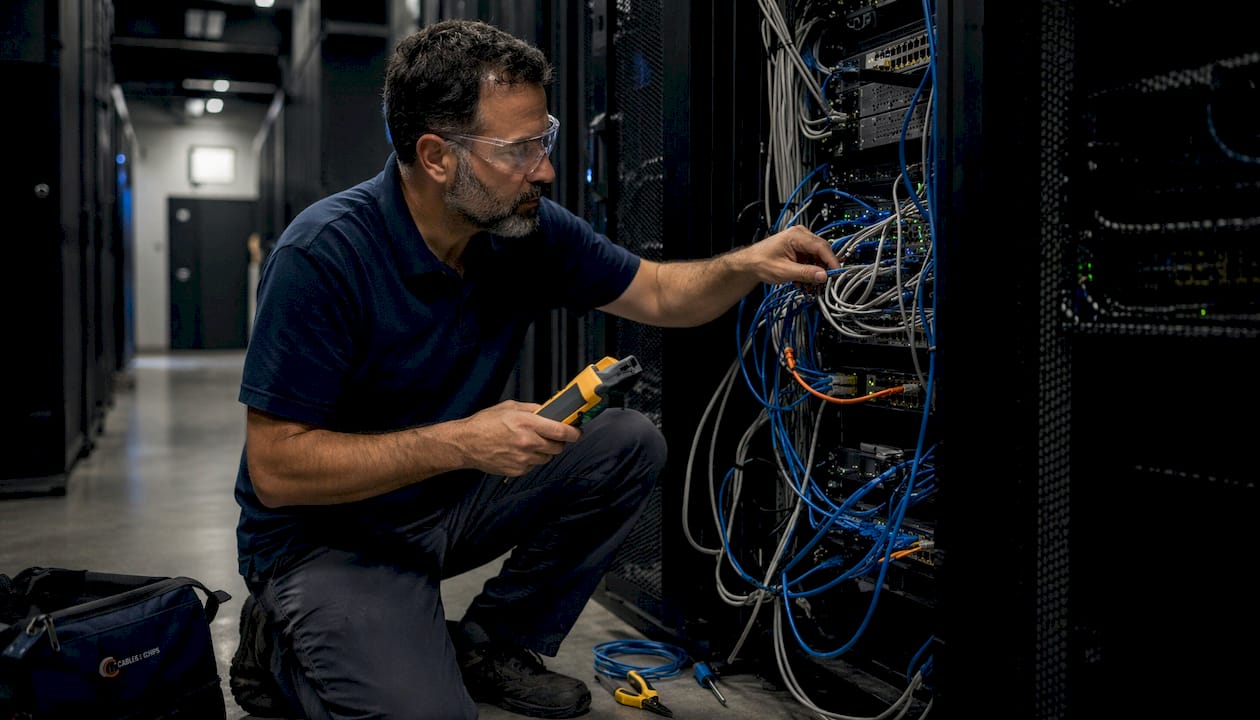
Common server room cabling errors are the leading cause of preventable network outages, with 40% of data center failures traced to human error and cable mismanagement. In the industry, these mistakes fall under the broader category of structured cabling deficiencies, a term that covers everything from improper bend radius to missing documentation. The consequences go beyond aesthetics. Disorganized racks trap heat, shorten hardware life, and turn a 20-minute repair into a two-hour diagnostic session. IT professionals and facilities managers who understand these pitfalls can build server rooms that stay reliable, stay cool, and stay maintainable for years.
1. What are the most common server room cabling errors?
The most frequent server room cabling mistakes share one trait: they are easy to make during installation and expensive to fix under pressure. Understanding each error in detail is the first step toward building infrastructure that holds up.
Disorganized “spaghetti” cabling
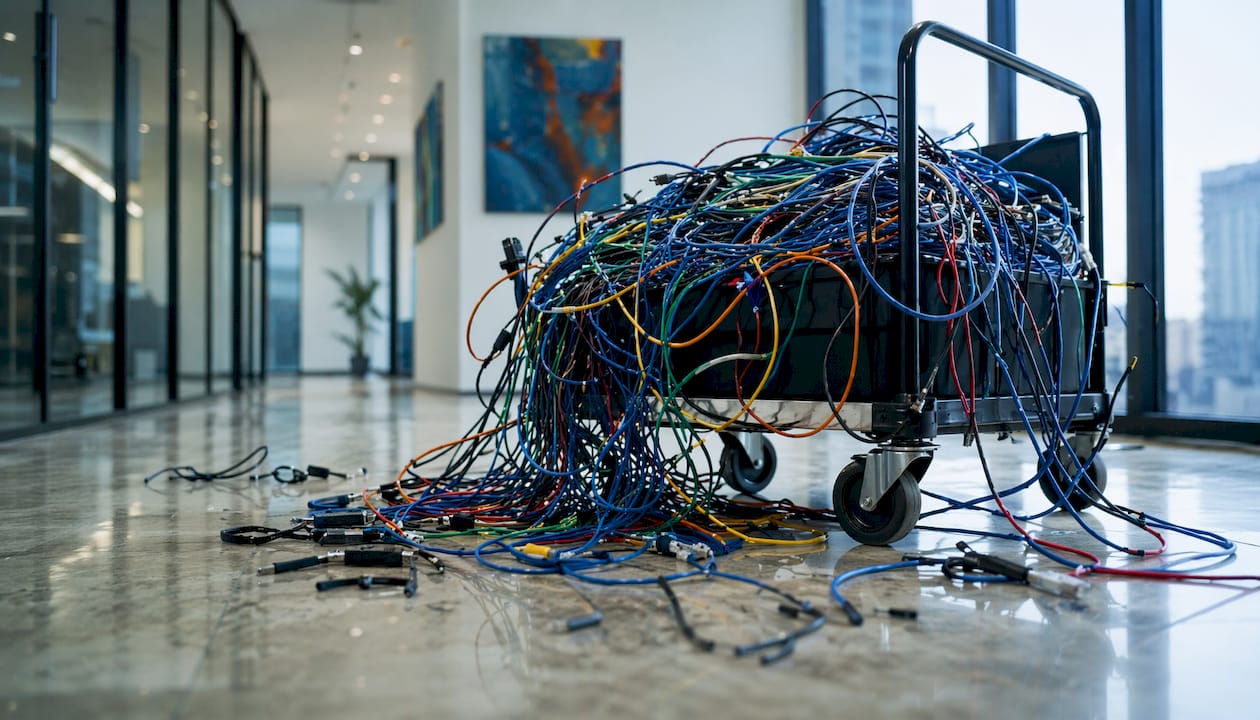
Spaghetti cabling describes the tangled mass of cables that forms when installers route runs without a plan. Cables cross over each other, loop through racks at random angles, and pile up on the floor or in trays. Spaghetti cabling blocks airflow, trapping heat around switches and servers. The result is reactive cooling that costs more and solves less than proper cable routing from the start.
Ignoring minimum bend radius
Every copper and fiber cable has a minimum bend radius specified by the manufacturer and governed by TIA-568 standards. Violating that radius crushes the internal pairs or fibers, causing intermittent failures under load that standard static connectivity tests will not catch. A cable that passes a basic ping test can still fail during peak traffic when thermal expansion tightens the bend. This is one of the most misdiagnosed problems in server room troubleshooting.
Using zip ties instead of velcro straps
Zip ties feel secure, but they are a common cabling pitfall. Over-tightened zip ties crush cable pairs, degrading signal quality and creating points of failure that worsen over time, especially under Power over Ethernet loads. Velcro straps provide the same bundling function without compressing the cable jacket. Switching to velcro is a low-cost change with a measurable impact on long-term cable integrity.
Poor or missing cable labeling
Unlabeled cables are a maintenance liability. When a technician needs to trace a connection under pressure, missing labels mean guesswork, and guesswork means accidental disconnects. Troubleshooting takes 40% longer in poorly organized environments. That time multiplies fast during an outage when every minute of downtime has a business cost. Labels belong on both ends of every cable, using a consistent naming convention tied to the documentation system.
Pro Tip: Use heat-shrink or flag-style labels rated for the environment. Printed labels on standard tape peel off within months in warm server rooms.
Mixing cable types in the same bundle
Bundling CAT6 data cables alongside power cables or mixing CAT5e with CAT6A in the same tray creates two problems. First, power cables induce electromagnetic interference into data cables, degrading signal quality. Second, cables with different thermal profiles heat unevenly, which accelerates jacket degradation. Pathway separation, with dedicated trays for power and data, is a TIA-569 requirement for good reason.
Overcrowded cable pathways
Cable trays and conduits have fill capacity limits. Exceeding those limits compresses cables at the bottom of the bundle, violating bend radius specs and making individual cable access nearly impossible. Overcrowded pathways are one of the most common cabling mistakes in office buildouts where future growth was not planned for at installation. A tray filled to 40% capacity at install leaves room for adds, moves, and changes without a full rebuild.
Outdated or nonexistent cable documentation
Documentation drifts from reality quickly when moves and changes are made without updating records. Within months, a once-accurate cable map becomes a liability. Technicians rely on tribal knowledge instead of verified data, and that reliance causes costly accidental disruptions. A live cable database, updated after every change, is the single most effective tool for reducing mean time to repair.
Bypassing cable managers
Horizontal and vertical cable managers exist to enforce routing discipline. When installers skip them to save time, cable managers are bypassed within months, and racks deteriorate into disorganized tangles. Once that happens, fixing the problem requires a full cable audit and often a partial reinstall. Enforcing cable manager use from day one prevents that decay.
2. How does improper cable management increase server room temperature?
Poor cable arrangement directly raises server room temperatures by blocking the airflow paths that cooling systems depend on. The physics are straightforward: hot air exits the back of servers and switches, and cool air enters from the front. When cable bundles obstruct those paths, heat recirculates instead of exhausting.
Poor cable management raises temperatures by 8–12°F above recommended levels and increases cooling energy consumption by up to 25%. That temperature increase is not just an energy cost. It directly shortens hardware lifespan by 3–5 years, meaning servers that should run for a decade may need replacement in five to seven years.
“Facilities managers often treat overheating by increasing AC output, but that is only a patch. Eliminating cable blockages is the cost-effective solution. More cooling capacity does not fix the root cause; it just makes the symptom more expensive to manage.”
The hot aisle/cold aisle layout is the standard response to airflow management in server rooms. Racks face alternating directions so that cold air intakes face one aisle and hot air exhausts face the other. Structured cable pathways, routed overhead or under the floor, keep cables out of those airflow corridors. Without both elements working together, even a well-designed cooling system underperforms.
| Cabling condition | Temperature impact | Hardware lifespan effect |
|---|---|---|
| Proper cable routing | Baseline | Full rated lifespan |
| Moderate cable obstruction | +4–7°F above baseline | 1–2 years reduced |
| Severe spaghetti cabling | +8–12°F above baseline | 3–5 years reduced |
| Blocked exhaust fans | Exceeds thermal limits | Immediate risk of failure |
Reactive cooling upgrades cost significantly more than the labor required to reroute cables correctly. A structured cable cleanup, combined with hot aisle/cold aisle discipline, addresses the thermal problem at its source rather than masking it with additional HVAC capacity.
3. Best practices to prevent server room setup errors
Preventing cabling installation problems starts before a single cable is pulled. Planning, execution, and ongoing maintenance each require specific disciplines to keep a server room organized and reliable.
-
Plan pathways before installation. Map cable routes on paper or in a DCIM tool before work begins. Identify dedicated trays for power and data, plan for 40–60% fill capacity, and account for future growth. Pathways that seem adequate at launch become bottlenecks within two years without headroom built in.
-
Install horizontal and vertical cable managers in every rack. These components enforce routing discipline and prevent the cable sprawl that leads to airflow blockages and maintenance problems. Skipping them to reduce cost is a false economy.
-
Cut cables to the correct length. Excess cable slack creates loops that pile up in trays and racks. Every extra foot of cable is a potential airflow obstruction and a tangle waiting to happen. Service loops, the small amount of extra length left for future moves, should be controlled and coiled neatly, not left to accumulate randomly.
-
Label both ends of every cable before installation. Use a consistent naming convention tied to your documentation system. Durable, printed labels rated for the thermal environment outlast tape-based alternatives by years.
-
Use velcro straps exclusively for bundling. Zip ties have no place in a properly managed server room. Velcro straps provide strain relief without compressing cable pairs, protecting signal integrity under both physical stress and PoE loads.
-
Maintain a live cable database. DCIM tools such as those used in enterprise data center management keep documentation current after every move, add, or change. Relying on a spreadsheet updated quarterly is how documentation decay starts. A live database eliminates the tribal knowledge problem entirely.
-
Schedule regular infrastructure audits. Quarterly or semi-annual audits catch drifting documentation, overcrowded trays, and new cable runs that were not routed correctly. Catching these issues during a planned maintenance window costs a fraction of what they cost during an unplanned outage.
Pro Tip: During audits, photograph every rack before and after any changes. A dated photo library is a fast, low-cost documentation supplement that catches discrepancies a spreadsheet misses.
For a detailed look at server room cable management setup, Cables and Chips has published a practical guide covering rack layout, pathway planning, and documentation standards.
4. How cabling errors extend downtime and complicate troubleshooting
Cabling errors do not just cause outages. They make outages harder to resolve. The combination of unlabeled cables, undocumented runs, and physically tangled racks turns a straightforward repair into a prolonged investigation.
The core problem is that intermittent cable failures often manifest only under thermal or vibration load, not during static testing. A technician who runs a basic connectivity test after a reported failure may find nothing wrong. The failure reappears under load, the test is run again, and the cycle repeats. Without documentation showing which cable connects which port, the technician must trace physical runs manually through a disorganized rack.
Key factors that extend mean time to repair in poorly cabled environments:
- Unlabeled cables force technicians to trace every run manually, adding 30–60 minutes to even simple repairs.
- Inconsistent labeling conventions across different installers mean labels exist but cannot be interpreted without the original installer present.
- Missing patch panel documentation makes it impossible to identify which horizontal run connects to which switch port without physical tracing.
- Spaghetti cabling physically blocks access to the cables that need to be moved or replaced, requiring partial disassembly of the rack before work can begin.
- Outdated floor plans send technicians to the wrong location, compounding delays when the actual cable path differs from what the drawing shows.
Structured cabling with patch panels and documented mapping reduces troubleshooting time by 60%. That figure reflects the difference between a technician who can look up a cable ID in a database and one who must trace a run through three racks of tangled cables. The investment in documentation pays back every time something goes wrong.
Facilities managers and IT teams working in environments with proactive infrastructure maintenance consistently report shorter outage windows and fewer cascading failures. The pattern holds across industries: documented, organized infrastructure resolves faster than undocumented chaos.
For a practical look at what poor cabling looks like in real environments, the Cables and Chips guide on examples of poor cable management covers the most common failure patterns with photos and explanations.
Key takeaways
Structured cabling with documented mapping, proper bend radius compliance, and velcro-based bundling reduces server room outages, cuts troubleshooting time by 60%, and extends hardware lifespan by 3–5 years.
| Point | Details |
|---|---|
| Documentation prevents outages | Live cable databases cut troubleshooting time by 60% and eliminate tribal knowledge risk. |
| Spaghetti cabling raises temperatures | Tangled cables block airflow, raising rack temps by 8–12°F and increasing cooling costs by 25%. |
| Zip ties damage cables | Velcro straps protect cable pairs from compression, preserving signal integrity under load. |
| Bend radius violations hide failures | Crushed cables pass static tests but fail under thermal or traffic load, making diagnosis difficult. |
| Labels belong on both ends | Consistent, durable labeling on every cable reduces repair time and prevents accidental disconnects. |
What 40 years in the field taught me about cable discipline
The most expensive server room I have ever walked into was not the one with the oldest equipment. It was the one with the newest gear and the worst cables. Brand-new switches buried under loops of excess CAT6, no labels, no documentation, and a cooling system running at full capacity to compensate for airflow that was 60% blocked by cable mass. The facilities team had no idea the cables were the problem. They thought they needed a bigger HVAC unit.
That pattern repeats more than it should. Organizations invest heavily in hardware and almost nothing in the discipline required to install it correctly. Cable management gets treated as a finishing touch rather than a foundational requirement. The result is a server room that looks functional on day one and becomes a liability by year two.
The fix is not complicated, but it requires commitment at the project level. Routing standards must be written down and enforced. Every installer on a job must follow the same labeling convention. Documentation must be updated the same day a change is made, not at the next quarterly review. These are not technical challenges. They are process challenges, and they are entirely solvable.
The teams that get this right share one habit: they treat the cable plant as a living document, not a one-time installation. They audit it, photograph it, and update it. When something breaks, they find the problem in minutes instead of hours. That is the real return on investment in cable discipline, not just a cleaner rack, but a faster, more reliable operation that does not wake anyone up at 2:00 AM.
For IT teams managing network closets alongside server rooms, the Cables and Chips guide on network closet best practices covers the same documentation and routing principles applied to IDF environments.
— Ken
Cables and Chips: professional cabling services for server rooms
Cables and Chips has spent more than 40 years building structured cabling systems for commercial offices, secure facilities, and enterprise server rooms across New York City. Every installation follows TIA-568 and TIA-569 standards, with full documentation delivered at project completion.

For IT managers who want to build or rebuild their cabling infrastructure the right way, the structured cabling system components guide covers planning, component selection, and documentation requirements in detail. Cables and Chips also provides as-built documentation services for existing installations where records have drifted from reality. Contact Cables and Chips at 20 Vesey Street, Lower Manhattan, to schedule a site survey and get a clear picture of where your cabling stands.
FAQ
What causes most server room outages?
40% of data center outages are caused by human error, with cable mismanagement as a leading contributor. Disorganized cabling, missing documentation, and improper installation are the most common root causes.
How does spaghetti cabling affect server room temperature?
Tangled cable bundles block airflow paths in server racks, causing temperatures to rise 8–12°F above recommended levels and forcing cooling systems to work 25% harder. Rerouting cables is more cost-effective than adding cooling capacity.
Why are zip ties a problem in server rooms?
Zip ties compress cable pairs when over-tightened, degrading signal quality and creating failure points that worsen under PoE loads. Velcro straps bundle cables securely without damaging the jacket or internal pairs.
How often should server room cabling be audited?
Quarterly or semi-annual audits catch documentation drift, overcrowded trays, and improperly routed new runs before they cause outages. Audits during planned maintenance windows cost far less than emergency repairs during unplanned downtime.
What is the fastest way to reduce troubleshooting time in a server room?
Structured cabling with patch panels and documented mapping reduces troubleshooting time by 60%. Labeling both ends of every cable and maintaining a live cable database are the two highest-impact changes any IT team can make.