
Cat6A for Wi-Fi 6E: What Your Office Cabling Needs
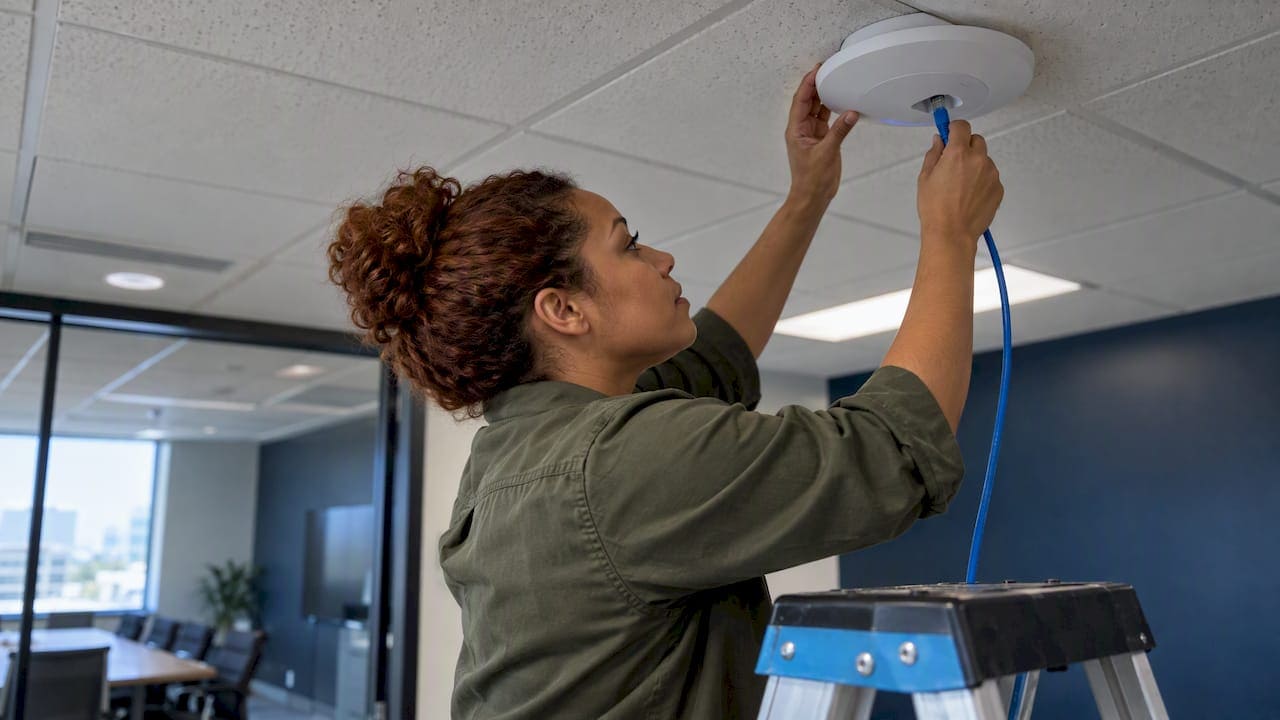
For a commercial Wi-Fi 6E deployment, Cat6A is the cable to plan around. It carries 10 Gbps over the full 100-meter channel, it has the headroom for high-power PoE, and it is the media that current guidance for access point cabling points to. Existing Cat6 can sometimes serve a first-generation access point, but only after it has been individually tested, and even then it offers no guarantee at higher speeds.
This guide is for IT directors, facilities managers and project teams who are deciding what to pull above the ceiling before the access points arrive. It covers what the radio gains actually demand from the wire, how many runs each access point needs, how PoE changes the cable decision, when reuse is defensible, and how to test the result.
TL;DR
- Wi-Fi 6E moves traffic over a 6 GHz band, but the access point still depends on a wired uplink. Cat 6A is the industry-recommended choice because it supports 10GBASE-T to 100 meters, while Cat 6 reaches about 55 meters at 10 Gbps.
- Plan two Cat 6A runs per access point on a uniform grid of roughly 60 feet (18.3 meters) per cell, as TIA TSB-162-B recommends.
- High-end Wi-Fi 6E access points can need 802.3bt power. Size the switches, the PoE budget and the cable bundles together.
- Existing Cat 6 can stay only if every run is tested and certified for the speed you need. Do not assume it passes.
- Test every link after installation and keep the results with your as-built documents.
Why a wireless upgrade is a cabling project
Wi-Fi 6E is the extension of Wi-Fi 6 into the 6 GHz band. The FCC made 1,200 MHz of 6 GHz spectrum available for this use, compared with the 580 MHz that Wi-Fi 6 had in the 5 GHz band. That is a lot of new channel space, and it is why 6E is attractive in dense offices, conference floors and trading-style environments where many clients compete for airtime.
The radio is only half of the system. Every access point has a cable behind it, and that cable has to carry everything the radio produces. When a floor of laptops, phones and video endpoints all push data at once, the uplink becomes the ceiling. A Wi-Fi 6E access point on a link that tops out at 1 Gbps will not deliver the capacity you paid for.
Your network is only as strong as the infrastructure behind it. In practice that means the decision about Cat6A is made months before anyone mounts an access point, usually during design or buildout, when the ceiling is open and a second run costs a fraction of what it will cost later.
What Cat6A gives a Wi-Fi 6E access point
The difference between Cat 6 and Cat 6A is not marketing. It comes down to bandwidth and distance. According to Fluke Networks, Cat 6A provides 500 MHz of bandwidth against 250 MHz for Cat 6, and it supports 10 Gbps at 100 meters. Cat 6 is limited to 1 Gbps at 100 meters, or 10 Gbps for roughly 55 meters.
| Cat 6 | Cat 6A | |
|---|---|---|
| Bandwidth | 250 MHz | 500 MHz |
| 10 Gbps reach | About 55 meters | 100 meters |
| Alien crosstalk risk in dense bundles | Higher | Designed for it |
| Typical role in a Wi-Fi 6E design | Only after individual testing | Recommended standard |
The 55-meter figure matters in real buildings. Pathways rarely run in a straight line. Add the route up a riser, across a ceiling, around ductwork and down to a device, and an access point that looks 40 meters from the closet on a floor plan can sit well beyond 55 meters of cable. Cat 6A removes that arithmetic from the design.
Alien crosstalk is the interference between neighboring cables. It is a bigger issue in tight pathways and large bundles, which describes most NYC ceilings and cable trays. Cat 6A is built with that environment in mind.
If you want the longer discussion of how far Cat 6 can be trusted at 10G, we cover the test criteria in what IT teams must test before trusting Cat6 for 10G.
Do you actually need 10 Gbps at the access point?
Not on day one, in most offices. Some early Wi-Fi 6 access points are served by 2.5GBASE-T or 5GBASE-T, which is why an installed base of Cat 5e and Cat 6 can potentially support them. But the same source calls it highly unlikely that this will hold for the multi-gigabit access points that follow, and the cable is the one component you will not want to replace in three years.
Three factors push the decision toward Cat 6A:
- Multi-gigabit uplinks. Wi-Fi 6E and Wi-Fi 7 access points are moving to 2.5, 5 and 10 Gbps switch ports. Cat 6A supports all of them at full distance.
- The life of the cabling. Walls and ceilings get opened once per fit-out cycle. Cabling is a multi-decade decision, and Leviton’s infrastructure specialists frame Cat 6A as a foundation for the whole building’s digital systems, including smart lighting and security, not only wireless.
- Power. Newer access points draw more PoE power than older ones, which changes how much heat the cable has to shed. More on that below.
If your floor has a handful of low-use access points and short runs, the case is weaker. If you are building out a new suite, adding density, or opening ceilings for any reason, the case for Cat 6A is strong.
Two runs per access point, on a grid
The most useful design rule in this area is also the one most often skipped. TIA TSB-162-B recommends a uniform cell layout of 18.3 m by 18.3 m (about 60 by 60 feet), with a minimum of two Cat 6A cables per wireless access point. The Wi-Fi Alliance discusses the same shift from coverage-driven layouts to capacity-driven ones.
Why two cables?
- Link aggregation. Two links can be combined to carry more than a single port can, which helps when a single radio set pushes multi-gigabit throughput.
- Redundancy. If one run, port or patch fails, the access point stays online.
- Headroom. The second run is cheap insurance against the next generation of access points. Guidance increasingly mentions four Cat 6A runs or fiber uplinks for the densest zones in Wi-Fi 7 designs.
A grid also gives you a repeatable pattern. Facilities teams can find the drop for any ceiling location, labels follow a logic, and moves, adds and changes stay manageable. It is the same reasoning behind commercial WiFi cabling best practices we recommend to IT teams.
A note on density: the Wi-Fi Alliance observes that in many buildings with existing modern Wi-Fi, the current cabling and access point density will support 6E without additional density, because 6 GHz power levels are comparable to 5 GHz. So a 6E refresh does not automatically mean more access points. It does mean making sure each existing location has a cable that can carry the new radios.
PoE, heat and the cable you can’t see
Power is where many 6E upgrades quietly go wrong. Access points are powered over the same cable that carries data. According to Fluke Networks, Wi-Fi 6E access points frequently need more power than earlier generations, moving from Type 1 and 2 PoE (13 W to 25.5 W) toward Type 3 (51 W or 60 W), and some Wi-Fi 7 models may scale to Type 4. Your switches and cabling both need to be rated for these classes.
Three practical points follow:
- Switch budget. An existing 24-port PoE switch that was fine for older access points may run out of total wattage once you replace them. Our PoE power budget walkthrough shows the calculation, including a 20% buffer.
- Heat in bundles. Fluke notes that PoE on Cat 6A in large bundles can cause heat buildup that affects performance. Professionals specify plenum-rated Cat 6A where the space requires it and, in some high-density designs, shielded cabling to help with heat and alien crosstalk. Keep bundles modest, and do not pack a pathway to its limit.
- Termination quality. Poor termination can create resistance unbalance between conductor pairs. Fluke’s PoE installation guide explains that this can cause bit errors and unstable links even when a basic throughput test passes.
Plenum ceilings are common above NYC suites. The fire rating of the jacket has to match the space: plenum-rated cable (CMP) where the ceiling is an air-handling plenum, riser-rated in shafts. Confirm the rating with the building’s requirements before ordering, since the building engineer often has additional rules.
Can you keep your existing Cat 6?
Sometimes. The honest answer is that reuse is a testing question, not a yes or no on the cable category.
Network architects warn that reusing Cat 6 to save money creates a bottleneck risk. Existing cabling should be individually tested and certified to TIA-1152-A for 2.5G/5GBASE-T, and even a pass does not guarantee full 10 Gbps performance.
A reasonable decision path:
- Map the runs. Identify which existing drops sit where your access point grid will go.
- Test each one. Certify the full channel, not a sample. Record length, insertion loss, crosstalk and, for PoE, resistance values.
- Sort the results. Runs that pass and are under about 55 meters may be fine for a 2.5G or 5G access point today. Anything long, marginal or failing needs replacement.
- Add the second run. Even where a legacy run is good, the two-run recommendation usually means new cable for the second path.
- Decide on the future. If the ceiling is open for any reason, run Cat 6A now. Our guide on testing existing runs before choosing Cat6A goes through this in more detail.
If you still have Cat 5 or 5e on the floor, the calculus changes. Older cable is a poor foundation for either PoE at high power or multi-gigabit speeds, and we explain what breaks in PoE over Cat5e near 90 meters and how to replace it in our Cat5 to Cat6 replacement guide.
Perspective: what we see in New York ceilings
We have spent more than 40 years working in commercial spaces in New York City, and the pattern with wireless projects is consistent. The access point order is placed, the radio design is approved, and the cabling is treated as an afterthought, usually reduced to a line on a bill of materials. Then the access points arrive and someone discovers the existing drops are too long, undocumented, or terminated to a standard nobody can verify.
Our view is simple.
- Treat the cable as the product. The access points will be replaced two or three times over the life of the cabling. Choose the cable for that lifespan.
- Two runs, labeled, on a grid. It is easier to document and far easier to maintain than a patchwork of single drops.
- Test everything, and keep the report. A certified link with a stored result is something an IT team can stand behind. A link that merely lights up is not.
- Clean closets matter as much as clean ceilings. A Cat 6A run that ends in a tangled rack with no patch panel labels will cost you time at every change. We often pair access point cabling with MDF/IDF organization for exactly that reason.
- Do not oversell. If your existing Cat 6 tests clean and your access points need 2.5 Gbps, reusing it can be the right call. We would rather tell you that after a site survey than guess.
— Ken
Fiber, or Cat 6A, for the backbone?
Cat 6A is the right media between the closet and the ceiling. It is not always the right media between closets. Between floors, buildings or distant telecom rooms, fiber carries more over longer distances and avoids copper’s length limit. A common pattern for a 6E office is fiber in the backbone and Cat 6A on the horizontal runs to access points and desks.
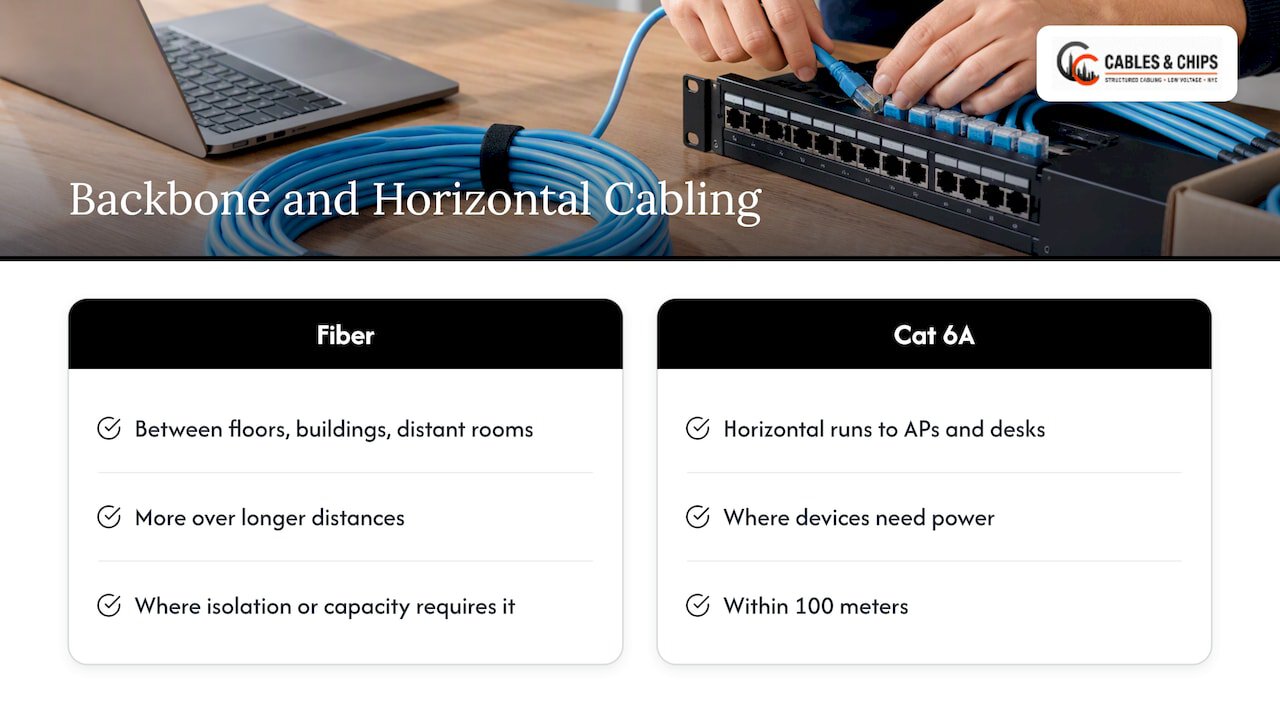
The tradeoffs are covered in our Cat6A vs fiber optic installation decision guide. The short version: use Cat 6A where devices need power or are within 100 meters, and fiber where distance, isolation or capacity requires it.
This kind of planning extends past the office. The same copper and fiber pathways that serve access points also feed cameras, badge readers and building systems. Facilities that connect older equipment to modern monitoring, such as plants that need legacy machine connectivity, have the same underlying need: a documented, tested physical layer that more than one system can rely on.
Testing and documentation: what to ask for
A cabling job is finished when it is certified, not when the last cable is pulled. For a Wi-Fi 6E build, ask for:
- Full-channel certification of every run to the category you specified (Cat 6A for new work), with results delivered per port.
- PoE-relevant measurements. Fluke notes that standard field certification to TIA-1152-A often omits DC resistance unbalance, which is why PoE-capable testing is worth specifying where access points will draw high power.
- Labeling that matches the drawings. Every outlet, patch panel port and switch port should be traceable.
- As-built documentation. Floor plans marked with the actual access point and drop locations. See our as-built documentation guide.
- Cleanup. Abandoned cable removed and the rack left serviceable.
We explain how the certification process works in how cable testing certification works for IT teams.
A planning checklist before you order
Use this list at the design stage, with your wireless vendor and your cabling contractor in the same room:
- Confirm the access point model and its switch port speed (2.5G, 5G or 10G).
- Confirm its PoE class and the total power per switch, including the buffer.
- Lay out the access point grid, at about 60-foot cells, and note ceiling type for each zone.
- Specify two Cat 6A runs per access point, with the jacket rating that matches the space.
- Measure real pathway lengths, not straight-line distances.
- Decide which existing runs, if any, will be reused, and require certification of those.
- Specify patch panels, labels, rack space and cable management in the closet.
- Require certification reports and as-built drawings at handover.
- Coordinate access with building management, including freight elevator windows and after-hours work rules.
Work with a New York low voltage contractor
Cables & Chips designs, installs, tests and documents structured cabling for commercial offices and secure facilities across New York City, from our base at 20 Vesey Street in Lower Manhattan. For wireless projects, that includes structured CAT6 and CAT6A cabling installation, WiFi design, cable testing and certification, and MDF/IDF cleanup. We are licensed and insured, and we offer a no-obligation site survey, so you can see where your existing runs stand before you commit to a plan.
If you are planning a 6E rollout, schedule a site survey and bring your access point list. You can also look at NYC project examples to see how we document finished work.
FAQ
Does Wi-Fi 6E require Cat6A?
No standard forces it, but Cat 6A is the recommended choice for enterprise deployments. It supports 10GBASE-T over the full 100 meters, which the access points of this generation and the next can use. Cat 6 can serve a lower-speed access point if it passes certification, with no guarantee at 10 Gbps.
How many Cat6A cables does each access point need?
TIA TSB-162-B recommends a minimum of two Cat 6A cables per access point, on a uniform grid of about 60 by 60 feet. The pair gives you link aggregation and a backup path. Very dense Wi-Fi 7 zones may justify four runs or fiber uplinks.
Is Cat6A required for PoE to Wi-Fi 6E access points?
PoE can run over Cat 6 and Cat 5e as well, but high-power access points that use 802.3bt put more heat and stress on the cable. Cat 6A has better headroom for bundled runs. Whatever the category, you should check the switch’s PoE budget and test the links with PoE in mind.
Can I reuse my existing Cat6 for Wi-Fi 6E?
Only after testing each run. Certify the existing links to the standard for the speed your access point needs, such as 2.5G or 5GBASE-T, and expect some to fail on length or termination. Even runs that pass offer no guarantee at 10 Gbps, so if the ceiling is open, new Cat 6A is the safer choice.
Sources
- How to Make Sure Your Cabling Plant Is Ready for Wi-Fi 6, Fluke Networks
- Does Wi-Fi Need Cabling?, Fluke Networks
- A Guide to Successful Installation of Power over Ethernet, Fluke Networks
- Wi-Fi 6E: The details you need to know, Wi-Fi Alliance
- Crosstalk Q3 2025 Newsletter, Leviton Network Solutions
- Wi-Fi 6E Testing and Compliance, TÜV SÜD