
Camera Surge Protection: How to Protect CCTV and PoE Cameras
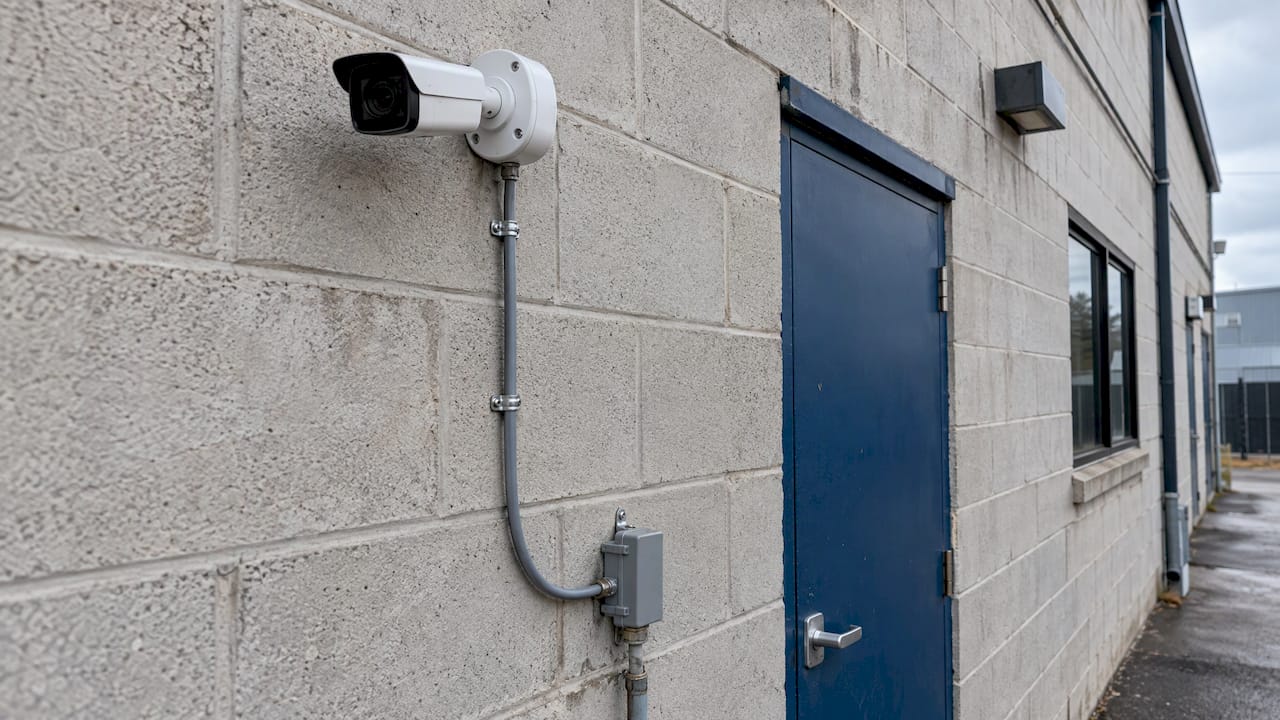
Camera surge protection works when it is designed into the cabling, not bolted on after a failure. A surge protective device (SPD) at each cable entry point and at each outdoor camera, a shielded cable path, and one coordinated ground give a surge a route to earth that bypasses the camera, the switch and the recorder. A surge protector alone, plugged in anywhere, does not do that.
For commercial sites, the practical answer has four parts: protect every conductor that leaves the building (Ethernet, coax, power, control), place protectors where the cable enters and next to the exterior device, bond everything to a common earth ground, and certify the cable run afterward. We install CCTV and access control cabling for New York City commercial buildings, so this guide is written the way we scope those jobs.
TL;DR
- Outdoor PoE cameras can pick up surge energy through their Ethernet cable, so protect the cable, not just the power outlet.
- Place an outdoor-rated PoE protector at the building entry and, for a distant camera, another next to the camera.
- Use shielded cable and shielded terminations, and tie every protector to the same earth ground.
- Surge protectors address induced surges. They do not guarantee survival of a direct lightning strike.
- Card readers and badge readers need the same discipline: shielded cable, a single-point shield ground, and the right cable type for the protocol.
Why camera cabling is the weak point
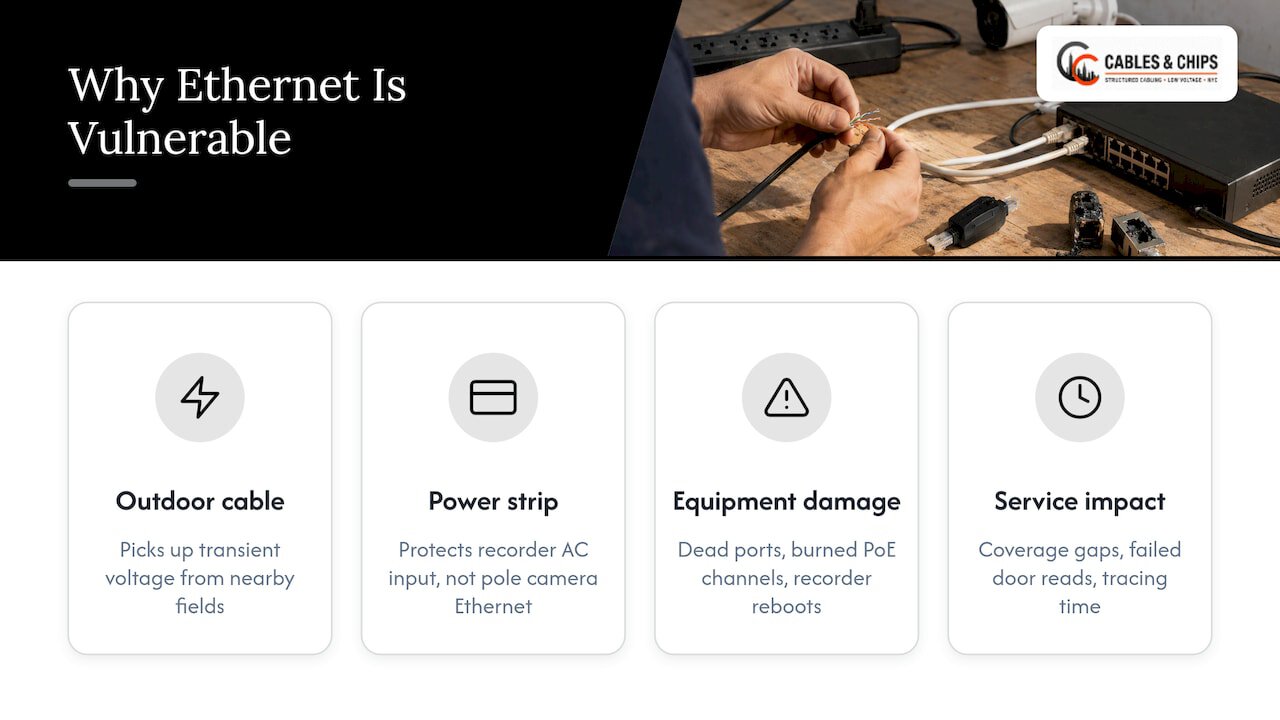
A camera is a small, low-power device on the end of a long, exposed cable. That cable is the path a surge takes. According to Axis’s guidance on power surges, outdoor Ethernet cable can pick up transient voltage from nearby electromagnetic fields, so the camera, the PoE switch port and anything connected behind it are all exposed even if no lightning hits the building.
That changes what you buy and where you spend. A power strip at the recorder protects the recorder’s AC input. It does nothing for a pole-mounted camera whose Ethernet run climbs a wall, crosses a roof and drops into an IDF. The damage usually shows up as a dead camera port, a burned PoE switch channel, or a recorder that reboots, and each one is a service call on a system that is supposed to be recording.
For facilities and IT managers, the cost is rarely the camera. It is the gap in coverage while the unit is replaced, the access-controlled door that fails to read, and the time spent tracing which run carried the surge.
What a surge protector does, and what it does not
A PoE-compatible surge protector sits in line with the cable. Axis explains that these devices divert surges to ground while continuing to carry data and power. The key words are “to ground.” The protector only works as well as the path it has to earth.
Two limits matter for planning:
- Direct strikes. i-PRO’s technical guidance states that a direct lightning stroke can damage equipment beyond what a surge protector can prevent. SPDs address induced surges. For a tall rooftop mast or a camera at the highest point of a structure, the lightning protection system and the camera location are part of the design conversation, not a purchase-order line.
- Shielding. Axis recommends shielded Ethernet for most protectors to function properly. A protector on unshielded cable has less to work with, because shielded cable can carry induced energy toward ground rather than into the camera when the shield path and the PoE power source are properly grounded.
The practical takeaway: specify the protector, the shielded cable, the grounding and the termination as one system.
Where to place protectors on an outdoor camera run
Placement is where most installs go wrong, so it deserves a precise answer.
Building entry
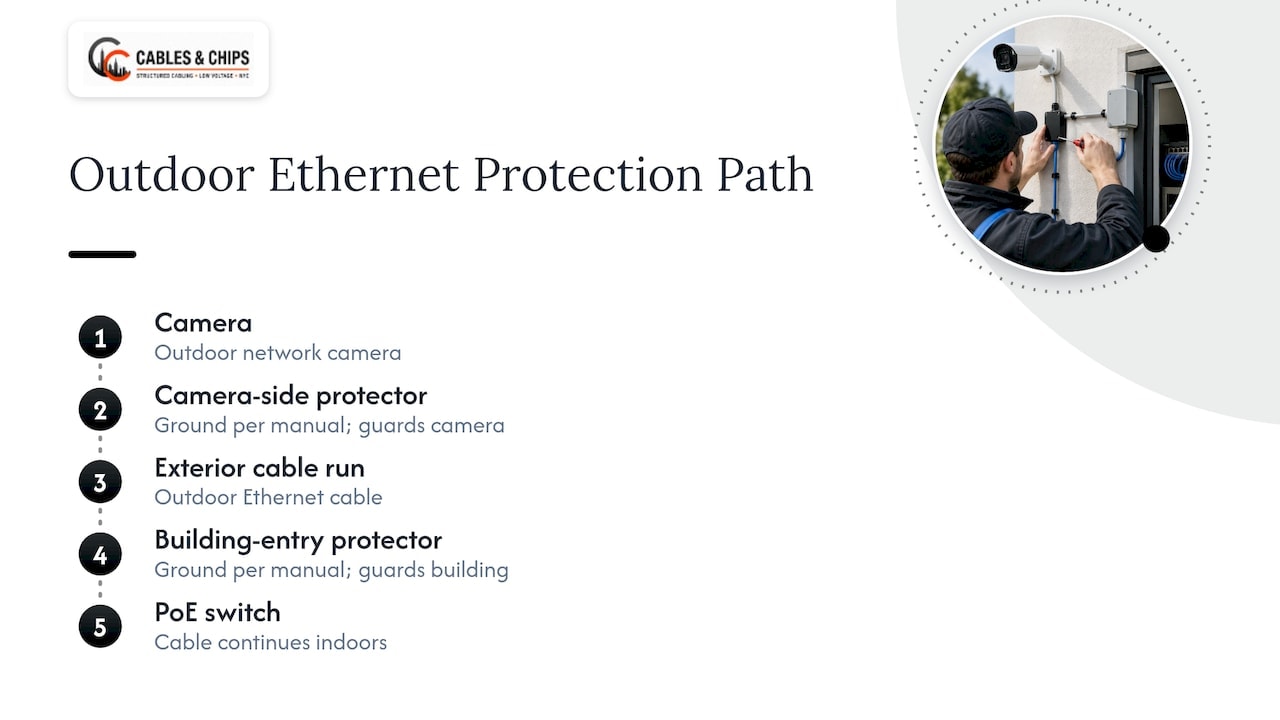
Axis recommends protection at the building cable entry for an outdoor camera. This stops a surge on the exterior cable from traveling into the IDF, the PoE switch and the network behind it. This is the protector that protects your infrastructure.
At the camera
For a camera farther from the building, Axis describes a protector adjacent to the camera plus a second one where the cable enters the building. Keenfinity’s best-practice guidance likewise shows an outdoor-rated Ethernet protector close to the camera, with its ground connected as the protector manufacturer’s installation manual specifies. The camera-side protector guards the camera; the entry-side protector guards the building. Both are needed on a long exterior run.
Axis’s own outdoor Ethernet protector, the AXIS T8061, is described as rated to protect up to 10 kV, supporting data rates up to 1 Gbps, in an IP66-rated enclosure. Its product page says to install it before the cable enters the building or immediately adjacent to a wall- or pole-mounted network camera. That is a useful reference point when comparing specifications from any manufacturer.
Indoors
A protector inside a finished telecom room is not a substitute for the exterior ones. The design rule is to intercept the surge before it reaches the equipment, which means at the transition from outside to inside.
A placement summary
| Camera location | Protector placement | Notes |
|---|---|---|
| Mounted on the building wall, short run | At the building cable entry | Keep the protector close to the entry point |
| Pole-mounted or distant from the building | Next to the camera and at the building entry | Two protectors, same earth ground |
| Camera on a different structure | Protector at each end of the exterior run | Plan grounding so the two structures do not float at different potentials |
| Interior-only camera, no exterior cable | Standard facility power protection | No exterior cable exposure |
Grounding: the part that decides whether it works
A surge protector with a poor ground connection is decoration. Three rules recur in the manufacturer guidance.
- Use one coordinated ground. i-PRO notes that separated grounds can develop a potential difference during a lightning event and damage equipment. Multiple protectors should connect to the same earth ground.
- Keep the ground conductor short and straight. The EC&M primer on NEC Article 800 advises grounding the primary protector for communications circuits as close as practicable to the point of entrance, with the grounding conductor as straight and short as possible. The same logic applies to data-line protectors: every extra foot of ground wire raises the voltage the camera sees during a surge.
- Replace damaged protectors and protect them physically. i-PRO says damaged protectors should be replaced and protectors should be enclosed against water and personnel exposure. A protector that has absorbed a large event may no longer be protecting anything.
The ground path itself is building electrical work. The bonding to the building’s grounding system should be performed and signed off under the project’s electrical scope, and the cabling contractor needs to know where that bonding point is before the first cable is pulled. For the cabling side of this, including how shielded runs are bonded and tested, see our guide to shielded cabling grounding.
Cable choices that support surge protection
Keenfinity’s installation guidance calls for shielded Cat5e or Cat6, shielded RJ45 terminations and an earthed metal conduit, with a maximum cable span of 100 m (328 ft). A few implications for a commercial spec:
- Shield continuity is the product. A shielded cable terminated with unshielded jacks or connectors breaks the path the protector depends on. Every connector in the run should maintain the shield.
- Conduit helps. Earthed metal conduit gives induced energy another path away from the conductors.
- Distance is a design limit. The 100 m channel limit applies to PoE cameras, and adding protectors adds insertion points. Our guides on PoE camera distance planning and choosing CCTV cable types cover how to stay inside that limit with margin.
- Separation from power. Exterior and interior routes should respect the separation rules for low voltage and power conductors. We explain them in our piece on low voltage power separation.
The wider planning picture, from camera locations to home runs to IDF design, is in our overview of how security camera cabling is planned for commercial sites.
What to check when choosing a protector
The ranking product pages list dozens of models. For a commercial spec, check the same short list against every candidate:
- The connection it protects. Ethernet with PoE, coaxial video, DC or AC camera power, and RS-485 control for PTZ cameras are all different protectors. A PTZ camera on a control line needs protection on that line as well as on its power and video.
- PoE class. The protector must pass the PoE type your switch and camera use, along with the data rate. Confirm both on the data sheet.
- Voltage and current rating. Match the protector to the circuit’s operating voltage. A 12 V DC camera and a 24 V AC camera need different devices.
- Environmental rating. An exterior protector needs a weatherproof enclosure, such as the IP66 rating in the example above.
- Listing. Data-line protectors are commonly listed to UL 497B, the standard for protectors on data, communications and fire alarm circuits. Check the listing on the data sheet and the markings on the device.
- Grounding provision. The device should have a clear, accessible ground terminal and an installation manual that states how to ground it.
- Serviceability. You should be able to reach the protector to inspect or replace it. A protector buried behind finished surfaces is not serviceable.
On the electrical side, the 2023 NEC changes summarized by EC&M expanded required service-level surge protection to dormitory units, hotel and motel guest rooms and suites, and patient sleeping rooms in nursing homes and limited-care facilities, in addition to dwelling units. That is power-side protection at the service or panelboard. It complements data-line protectors on camera cabling and does not replace them. Confirm the edition of the NEC your jurisdiction has adopted, and the local amendments, with the authority having jurisdiction before you finalize the electrical scope.
Card reader and badge reader cabling
The same ideas apply at the door. Readers sit on the building exterior, connect to a panel through low voltage cable, and are exposed to the same induced energy. The cable spec depends on the reader protocol.
Matching cable to protocol
- Wiegand or clock-and-data. HID’s Signo installation guide recommends 5 to 10-conductor cable for these interfaces.
- OSDP (RS-485). The same guide recommends four-conductor twisted pair with an overall shield and UL approval, such as Belden 3107A or equivalent.
- Conductors the reader uses. Signo readers use conductors for power, ground, data (Wiegand/clock or RS-485), LED, beeper, hold and tamper functions, with a drain on pigtail models. A cable with too few conductors forces compromises later.
Length and shielding
A reader wiring quick-start guide from Farpoint says Wiegand cable should be at least 24 AWG, stranded, multi-conductor and overall foil-shielded, with a maximum length of 500 ft (152 m) under the referenced SIA Wiegand specification. Longer runs need a different interface or a closer panel.
Ground the shield at one point
The same guide says shield-drain continuity should run to the access panel, where the shield drain and reader ground are tied together and connected to earth at one point. It also says the connection must follow NFPA 70 (the National Electrical Code) and use a power-limited DC source. Grounding a shield at both ends can create a loop, so follow the manufacturer’s installation instructions for the specific reader and panel.
For the full requirements of door hardware, readers, panels and pathways, see our access control cabling requirements guide.
A planning sequence for a commercial site
Here is the order we use to scope surge protection on a CCTV or access control job.
- Walk the exterior. List every camera, reader and device with a cable that leaves the building envelope, and note mounting height, roof exposure and the distance to the nearest IDF.
- Identify the ground. Find the building’s grounding point and bonding availability for each telecom room before choosing protector locations.
- Choose the cable. Select shielded cable, shielded terminations and conduit where the route is exposed.
- Place protectors. Put one at the building entry for each exterior run, and one at the camera for runs of any distance.
- Bond to a common ground. Connect all protectors for the system to the same earth ground, with short, straight conductors.
- Test and certify. Test every run after termination, including shield continuity, and keep the results with the as-built documentation.
- Label and document. Mark each protector on the cable schedule so future technicians know it is there and can replace it.
- Inspect after events. After a storm or a known surge, check protectors and replace any that are damaged.
The documentation step is what separates a system that gets maintained from one that gets forgotten. A protector no one knows about is a protector no one replaces.
Common mistakes on camera surge protection
- Protecting only the recorder. The surge arrives on the cable, not only on the AC line.
- Unshielded cable with shielded protectors. The shield path is broken before it begins.
- Separate grounds. Each protector has its own rod or its own building point, and the potential difference between them becomes the surge’s path.
- Long ground leads. A coiled or lengthy ground wire reduces the protector’s effectiveness.
- No access. The protector is above a finished ceiling or behind a sealed enclosure, so it is never inspected.
- No documentation. Protectors are missing from the cable schedule and from the as-builts.
Our perspective
Surge protection is a cabling decision made early, because the protectors, the shielding and the ground are all part of how the run is built. When we plan CCTV and access control cabling, we start with the exterior devices and the building’s grounding points, then choose cable and termination to keep the shield intact from the camera to the IDF.
With more than 40 years of experience in New York City commercial environments, we have learned that clean, documented work is what keeps a system serviceable. Every run is tested and certified, every protector is labeled, and the as-builts show where each one sits. When a facilities team inherits the system, they can find and replace what needs replacing.
The best time to specify protection is before the pull, while the routes, conduit and ground points are still open. Your network is only as strong as the infrastructure behind it.
Ken
How we can help
We design, install, test and document CCTV and access control cabling for commercial offices, secure facilities and enterprise buildings across New York City, and we are licensed and insured. A no-obligation site survey is the starting point: we walk the exterior runs, the telecom rooms and the ground points, and give you a clear scope for cabling, shielding and protection.
See our CCTV and access control installation service, or read our CCTV cabling infrastructure guide to prepare your project requirements.

For secure facilities, our CCTV cabling plan for secure facilities covers documentation and pathway expectations in more depth. To start a project, schedule a site survey with our team at 20 Vesey Street, Lower Manhattan.
FAQ
Do PoE cameras need surge protection?
Outdoor PoE cameras do, because the Ethernet cable can pick up induced voltage and carry it to the camera and the switch. Axis recommends protection at the building cable entry, with an additional protector next to the camera on longer runs. Interior cameras on short, fully indoor runs have far less exposure.
Can a surge protector stop a direct lightning strike?
Not reliably. i-PRO’s guidance says a direct stroke can damage equipment beyond what an SPD can prevent, and that SPDs address induced surges. Protectors, shielded cable and a coordinated ground reduce the risk from the far more common induced events. Lightning protection for the structure is a separate design question.
Where should the protector be installed on a camera cable?
Install it where the cable enters the building, and next to the camera if the camera is some distance away. Axis says its T8061 should go before the cable enters the building or immediately adjacent to a wall- or pole-mounted camera. All protectors on the system should connect to the same earth ground.
Does card reader cabling need to be shielded?
For exterior readers, yes. Farpoint’s guide calls for overall foil-shielded, stranded, multi-conductor cable for Wiegand, and HID’s guide calls for shielded twisted pair for OSDP. The shield drain should reach the access panel and be tied to earth at one point.
Sources
- Axis Communications: Power surges (PDF)
- AXIS T8061 Ethernet Surge Protector
- i-PRO: Countermeasure for lightning surge
- Keenfinity: Best practices for surge and lightning protection
- EC&M: Article 800, Communications Circuits
- EC&M: The Most Notable Changes to the 2023 NEC Explained
- HID Signo Reader Installation Guide (PDF)
- Farpoint Conekt reader quick-start guide (PDF)