
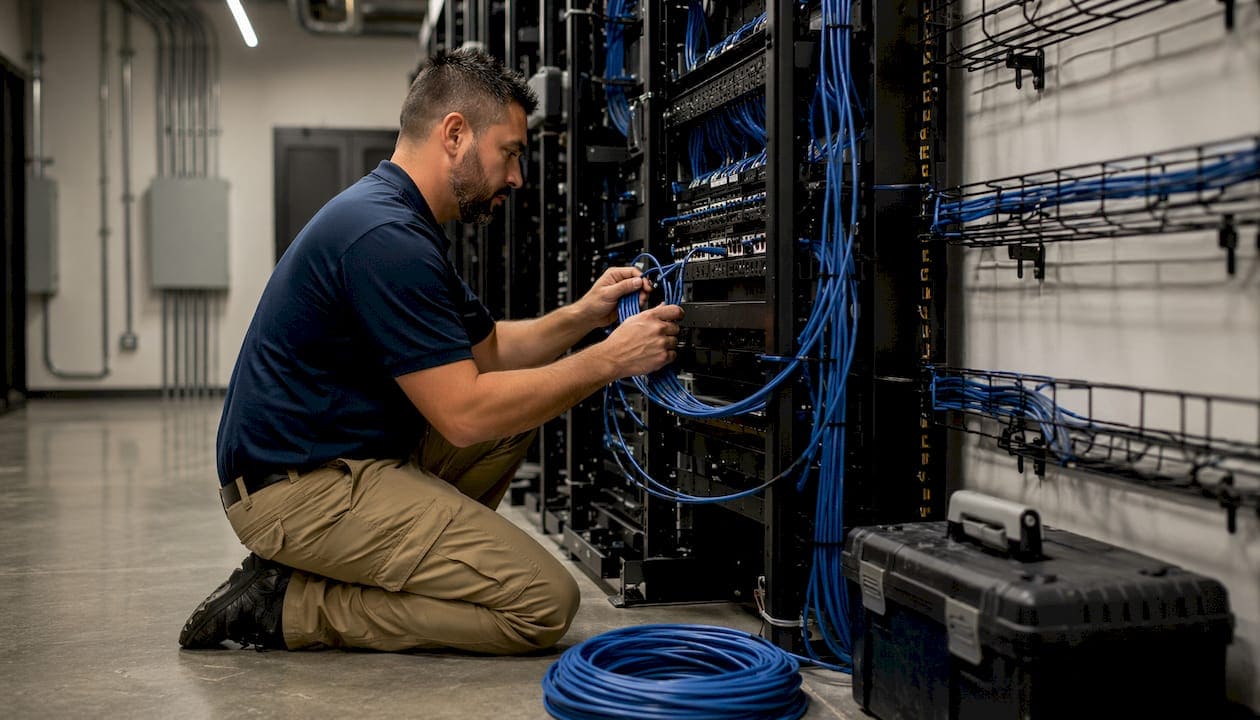
Cable Slack Management: Best Practices for IT Teams
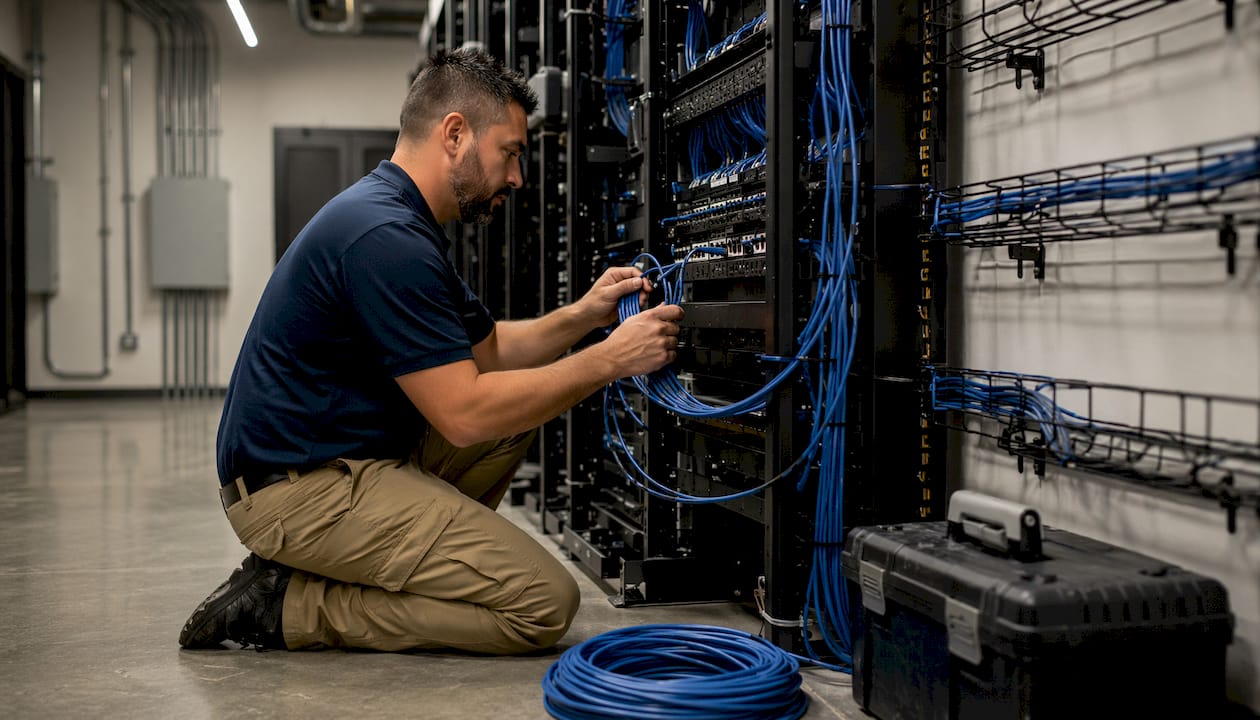
TL;DR:
- Proper cable slack management involves strategically controlling excess cable length to prevent signal degradation, facilitate maintenance, and ensure code compliance. It includes using appropriate lengths, storing slack with approved hardware, and maintaining accurate documentation to support quick repairs and long-term network health. Regular inspections and updates help maintain accessibility, safety, and optimal network performance over time.
Cable slack management is the deliberate practice of allocating, routing, and storing a controlled length of extra cable within a network infrastructure to support maintenance, compliance, and long-term performance. The industry term for this extra length is a “service loop.” IT professionals and facilities managers who understand what is cable slack management gain a direct advantage: properly sized service loops prevent connector strain, enable equipment moves without recabling, and satisfy codes like NEC 110.26 and BICSI ITSIMM. Poor slack handling, by contrast, reduces signal quality by up to 50%. This guide covers standard length requirements, approved storage techniques, real risks, and a long-term maintenance framework.
What is cable slack management and why does it matter?
Cable slack management is defined as the planned control of excess cable length at every termination point in a structured cabling system. The word “planned” is the key distinction. Service loops are strategic maintenance features, not accidental leftover cable. They exist so technicians can re-terminate a connector, reroute a run, or replace a damaged section without pulling an entirely new cable.
The importance of cable slack reaches beyond convenience. BICSI ITSIMM and TIA-568 both address service loop requirements as part of a compliant installation. NEC 110.26 governs working clearances around electrical equipment, and improperly stored slack loops that block those clearances create code violations. Facilities managers in commercial buildings face inspection risk when slack is coiled on top of ceiling tiles or stuffed into conduit runs.
Business continuity is the strongest argument for getting this right. Good slack means faster fixes and less downtime when a port fails or equipment moves. A technician who finds a properly labeled, accessible service loop can complete a repair in minutes. The same repair without a service loop may require a full cable replacement, which means scheduling, materials, and hours of labor.
Your network is only as strong as the infrastructure behind it. Cable slack management is where that principle becomes concrete and measurable.
What are the standard cable slack length recommendations?
Industry standards give specific length targets that vary by cable type and location within the network. Following these targets prevents both under-slack failures and over-slack clutter.
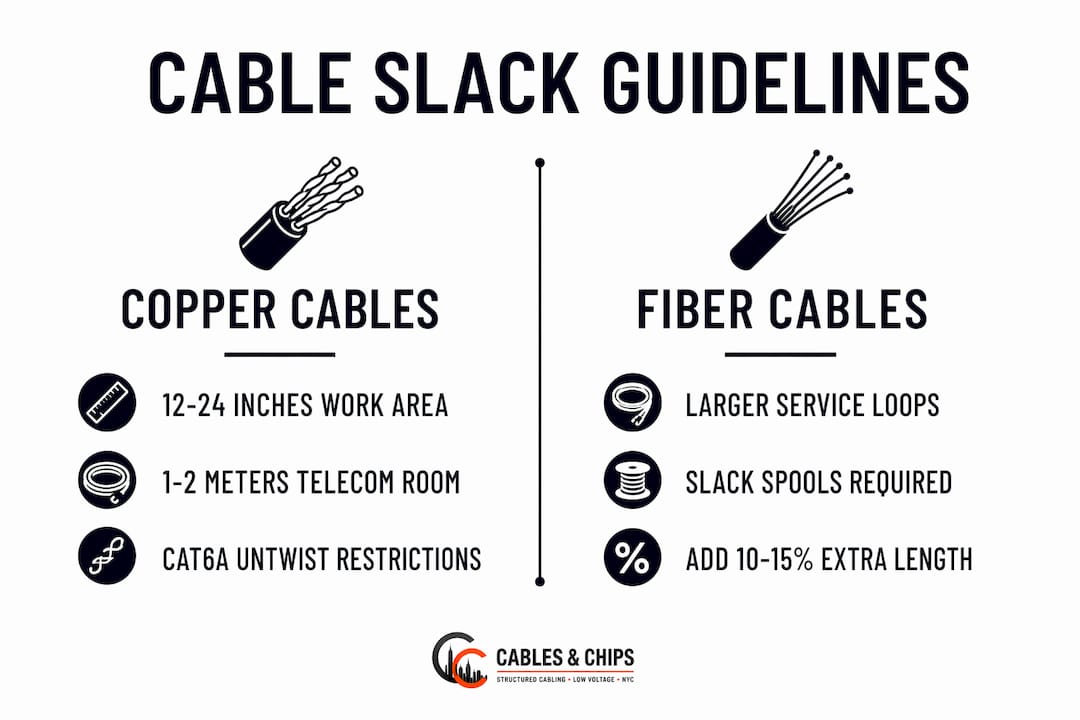
Copper cable slack guidelines
Copper cables require 12–24 inches of slack at work area outlets and 1–2 meters at telecommunications room terminations. The shorter work area allowance accounts for the limited space inside wall boxes and furniture raceways. The longer telecom room allowance gives technicians room to re-terminate patch panel ports and shift equipment within the MDF or IDF without stressing the cable jacket.
CAT6A installations add a technical wrinkle. Over 13mm of untwist in a CAT6A pair significantly degrades crosstalk performance. This means the service loop must be long enough for maintenance access but terminated with strict pair untwist discipline. Sloppy terminations at the end of a service loop defeat its purpose entirely.
Fiber cable slack guidelines
Fiber requires more generous service loops because the cable itself is less forgiving of mechanical stress. Telecom rooms typically need 3–5 meters of fiber slack, compared to 1–2 meters for copper. This extra length accommodates the larger bend radius requirements of single-mode and multimode fiber and gives technicians room to re-splice or re-terminate without cutting into the active run.
| Cable Type | Work Area Slack | Telecom Room Slack |
|---|---|---|
| Copper (CAT5e/CAT6) | 12–24 inches | 1–2 meters |
| Copper (CAT6A) | 12–24 inches | 1–2 meters |
| Fiber (multimode/single-mode) | 1–2 meters | 3–5 meters |
Key points to keep in mind when applying these guidelines:
- Never cut service loops shorter than the minimum to save material costs.
- Always account for the routing path, not just the straight-line distance.
- Fiber slack must respect the cable’s minimum bend radius at every storage point.
- Copper slack must maintain pair twist integrity all the way to the termination.
Pro Tip: When planning a new installation, add 10–15% to your calculated service loop length to account for future equipment repositioning within the rack. It costs almost nothing at installation and saves significant labor later.
What are the best techniques and hardware for organizing cable slack?
Knowing the right length is only half the job. How you store and route that slack determines whether it helps or harms the installation. Approved cable management techniques keep service loops accessible, code-compliant, and out of the airflow path.
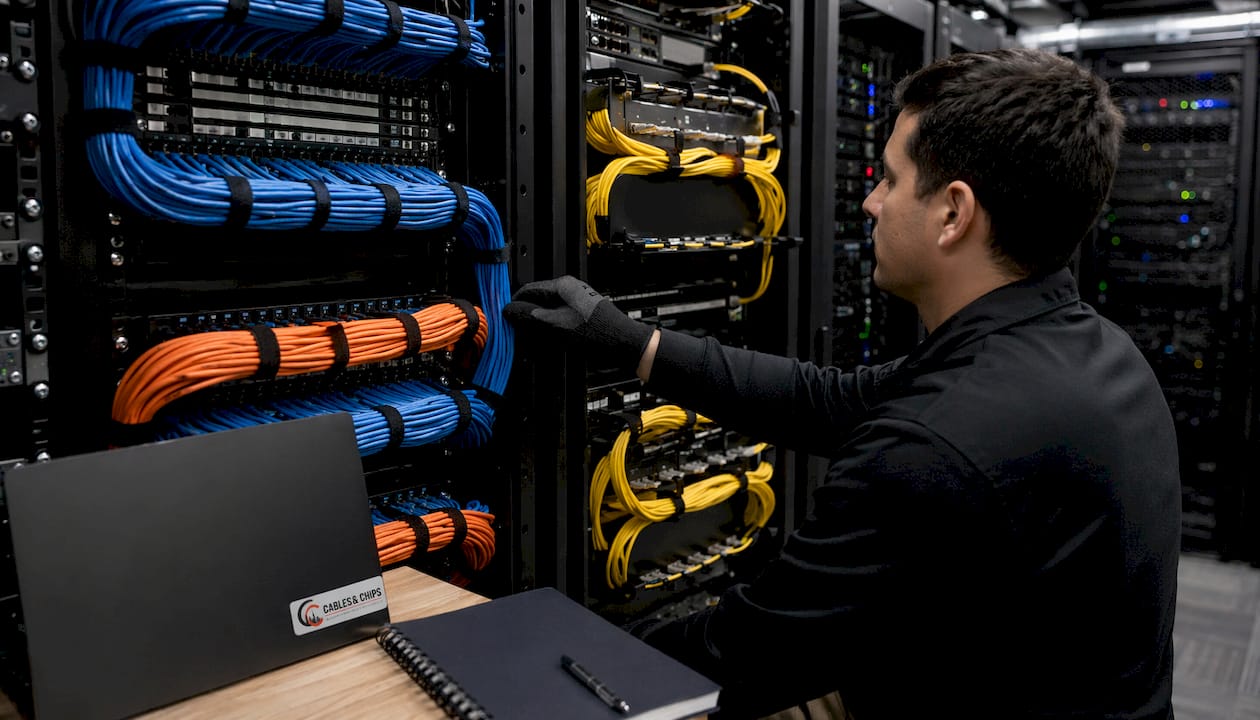
Fiber slack storage
Fiber service loops require dedicated slack spools or cassette-style storage units mounted inside the rack or on the wall adjacent to the patch panel. These devices hold the loop in a controlled circle that respects the cable’s minimum bend radius. Loose fiber coils resting on a shelf or draped over a cable tray will eventually develop micro-bends that degrade signal transmission. For server room cable organization, fiber slack spools should be mounted at the same rack unit height as the fiber patch panel they serve.
Copper slack storage behind patch panels
Copper service loops in telecom rooms belong behind the patch panel, neatly looped and secured with hook-and-loop straps. Velcro-style hook-and-loop straps are the approved bundling tool for this application because they do not compress the cable jacket the way plastic zip ties do. Zip ties, when overtightened, deform the cable geometry and increase crosstalk, particularly in CAT6A. Vertical cable managers on either side of the rack provide a clean path for routing the loop from the back of the panel to its storage position.
What to avoid when storing slack
Slack must never be placed in riser shafts or inside conduits. Riser shafts are fire-rated assemblies, and any cable stored there without proper fire-stopping creates a code violation. Conduit fills are calculated for active runs, not storage loops. Placing slack inside a conduit can exceed the fill ratio and make future pulls impossible.
Additional practices to avoid:
- Resting copper or fiber loops on top of suspended ceiling tiles. The tiles flex under foot traffic and compress the cable.
- Bundling slack with active power cables. Electromagnetic interference from power wiring degrades data signal quality.
- Leaving unsupported loops hanging from cable trays. Gravity creates tension at the termination point over time.
- Coiling slack too tightly. Every cable type has a minimum bend radius, and exceeding it causes permanent performance loss.
For network closet organization, the goal is a closet where every service loop is visible, labeled, and reachable without moving other cables.
Pro Tip: Color-code your hook-and-loop straps by cable category. Blue for CAT6, orange for CAT6A, yellow for fiber. A technician can identify the right service loop at a glance without reading every label.
What risks does improper cable slack management pose?
The consequences of poor slack handling range from degraded performance to safety violations. Each risk category compounds the others, making a single bad decision at installation into a long-term liability.
Improper cable slack management can reduce signal quality or throughput by up to 50% due to tension, compression, and interference. That figure represents the difference between a functional network and one that fails intermittent performance tests without an obvious cause.
The numbered list below covers the four primary risk categories in order of severity:
-
Signal degradation. Tension on a copper cable stretches the pair geometry and increases crosstalk. Compression from overtightened ties or ceiling tile weight deforms the jacket. Either condition reduces throughput and can cause a CAT6A link to fail TIA-568 certification testing.
-
Mechanical damage to connectors and jackets. A cable with no service loop gets pulled tight every time a technician moves adjacent equipment. That tension works on the RJ-45 connector or fiber ferrule over months and years, eventually cracking the termination or pulling it out of the jack.
-
Fire code violations. Excessive or improperly placed slack violates fire-stopping codes when loops are stored in riser shafts or penetrations without proper firestopping. A building inspection that finds this condition can result in a stop-work order or a required remediation at full cost to the building owner.
-
Troubleshooting difficulty and airflow obstruction. Unmanaged slack piled in a telecom room blocks airflow to active equipment, raises ambient temperature, and makes it nearly impossible to trace a specific cable during a fault. Regular slack inspection avoids these compounding problems and keeps the room audit-ready.
The troubleshooting cost alone justifies the investment in proper slack management. A technician spending two hours tracing a cable through a disorganized closet costs more than the materials for a clean installation.
How can IT teams plan and maintain cable slack management over time?
Effective cable slack management does not end at installation. It requires a planning phase, a documentation phase, and a recurring maintenance cycle. Teams that treat it as a one-time task find themselves recabling sections of the network every few years.
Planning slack during initial layout
The planning phase happens before a single cable is pulled. During the design stage, the cabling layout should identify every termination point, calculate the routed cable length, and add the appropriate service loop allowance for each location. Building cabling infrastructure in commercial environments requires accounting for future equipment moves, which means the service loop allowance should reflect the likely range of equipment positions within the rack, not just the current configuration.
Coordination with the facilities team at this stage prevents conflicts with HVAC, fire suppression, and electrical clearances. NEC 110.26 clearances around electrical panels must be kept clear of cable loops, and that constraint should appear on the cabling layout drawing before installation begins.
Labeling and documenting service loops
Every service loop needs a label that identifies the cable, its origin, its destination, and its length. This information belongs in the as-built documentation for the installation. As-built documentation gives the next technician a complete picture of the infrastructure without requiring them to trace cables physically. A label on the loop and a matching entry in the documentation system reduces repair time from hours to minutes.
Best practices for labeling and documentation include:
- Use heat-shrink or wrap-around labels rated for the environment. Adhesive labels fall off in humid telecom rooms.
- Record the loop length in the documentation, not just the total cable run length.
- Photograph each service loop location during installation and attach the image to the as-built record.
- Update documentation immediately after any move, add, or change that affects a service loop.
Scheduling audits and adjusting for change
Proper slack prevents strain, reduces wear, and ensures compliance only when the installation is inspected regularly. A quarterly visual inspection of telecom rooms and a semi-annual physical audit of service loop conditions catches problems before they cause failures. Audits should check for compressed loops, missing labels, loops resting on ceiling tiles, and any new cable runs that were added without following the service loop standard.
Equipment changes are the most common reason service loops get compromised. When a new switch is installed at a different rack unit position, the technician may pull the existing service loop tight to reach the new port. Document this change and add a new service loop if the original one is now too short. Skipping this step creates the exact connector strain problem that the service loop was designed to prevent.
Pro Tip: Include a service loop inspection checklist in your standard change management process. Any ticket that involves moving or replacing rack equipment should trigger a loop check before the ticket closes.
Key takeaways
Cable slack management is the foundation of a maintainable, code-compliant network: without correctly sized and stored service loops, signal degradation, connector damage, and fire code violations become inevitable.
| Point | Details |
|---|---|
| Follow standard length guidelines | Use 12–24 inches at work areas and 1–2 meters in telecom rooms for copper; 3–5 meters for fiber. |
| Store slack with approved hardware | Use dedicated fiber spools and hook-and-loop straps behind patch panels; never store loops in riser shafts or conduits. |
| Avoid the 50% signal loss risk | Tension, compression, and improper bundling can cut throughput by up to 50% in copper and fiber runs. |
| Document every service loop | Label each loop and record it in as-built documentation to reduce repair time and support audits. |
| Audit on a regular schedule | Inspect service loops quarterly and update them after any equipment move, add, or change. |
Why cable slack management is the detail most IT teams get wrong
I have walked into telecom rooms across New York City where the cabling looked fine from the door. Patch panels were labeled. Cables were bundled. The room passed a visual inspection. Then a technician needed to move a switch, and we found that every service loop in the rack had been pulled tight during a previous upgrade. There was no slack left anywhere.
The misconception I see most often is that service loops are just hidden cable. Teams think a neat-looking closet is a well-managed closet. Those are not the same thing. A closet where every loop is tucked out of sight but inaccessible is a liability, not an asset. Accessibility and compliance matter more than aesthetics.
The detail that separates a good installation from a great one is documentation. I have seen installations where the cabling was physically perfect but the as-built drawings were never updated after the first equipment change. Three years later, no one knew which loops belonged to which runs. The physical work was wasted because the documentation did not keep pace.
My practical advice: treat every service loop as a named asset. Give it a label, a record, and a place in your change management process. When a crisis hits at 2:00 AM and a link goes down, the technician who finds a labeled, accessible service loop will have the network back up before the one who is tracing cables in the dark.
— Ken
Cables and Chips: structured cabling done right
Cables and Chips installs, documents, and certifies structured cabling systems for commercial offices, server rooms, and telecom rooms across New York City. Every installation includes properly sized service loops, labeled terminations, and complete as-built documentation so your team can maintain the infrastructure without guesswork.
Whether you need a full CAT6A installation with certified slack management or a cleanup of an existing network closet, Cables and Chips brings more than 40 years of low voltage experience to every project. Explore the structured cabling components guide to understand what a complete, compliant installation looks like. Contact Cables and Chips at 20 Vesey Street, Lower Manhattan, to schedule a site survey.
FAQ
What is the standard service loop length for CAT6A?
CAT6A copper cables require 12–24 inches of slack at work area outlets and 1–2 meters at telecom room terminations, following BICSI and TIA-568 guidelines.
Can cable slack loops be stored inside conduit?
No. Storing slack inside conduit exceeds fill ratios and violates code. Slack must be stored behind patch panels, on dedicated spools, or in vertical cable managers.
How does poor slack management affect signal performance?
Improper slack handling, including tension, compression, and overtightened bundling, can reduce signal quality or throughput by up to 50% in copper and fiber runs.
How often should service loops be inspected?
A quarterly visual inspection and a semi-annual physical audit of all service loop conditions is the recommended maintenance schedule for active telecom rooms.
Does cable slack management apply to fiber the same way as copper?
Fiber requires more generous service loops, typically 3–5 meters in telecom rooms, because of its larger minimum bend radius and the precision required for re-splicing or re-termination.