
Best VoIP Infrastructure Cabling Options for IT Managers
TL;DR:
- Cat6A is the default choice for business VoIP cabling, supporting 10G over 100 meters and handling PoE++ thermal loads. Fiber is best for backbone connections between MDF and IDF locations, ensuring high capacity over long distances. Proper certification and adherence to standards are essential for reliable performance and future-proof installations.
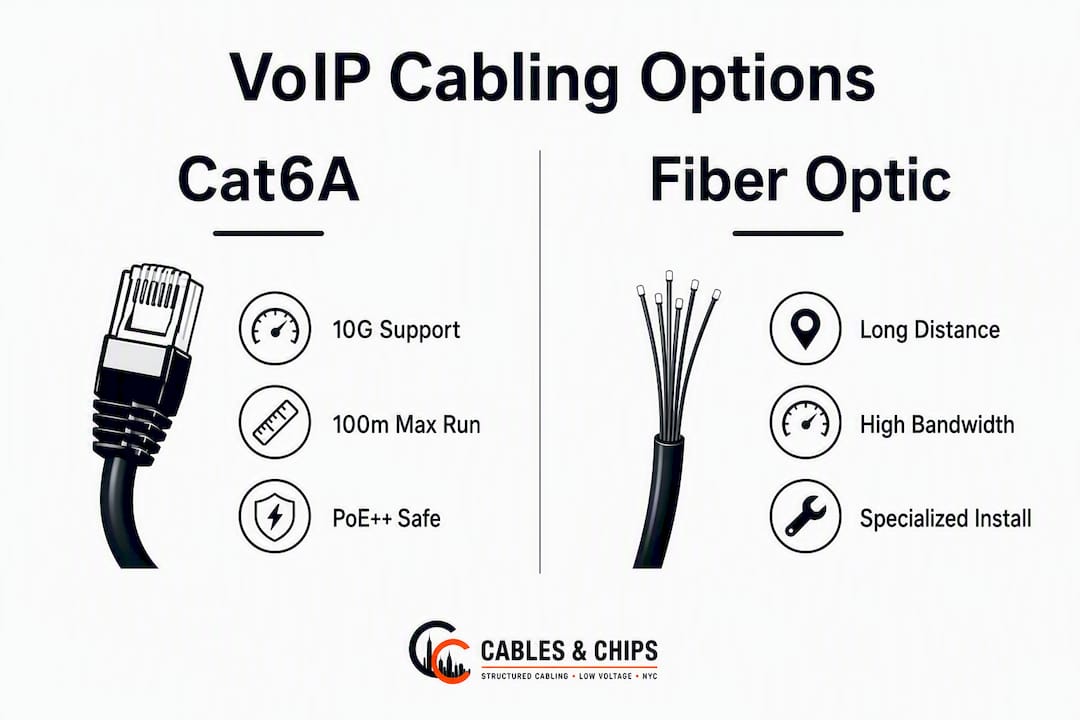
For most business VoIP deployments, Cat6A U/UTP is the default horizontal cabling choice. It supports 10GBASE-T across the full 100-meter channel length, handles IEEE 802.3bt PoE++ thermal loads that would derate Cat6 in dense bundles, and provides a clear upgrade path to Wi-Fi 7 APs and AV-over-IP without re-pulling cable. For the backbone between MDF and IDF closets, multimode or singlemode fiber is the right call.
The best VoIP infrastructure cabling options for a commercial build come down to three ready-made configurations:
- Cat6A horizontal + fiber backbone: The default for new construction, multi-floor builds, and any site expecting PoE++ devices (cameras, APs, conference AV). Full 10G headroom, thermal margin, and a 10+ year lifecycle.
- Cat6 horizontal (short runs only): Viable for budget-constrained retrofits where verified run lengths stay under 55 meters and PoE loads are light. Cat6 supports 10G only for relatively short distances, so confirm every channel before specifying it.
- Fiber or Cat8 for data-center short runs: Cat8 handles 25/40 Gbps at up to 30 meters and is purpose-built for top-of-rack interconnects, not horizontal office drops.
| Configuration | Best For | 10G Distance | PoE++ Safe? | Relative Cost |
|---|---|---|---|---|
| Cat6A U/UTP horizontal + fiber backbone | New builds, dense PoE, future-proofing | 100 m | Yes | Moderate |
| Cat6 horizontal | Short-run retrofits, 1G-only drops | ~55 m | Limited | Lower |
| Fiber trunk + Cat6A drops | Multi-building campus, high-rise risers | Unlimited (fiber) | N/A (fiber) | Higher |
| Cat8 (data center only) | ToR server interconnects, ≤30 m | 30 m | Not recommended for horizontal | Higher |
What does each Ethernet category actually deliver for VoIP?
Cat6A delivers 10 Gbps over 100 meters and includes design features that suppress alien crosstalk (ANEXT) and manage heat in bundled runs. That combination makes it the right default for commercial VoIP deployments today. Here is how each category stacks up in practice.
| Category | Rated Bandwidth | 10G Max Run | Shielding Options | PoE++ Thermal Notes | Environmental Rating | Relative Cost/Complexity |
|---|---|---|---|---|---|---|
| Cat5e | 100 MHz | Not recommended | UTP only | Poor in dense bundles | Plenum/Riser/Outdoor | Lowest |
| Cat6 | 500 MHz | ~55 m | UTP, F/UTP | Moderate; derate in bundles | Plenum/Riser/Outdoor | Low |
| Cat6A | 500 MHz | 100 m | U/UTP, F/UTP, S/FTP | Best thermal margin | Plenum/Riser/Outdoor | Moderate |
| Cat7 | 600 MHz | 100 m | S/FTP required | Good, but proprietary connectors | Plenum/Riser | Moderate–High |
| Cat8 | — | 30 m | S/FTP required | Not for horizontal runs | Data center | High |
Cat5e still handles basic 1G VoIP workstation drops, but its thermal behavior under PoE loads and its lack of 10G headroom make it a poor choice for any new commercial install. Specify it only when replacing a single failed drop in an existing Cat5e plant.
Cat6 is a reasonable fit for small offices with confirmed short runs and light PoE loads. The 55-meter 10G ceiling is a real constraint in practice: alien crosstalk in dense trays reduces usable distance further, and field certification is the only reliable way to validate 10G performance in installed conditions.
Cat6A is where most commercial planners should land. Its 500 MHz bandwidth, superior ANEXT suppression, and thermal geometry make it the right cable for Wi-Fi 7 AP uplinks, PoE++ IP cameras, conference AV, and any horizontal run where you cannot guarantee a short channel. High-density Wi-Fi 7 APs, AV-over-IP, and PoE lighting increasingly push horizontal cabling requirements into Cat6A territory for exactly this reason.
Cat7 uses S/FTP construction with proprietary GG45 or TERA connectors that are not compatible with standard RJ45 patch panels. That connector incompatibility makes it a poor fit for most commercial VoIP environments. Cat6A delivers comparable real-world performance with standard infrastructure.
Cat8 is purpose-built for short data-center interconnects at 25/40 Gbps over 30 meters maximum. It is not appropriate for horizontal office runs and should not appear in a VoIP cabling spec.
Pro Tip: Shielded cable (F/UTP or S/FTP) requires a continuous, properly bonded ground path from the patch panel to the jack. An ungrounded shielded system can perform worse than unshielded cable. Specify shielded only when EMI sources genuinely justify it, and require the installer to document grounding continuity in the test report.
When does fiber belong in your VoIP network?
Fiber is not a replacement for copper horizontal drops. It is the right choice for the backbone, the trunk, and any run where copper cannot physically reach. Understanding where each belongs prevents over-specifying fiber and under-specifying it in equal measure.
Multimode vs. singlemode at a glance:
- Multimode (OM3/OM4/OM5): Supports 10G, 40G, and 100G over distances up to 300–400 meters depending on grade and transceiver type. Lower transceiver cost. The right choice for MDF-to-IDF runs within a building or between floors in a high-rise.
- Singlemode (OS2): Supports distances measured in kilometers. Higher transceiver cost, but the cable itself is inexpensive. Specify singlemode for building-to-building campus runs, long riser applications, or any backbone where you anticipate aggregated 100G+ uplinks within the infrastructure’s lifetime.
Where fiber belongs in a VoIP network:
- MDF-to-IDF backbone trunks in multi-floor or multi-building environments
- Building-to-building campus runs where copper distance limits are exceeded
- High-rise riser applications where a single fiber trunk feeds multiple IDF closets
- Telecom room uplinks where aggregated bandwidth from multiple copper switches demands 40G or 100G connectivity
- Consolidation of IDF closets to reduce the number of active network rooms
For a detailed comparison of when to specify Cat6A versus a fiber backbone, the Cat6A vs. fiber optic decision guide from Cables and Chips walks through the decision criteria by deployment type.
Fiber termination and testing require trained technicians and specialized equipment. Fusion-spliced terminations are more reliable than mechanical splices for permanent backbone installations. Require OTDR test results and end-face inspection reports as part of your acceptance package. Pairing a fiber backbone with Cat6A copper drops gives you the best of both: unlimited backbone distance with full PoE capability at the edge.
How does PoE affect your cable selection and installation?
Power over Ethernet is now a primary design driver for commercial cabling, not an afterthought. VoIP phones, Wi-Fi APs, IP cameras, access control readers, and PoE lighting all draw power from the same horizontal cable that carries data. Getting the cable category wrong creates thermal problems that degrade both link performance and cable longevity.
Common PoE standards and typical devices:
- IEEE 802.3af (PoE, 15.4W): Basic VoIP phones, low-power IP cameras, access control readers
- IEEE 802.3at (PoE+, 30W): Mid-range APs, PTZ cameras, video intercoms
- IEEE 802.3bt Type 3 (PoE++, 60W): High-density Wi-Fi 6/7 APs, advanced PTZ cameras, thin clients
- IEEE 802.3bt Type 4 (PoE++, 90W): PoE lighting, digital signage, high-performance AV endpoints
The thermal problem is straightforward: current flowing through a cable generates heat. In a bundled cable run, that heat has nowhere to go. Field measurements show substantial temperature rises in dense PoE++ bundles, and Cat6A maintains lower operating temperatures under similar loads compared to Cat6 or Cat5e. TIA standards require derating the number of cables per bundle when PoE loads are present, which can force you to add conduit or trays you did not plan for.
Cat5e and Cat6 in dense PoE++ bundles can exceed safe operating temperatures, which triggers TIA-mandated derating. Cat6A’s larger conductor geometry and better thermal dissipation give it meaningful headroom. For any run carrying IEEE 802.3bt Type 3 or Type 4 devices, Cat6A is the specification to use. The technical detail on Cat6A’s PoE behavior is worth reviewing before finalizing your spec.
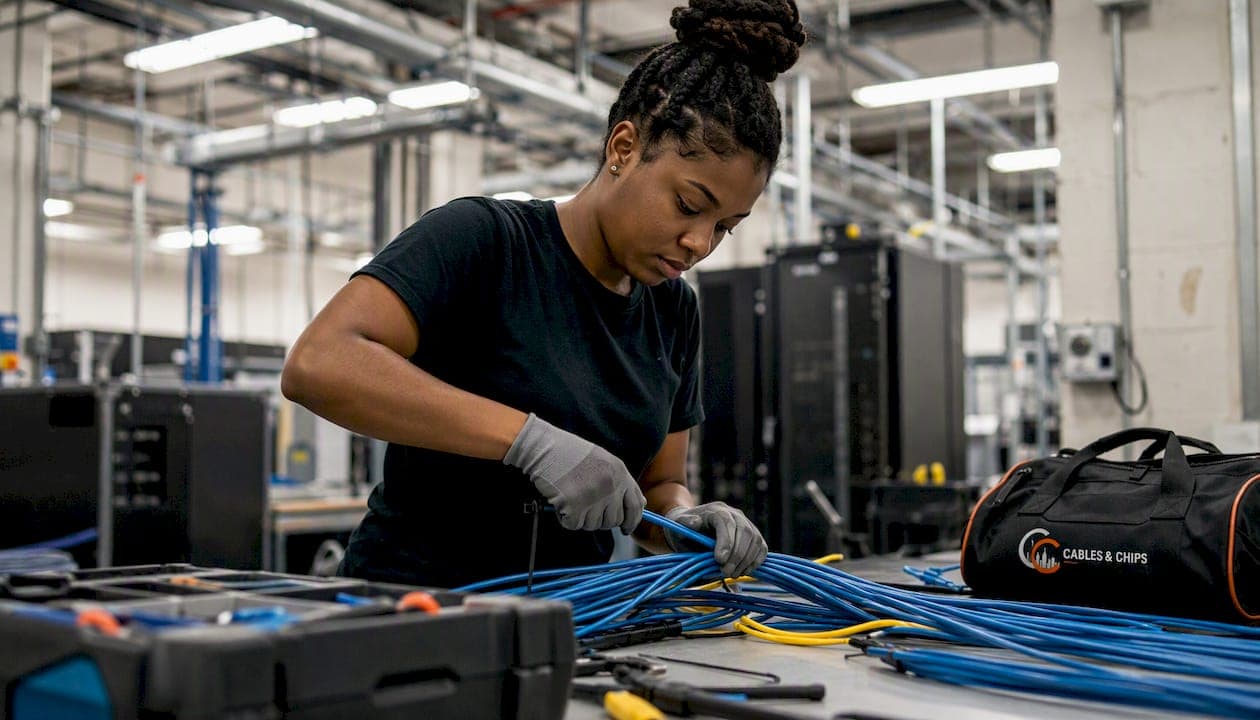
Pro Tip: Avoid bundling more than 24 cables in a single tie wrap or conduit fill when PoE++ devices are present. Plan for ventilated cable trays in telecom rooms and high-density pathway segments. Coordinate with the electrical team early: PoE switch power budgets and UPS capacity need to account for the full device load before the cabling design is finalized.
What site factors should change your cable choice?
No blanket policy survives contact with a real building. A site-specific assessment should drive every Cat6 vs. Cat6A decision, and experts consistently advise evaluating environment, conduit, and expected device load rather than applying a single standard across all projects.
Use these questions on every site survey:
- What are the longest horizontal runs? Measure or estimate the worst-case channel from the IDF to the farthest outlet. Anything over 55 meters rules out Cat6 for 10G.
- What is the current pathway fill? Existing conduit that is already at 40% fill leaves no room for Cat6A’s larger diameter. Plan for additional conduit or surface raceway before pricing the job.
- What PoE devices will be connected? Count every AP, camera, phone, and reader. Identify the highest PoE class in the mix. A single Type 4 device in a dense bundle changes the thermal calculation for the whole tray.
- Are there significant EMI sources? Proximity to motors, generators, elevator shafts, or unshielded electrical conduit may justify shielded cable. Confirm before specifying.
- Is the ceiling plenum or riser rated? Plenum-rated cable (CMP) is required in air-handling spaces. Riser-rated (CMR) applies to vertical shaft runs. Never substitute one for the other.
- Are there outdoor or exposed runs? Direct-burial or UV-resistant jacket cable is required for any segment exposed to weather or sunlight.
- What is the lease horizon? A 10-year lease justifies Cat6A. A 2-year temporary space may warrant a hybrid approach with Cat6 for low-power drops.
- What is the HVAC and ceiling access situation? Dropped ceilings with accessible grid make pulls straightforward. Concrete or steel decks require core drilling and add labor cost.
How answers change the recommendation:
In a new construction build with open pathways and a mix of PoE++ APs and cameras, Cat6A across the board is the right call. In a dense-tray retrofit where conduit is already full, a hybrid approach often produces the best lifecycle value: reserve Cat6A for APs, cameras, conference AV, and backbone-constrained runs while using Cat6 for low-power, short desktop drops to balance budget and performance. In a constrained-pathway project, pre-terminated Cat6A assemblies in a smaller-diameter format can thread through tight conduit where standard Cat6A would not fit.
Which standards and installation practices belong in your RFP?
Citing the right standards in your RFP is not a formality. It gives you enforceable acceptance criteria, protects you from substandard materials, and gives the installer a clear scope. These are the standards that matter for commercial VoIP cabling in the United States.
Standards to cite:
- TIA-568.2-D (Balanced Twisted-Pair Telecommunications Cabling): The primary copper cabling standard. Specifies performance requirements for Cat5e, Cat6, and Cat6A channels, connector requirements, and test parameters. Cite it as the minimum performance baseline for all horizontal copper runs.
- TIA-568.3-D (Optical Fiber Cabling): Governs fiber performance, connector types, and test requirements for backbone and horizontal fiber runs.
- ANSI/BICSI N1-2019 (Installation Practices for Telecommunications and ICT Cabling): Covers installation methods, bend radius, pathway fill, and termination practices. BICSI standards are the authoritative framework for designing and installing ICT infrastructure that supports intelligent buildings, IoT, and PoE applications.
- ANSI/BICSI N2-2017 (Practices for PoE Installation): Specifically addresses thermal management, bundle size limits, and pathway requirements for PoE-powered cabling. Require this standard for any project with PoE++ devices.
- NEC Article 800 (Communications Circuits) and Article 725 (Class 2 and Class 3 Remote-Control Circuits): Govern plenum and riser jacket ratings, fire-stop requirements, and separation from power conductors. Your AHJ enforces these.
- IEEE 802.3af/at/bt: The PoE power delivery specifications. Reference these when specifying PoE switch and cable requirements so the installer understands the power class of each device type.
For a detailed TIA standards compliance checklist to include in your RFP language, Cables and Chips has published a practical reference.
Installation best practices:
- Maintain a minimum 1-inch separation from unshielded electrical conduit; increase to 3 inches near fluorescent lighting ballasts.
- Never exceed the cable’s minimum bend radius (typically 4x the cable diameter for Cat6A) at any pull point or corner.
- Use 110-style or Keystone jacks and patch panels that match the cable category. A Cat6A cable terminated on a Cat6 jack downgrades the channel.
- Label every drop at both ends using a consistent scheme (e.g., IDF-01-A-001) before testing begins.
- Require pure bare copper conductors throughout. Copper-clad aluminum (CCA) has higher resistance, reduced PoE performance, and is not suitable for professional PoE applications.
Pro Tip: For projects with shielded cable or dense PoE++ runs, require BICSI Installer 2 (Copper) or RCDD-supervised installation. The BICSI credentialing program sets the benchmark for installer competency on complex structured cabling projects. Add this requirement to your RFP’s qualification section, not just the scope of work.
What testing and documentation should you require before final acceptance?
Signed-off cabling that has not been certified is a liability. Installers and IT teams report long-term maintenance problems when documentation and labeling were incomplete, and tracing an undocumented drop during a network outage costs far more than the testing would have. Require these deliverables before releasing final payment.
Acceptance testing requirements:
- Channel certification to the specified category: Every drop must pass a full channel test (permanent link or channel model) to TIA-568 limits for Cat6A or Cat6 as specified. No exceptions for “short” runs.
- Insertion loss and NEXT/ANEXT: Near-end crosstalk and alien near-end crosstalk are the primary failure modes in dense copper runs. Require pass/fail results for both.
- Return loss: Confirms connector and termination quality. High return loss indicates a mis-terminated jack or damaged cable.
- PoE load testing: For any drop serving a PoE++ device, require a powered load test to confirm the channel can deliver the specified wattage without thermal shutdown or link degradation.
- Fiber OTDR traces and end-face inspection: For every fiber strand, require an OTDR trace in both directions and a microscope end-face image confirming a clean termination.
Test hardware and documentation deliverables:
- Fluke DSX-8000 or equivalent autotest reports in PDF and .flw format, with a unique drop ID on every record
- Test correlation sheets mapping each drop ID to its physical location on the floor plan
- Labeled patch panel schedule showing port-to-drop mapping
- As-built drawings in PDF and editable format (DWG or Visio) showing every outlet, pathway, and IDF location
- Cable schedule listing cable type, jacket rating, manufacturer, and lot number for traceability
Pro Tip: Store test reports in a shared drive tied to the as-built drawing set, not on the installer’s laptop. Assign each drop a unique ID that appears on the physical label, the test report, the patch panel schedule, and the as-built drawing. When a drop fails two years later, that ID chain cuts troubleshooting time from hours to minutes. The structured cabling as-built documentation guide from Cables and Chips covers the full documentation framework.
What does VoIP cabling actually cost, and how long does it take?
Budget and schedule are where projects stall. These reference points give procurement and project managers a realistic baseline for RFPs and vendor negotiations.
Installed cost per drop (material + termination + labor):
- Cat6 drop, standard riser, straightforward pathway: Typically in the range of $125–$200 per drop for commercial work in a major U.S. market, depending on local labor rates and project size.
- Cat6A drop, plenum-rated, standard pathway: Expect $175–$275 per drop. Plenum jacket and larger-diameter cable add both material and labor cost.
- Cat6A drop with pathway remediation (conduit add, core drill): Add $75–$150 per drop for significant pathway work. This is the most common budget surprise in retrofit projects.
- Fiber backbone per strand (fusion-spliced, terminated both ends): Varies widely by run length and building access, but budget $300–$600 per strand for a typical multi-floor high-rise run.
Factors that materially shift cost include plenum vs. riser rating, shielded vs. unshielded cable, pathway complexity (open ceiling vs. conduit vs. concrete deck), jack type, and whether the telecom room requires new rack or patch panel infrastructure.
Typical schedule milestones:
- Material lead times for Cat6A and plenum cable: 2–4 weeks for standard orders; longer for large quantities or specialty cable.
- Bulk cable pull phase: 1–3 days for a 50-drop floor; 1–2 weeks for a full multi-floor buildout.
- Termination and dressing: roughly 1 day per 50–75 drops for an experienced crew.
- Testing and certification: 1 day per 100–150 drops using a Fluke DSX-8000.
- As-built documentation and final punch list: 2–5 business days after testing is complete.
To reduce schedule risk:
- Verify pathway access and conduit fill before issuing the RFP. Surprises here add weeks.
- Order long-lead items (plenum Cat6A, fiber trunk assemblies, patch panels) as soon as the scope is confirmed.
- Reserve testing windows with the installer before the pull phase begins. Certification crews book out.
- Confirm AHJ inspection requirements early. Some jurisdictions require inspections at rough-in before ceilings close.
How do you choose the right cabling solution for your deployment?
Use this matrix to match your deployment scenario to the right cable category, then apply the spec checklist to your RFP.

| Scenario | Best Cable Choice | Max Bandwidth | PoE Concern | Max Run | Shielding | Environmental Rating | Relative Cost | Upgrade Path |
|---|---|---|---|---|---|---|---|---|
| New office build, mixed PoE devices | Cat6A U/UTP | 10G | Excellent thermal margin | 100 m | UTP standard | Plenum/Riser | Moderate | Wi-Fi 7, 10G to desktop |
| Budget retrofit, short runs, 1G VoIP only | Cat6 UTP | 1G (10G to ~55 m) | Moderate; derate in bundles | 55 m (10G) | UTP standard | Plenum/Riser | Lower | Limited 10G |
| Dense PoE++, cameras, APs, AV | Cat6A F/UTP or S/FTP | 10G | Best in class | 100 m | Shielded | Plenum/Riser | Moderate–High | Full future-proof |
| MDF-to-IDF backbone | Multimode OM4/OM5 fiber | 40G/100G | N/A | 300–400 m | N/A | Plenum/Riser/Outdoor | Higher | Singlemode upgrade |
| Building-to-building campus | Singlemode OS2 fiber | 100G+ | N/A | Kilometers | N/A | Outdoor/Armored | Higher | Unlimited distance |
| Data center ToR interconnect | Cat8 S/FTP | 25/40G | Not for horizontal | 30 m | Required | Data center | High | Limited to DC use |
Red flags that should trigger Cat6A or fiber instead of a lower category:
- Any run exceeding 55 meters where 10G is required now or within the lease term
- More than 24 cables bundled together with PoE++ devices present
- Wi-Fi 7 APs, AV-over-IP endpoints, or PoE lighting on the device list
- Existing Cat5e plant with no documentation of run lengths or test history
- A building with significant EMI sources near cable pathways
Spec checklist for your RFP:
- Conductor: pure bare copper, minimum 23 AWG (Cat6A), 24 AWG (Cat6)
- Jacket rating: CMP (plenum) for air-handling spaces; CMR (riser) for vertical shafts
- Termination hardware: category-matched jacks and patch panels (Cat6A jack on Cat6A cable)
- Certification: full channel test to TIA-568.2-D limits, Fluke DSX-8000 or equivalent
- Documentation: as-built drawings, labeled patch panel schedule, test reports with unique drop IDs
For a deeper look at how structured cabling components fit together in a commercial deployment, the IT manager’s guide to structured cabling components covers patch panels, jacks, and rack infrastructure in detail.
What do contractors actually do on site, and what should your contract say?
Field conditions rarely match the floor plan. Understanding how experienced installers handle real trade-offs helps you write contract language that prevents scope disputes and protects your budget.
Common field trade-offs:
- Hybrid Cat6/Cat6A deployments: On retrofit projects where conduit is partially full, installers often pull Cat6A to AP and camera locations first, then assess remaining pathway capacity for Cat6 desktop drops. This preserves budget without sacrificing performance on the drops that matter most.
- Pathway fixes discovered mid-pull: Conduit that appears open on a drawing is frequently blocked by abandoned cable, construction debris, or undocumented pulls from previous tenants. A well-written contract includes a unit-price line for pathway remediation (per linear foot of conduit cleared or added) so the installer does not stop work while waiting for a change order.
- Tight conduit on remodels: When existing conduit is at or near fill capacity, installers may use pre-terminated Cat6A assemblies in a slimmer-diameter format, add surface raceway in non-public areas, or route through an alternate pathway. Each option has a cost and aesthetic trade-off that should be discussed before the pull begins.
RFP and contract language that prevents scope creep:
- Require the installer to perform a pathway verification walk before submitting the final bid. Any conduit fill issues must be priced in the base bid or as a clearly defined unit-price allowance.
- Specify spare fiber counts in backbone trunks (a minimum of 20% spare strands is a common standard). Pulling additional fiber at installation time costs a fraction of what a second mobilization costs later.
- Define labeling standards in the contract, not just the scope of work. Reference TIA-606 for administration and labeling conventions.
- Require as-built drawings to be delivered within 10 business days of project completion. Documented as-built drawings and test reports are the single most important deliverable for long-term maintainability, and a deadline in the contract is the only reliable way to get them.
As-built documentation formats that reduce long-term OPEX:
- PDF floor plans with outlet locations, drop IDs, and pathway routes marked
- Editable CAD or Visio files for future moves, adds, and changes
- Fluke test report exports (.flw and PDF) organized by drop ID
- Patch panel schedule in spreadsheet format, cross-referenced to the floor plan
Pro Tip: Ask the installer to walk you through the as-built package before final sign-off. Confirm that every drop ID on the physical label matches the test report and the floor plan. A 30-minute review at project close prevents months of confusion when the first MAC (move, add, change) request comes in.
Key Takeaways
Cat6A U/UTP is the correct default for commercial VoIP horizontal cabling: it delivers 10G over 100 meters, handles PoE++ thermal loads safely, and supports every device class you will deploy over the next decade.
| Point | Details |
|---|---|
| Default to Cat6A | Cat6A supports 10G over 100 m and handles IEEE 802.3bt PoE++ loads that would derate Cat6 in dense bundles. |
| Use fiber for backbones | Multimode OM4/OM5 for MDF-to-IDF runs; singlemode OS2 for building-to-building or long riser applications. |
| Require Fluke certification | Field certification with a Fluke DSX-8000 is the only reliable way to validate 10G performance in installed conditions. |
| Specify pure bare copper | Copper-clad aluminum (CCA) is unsuitable for PoE applications; require 23 AWG bare copper in every Cat6A RFP. |
| Cables and Chips | Cables and Chips designs, installs, tests, and documents Cat6A and fiber VoIP infrastructure for commercial clients in New York City. |
The case for specifying Cat6A before someone talks you out of it
Every project has a moment where someone on the budget side asks whether Cat6 is “good enough.” The honest answer is: it depends, but the risk of getting it wrong falls entirely on the IT team, not the person who asked the question.
The argument for Cat6 usually rests on current device speeds. Most VoIP phones today run at 100 Mbps or 1G. That is true. What the argument misses is that the cable you pull today will carry Wi-Fi 7 APs, PoE++ cameras, AV-over-IP endpoints, and devices that do not exist yet. Designers often misprioritize today’s speed over future PoE demands, and planning for PoE++ and high-bandwidth wireless is usually more consequential than matching current gigabit needs.
Cat6A costs roughly 20–30% more per installed drop than Cat6, but that premium is measured against the total installed cost of a drop, not the cable price alone. When you factor in labor, pathway work, and termination, the cable material is a small fraction of the total. Re-pulling cable in an occupied commercial space costs multiples of that premium, plus the disruption to the business.
The hybrid approach is the pragmatic middle ground for constrained budgets: Cat6A to every AP, camera, and conference room; Cat6 to confirmed short desktop drops where 1G is genuinely sufficient for the lease term. That is not a compromise. It is a site-specific decision made with full information, which is exactly what good infrastructure planning looks like.
Cables and Chips handles VoIP cabling from spec to sign-off
Cables and Chips installs Cat6A and fiber VoIP infrastructure for commercial offices, secure facilities, and enterprise environments throughout New York City. The work includes design, cable pull, termination, Fluke DSX-8000 certification testing, and complete as-built documentation delivered at project close.
To get a fast, accurate estimate, send Cables and Chips your floor plans, a device list with PoE class for each device type, your preferred pathway constraints, and the target completion date. The team will identify pathway issues before the bid, not during the pull.
For projects that need VoIP cabling installation in NYC, Cables and Chips provides a site survey to confirm run lengths, pathway fill, and PoE load before any cable is ordered. Schedule a site survey to get a scoped proposal with no surprises.
Useful sources for your RFP and technical specs
These authoritative references belong in your RFP language and are worth bookmarking for ongoing infrastructure planning.
- ANSI/BICSI N2-2017, Practices for PoE Installation: The definitive standard for thermal management, bundle sizing, and pathway requirements for PoE-powered cabling. Cite this standard in any RFP that includes PoE++ devices.
- BICSI Standards and Credentialing: The source for installer credentials (Installer 2 Copper, RCDD) and the BICSI TDMM reference manual. Use it to verify installer qualifications and to reference installation best practices in your spec.
- Cat6A vs. fiber optic decision guide: Cables and Chips’s practical guide for choosing between Cat6A horizontal and fiber backbone by deployment type.
- Structured cabling as-built documentation guide: A reference for the documentation deliverables to require in your contract, including labeling conventions, test report formats, and as-built drawing standards.
FAQ
What type of Ethernet cable is best for VoIP?
Cat6A U/UTP is the best Ethernet cable for commercial VoIP deployments. It supports 10G over 100 meters, handles PoE++ thermal loads safely, and provides headroom for Wi-Fi 7 APs and AV-over-IP devices on the same horizontal plant.
Is Cat6 sufficient for a business VoIP system?
Cat6 works for 1G VoIP drops on confirmed short runs under 55 meters with light PoE loads. For any run exceeding 55 meters, dense PoE++ bundles, or a site expecting 10G to the desktop, Cat6A is the correct specification.
What is the difference between Cat5e and Cat7 for VoIP?
Cat5e supports 1G and handles basic PoE but lacks 10G capability and thermal margin for dense PoE++ bundles. Cat7 offers 600 MHz bandwidth but requires proprietary connectors incompatible with standard RJ45 infrastructure, making Cat6A the practical choice between them for commercial VoIP.
What protocol is best for VoIP network performance?
SIP (Session Initiation Protocol) is the dominant signaling protocol for enterprise VoIP, but protocol performance depends on the underlying network infrastructure. Quality of Service (QoS) configuration on the switches, combined with properly certified Cat6A cabling, delivers the low latency and jitter that VoIP calls require.
How do you validate that installed VoIP cabling actually performs to spec?
Require full channel certification using a Fluke DSX-8000 or equivalent autotest tool, with pass/fail results for insertion loss, NEXT, ANEXT, and return loss on every drop. Test reports tied to unique drop IDs and matched to as-built drawings are the only reliable proof of installed performance.