
AV System Cabling Types: The IT Manager’s Spec Guide
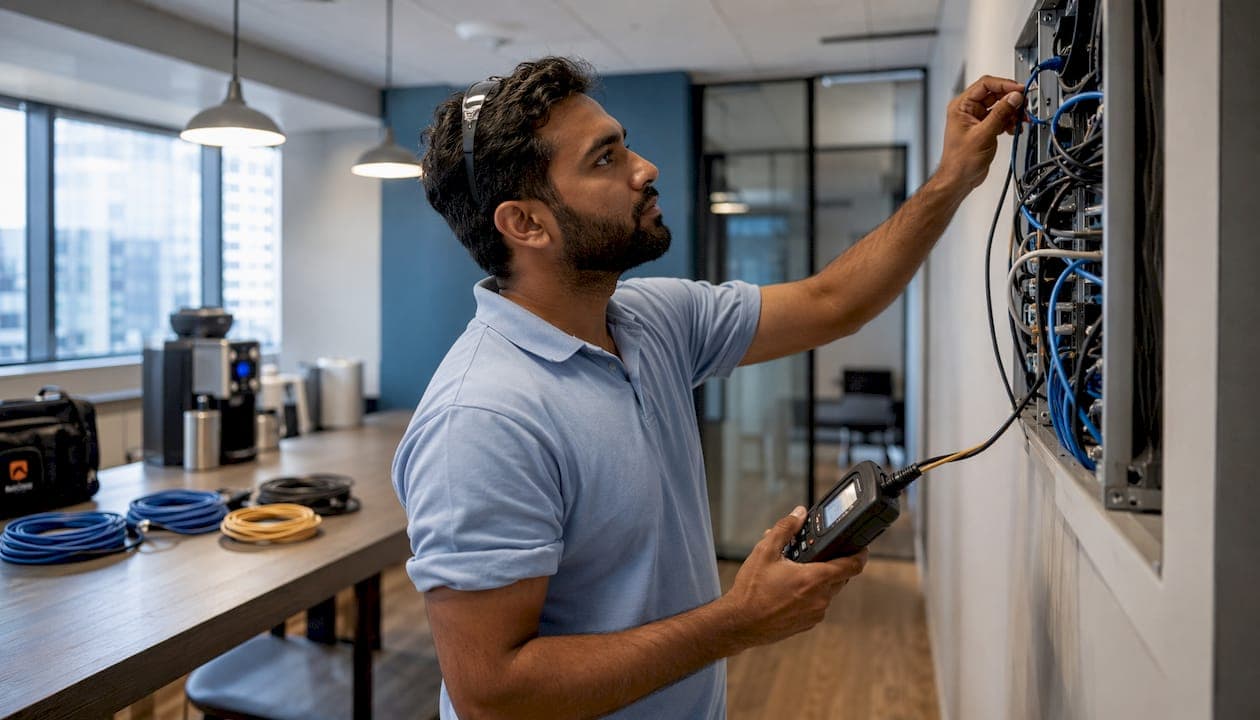
TL;DR:
- For commercial office AV systems, Cat6A cables support AV-over-IP and PoE endpoints, while OM3/OM4 fiber links backbone connections up to several hundred meters. Certified cabling with proper jacket ratings and structured standards ensures system reliability, and Fluke tests document installation performance before handoff. Proper planning and professional installation reduce troubleshooting time and future-proof the infrastructure effectively.
For commercial office AV systems, standardize on Cat6A for all AV-over-IP and PoE endpoints, OM3/OM4 multimode fiber for IDF-to-MDF backbones, XLR balanced analog for point-to-point audio with Dante/Audinate for multi-channel digital audio over Ethernet, and short HDMI/DisplayPort copper patches or Active Optical Cables (AOC) or HDBaseT for local video runs. Every installation must meet NEC jacket requirements (CMP plenum, CMR riser), align with TIA-568 structured cabling standards, and be certified with Fluke Networks-style copper and fiber test reports before handoff.
- Cat6A: AV-over-IP endpoints, PoE cameras, managed switch uplinks
- OM3/OM4 multimode fiber: IDF backbone runs up to several hundred meters
- XLR/Dante: Conference room audio, PA systems, multi-room distribution
- HDMI/DisplayPort: Short patch cables only (under 10 m at 4K); AOC or HDBaseT beyond that
- CMP/CMR jackets: Mandatory in plenum and riser spaces per NEC
Cables and Chips designs, installs, and certifies these systems for commercial offices across New York City, with more than 40 years of low-voltage experience.
What are the main AV system cabling types for office installs?
Specifying cable by signal domain is the single most important design decision you will make. Mismatches in shielding, impedance, and bandwidth are a leading cause of signal degradation and project failure.
| Cable Type | Typical Office Use | Max Run (typical) | Jacket Class |
|---|---|---|---|
| Cat6A UTP/STP | AV-over-IP, PoE, cameras | typical maximum run length | CMP/CMR |
| Cat6 UTP | Low-bandwidth data, short runs | 100 m | CMP/CMR |
| Cat5e UTP | Legacy VoIP, non-PoE++ | 100 m | CMR |
| OM3/OM4 Multimode Fiber | IDF-MDF backbone, long AV runs | 300–400 m | OFNP/OFNR |
| Singlemode Fiber | Campus/inter-building, future-proof | long distances | OFNP/OFNR |
| HDMI (passive copper) | Display patch, table-to-transmitter | 10–15 m at 4K | CL2/CMP |
| AOC/HDBaseT | Extended 4K video runs | Up to 100 m | CMP/CMR |
| XLR (balanced audio) | Mic, line-level, PA, conference | 100+ m | CL2/CMR |
| Speaker wire (14/2 or 16/2) | Ceiling/wall speakers | Per amp spec | CL2/CMP |
| SDI (coaxial) | Broadcast-quality long video runs | 100+ m | CMR |
| Control/serial | Room controllers, AV switchers | Per device spec | CL2 |
TIA-568 governs termination standards, cable categories, and channel performance for all structured copper and fiber runs. Any cable that carries data or AV-over-IP signals should be specified and installed to TIA-568 channel requirements.
How do you choose the right video cabling approach?
For modern office installs, AV-over-IP on Cat6A is the scalable baseline. Retain HDMI and DisplayPort as short patch cables only, and specify AOC or HDBaseT for any run that exceeds passive copper limits.
- Passive HDMI: Reliable at 4K up to roughly 10–15 meters; beyond that, signal integrity drops at high resolutions
- AOC (Active Optical Cable): Thin, lightweight, immune to EMI; ideal for ceiling or conduit runs up to 30+ m
- HDBaseT over Cat6A: Extends 4K up to 100 m; carries PoE, control, and audio on a single cable
- AV-over-IP: Runs on managed Ethernet switches; scales to any number of sources and displays without dedicated point-to-point wiring
For boardrooms with multiple displays or multi-camera setups, AV-over-IP with 10Gb uplinks is the right call. Encoder/decoder latency is typically under 100 ms for most commercial platforms, which is acceptable for presentation and conferencing use. Reserve short copper HDMI patches strictly for table-to-transmitter connections.
Pro Tip: Label every HDMI patch path at both ends with the source type it serves. When a presenter swaps a laptop for a different device, your team will know exactly which patch to change without tracing cables under the table.
What audio cabling do conference rooms actually need?
Specify XLR for every point-to-point mic and line-level connection. For multi-room or multi-channel distribution, Cat6A with Dante/Audinate is the practical choice.
Industry standard: Balanced XLR cabling provides common-mode noise rejection that unbalanced consumer cabling cannot match. In commercial spaces with HVAC motors, LED drivers, and dense electrical runs nearby, that noise rejection is the difference between a clean signal and a persistent hum.
- XLR (balanced, 3-pin): Mic inputs, line-level outputs, PA amplifiers, conference room DSPs
- Dante/AVB over Cat6A: Multi-channel digital audio distribution across floors or buildings; requires managed switches with QoS
- Speaker wire (14/2 for runs under 30 m, 16/2 for shorter): Ceiling and wall speakers; route separately from signal cabling
- Shielded twisted pair: Use where EMI from motors or lighting dimmers is present
Consumer-grade unbalanced RCA or cheap shieldless mic cable causes hum and intermittent dropouts in commercial environments. Never specify it for permanent installation, regardless of cost pressure.
How should you plan network cabling for AV-over-IP?
Cat6A is the baseline for every AV-over-IP endpoint and PoE device in a commercial office. The convergence of IT and AV means switch planning, PoE budgets, and VLAN segmentation are IT responsibilities, not afterthoughts.
Switch and network checklist:
- Managed Layer 2/3 switches with IGMP snooping enabled for multicast AV streams
- PoE+ (802.3at) minimum per port; PoE++ (802.3bt) for PTZ cameras and high-power endpoints
- VLAN segmentation: isolate AV traffic from general corporate data
- DSCP/CoS QoS marking for low-latency audio and video streams
- 10Gb uplinks for boardrooms or rooms with multiple 4K streams
- One spare Cat6A pulled from each endpoint location during initial install
Cat6 is acceptable for short, non-PoE++ runs where bandwidth demands are modest. Cat5e is only appropriate for legacy VoIP or very low-bandwidth control signals. Residential-grade cable is never appropriate in a commercial plenum or riser environment, regardless of cost.
Port documentation minimum: label each switch port with the cable tag, endpoint type, VLAN assignment, and PoE allocation before the room goes live.
When should you use multimode vs. singlemode fiber?
Pull both fiber and copper where the budget allows. Retrofitting fiber after walls are closed costs significantly more than pulling a spare strand during initial construction.
- OM3 multimode: 10Gb up to 300 m; common for IDF-to-MDF uplinks in single-building offices
- OM4 multimode: 10Gb up to 400 m; preferred for larger campuses or longer backbone runs
- Singlemode (OS2): Unlimited distance for practical purposes; specify for inter-building runs, future 40/100Gb, or latency-sensitive AV transport
| Fiber Type | Core | Typical 10Gb Distance | Best For |
|---|---|---|---|
| OM3 Multimode | — | 300 m | Single-floor or small building backbone |
| OM4 Multimode | — | 400 m | Multi-floor or campus backbone |
| OS2 Singlemode | 9 µm | Kilometers | Inter-building, future-proof, long AV runs |
Use LC connectors for high-density patch panels; SC connectors for lower-density or legacy equipment. MPO/MTP trunks are appropriate for high-density 40/100Gb installations or pre-terminated backbone pulls. For fiber backbone design, always specify duplex polarity and confirm connector gender before ordering pre-terminated assemblies.
Which NEC jacket ratings apply to your installation spaces?
Choose cable jackets to match the space, not just the signal. NEC Article 800 and local amendments govern jacket requirements for all low-voltage cabling in U.S. commercial buildings.
NEC requirement: CMP (plenum-rated) cable is mandatory in air-handling plenum spaces. Standard PVC jackets are not acceptable in these areas because they release toxic smoke and accelerate flame spread. Plenum-rated cabling uses low-smoke, flame-retardant compounds in both the jacket and insulation.
- CMP (plenum): Required above drop ceilings and in air-return plenums
- CMR (riser): Required in vertical shafts between floors
- CM/CL2: General-purpose; acceptable only in conduit or non-plenum, non-riser spaces
- OFNP/OFNR: Plenum and riser ratings for fiber optic cable
- Outdoor/UV-resistant: For any exterior run; gel-filled fiber for direct-burial applications
Fire-stopping at all cable penetrations through rated walls and floors is a separate code requirement. For projects involving penetration sealing and life-safety compliance, construction-phase planning should address cable pathway fire-stopping before rough-in begins.
What installation practices prevent AV cabling failures?
Document, label, maintain slack, and keep low-voltage cabling separated from mains. A professional installation follows TIA-568 practices and leaves 1 meter of slack at equipment terminations.
- Route low-voltage cabling at least 6 inches from 120V mains; 12 inches from 208V or higher
- Maintain minimum bend radius: 4x cable diameter for Cat6A, per manufacturer spec for fiber
- Pull spare conduit and at least one spare Cat6A from each endpoint during initial install
- Terminate to T568B standard consistently across all copper runs
- Use hook-and-loop fasteners for cable bundles; zip ties over-tightened on Cat6A increase crosstalk
- Label both ends of every cable before the ceiling is closed
Common failure points: improper punch-down termination, split pairs, over-tightened bundles, missing labels, and wrong jacket types in plenum spaces. Each one creates troubleshooting time that costs more than getting it right during install.
Pro Tip: Pull a spare Cat6A alongside every active run during rough-in. The marginal cost is minimal; the cost of opening a finished ceiling to add a cable later is not.
What testing and documentation should you require at handoff?
Require Fluke Networks-style certified copper test reports and OTDR or insertion-loss testing for fiber as contract deliverables, not optional extras.
- Copper (Cat6A): Wiremap, NEXT, ELFEXT, insertion loss, return loss, and length — all to TIA-568 channel limits
- Fiber: OTDR trace and end-to-end insertion loss for every strand; compare against TIA-568 loss budget
- PoE: Load test each port at rated wattage before endpoint installation
- Documentation: Unique cable tags (e.g., C-001) tied to a cable schedule, as-built wiring diagrams, switch port mapping, and spare cable inventory
| Test Type | Cable Class | Key Report Elements |
|---|---|---|
| TIA-568 channel cert | Cat6A copper | Wiremap, NEXT, ELFEXT, insertion loss, length |
| OTDR trace | Multimode/singlemode fiber | Reflectance, splice loss, end-to-end loss |
| Insertion loss | Fiber | dB loss vs. TIA budget per wavelength |
| PoE load test | Cat6A with PoE endpoints | Wattage delivered, voltage drop, port stability |
Insufficient documentation is a leading cause of troubleshooting downtime. As-built drawings and a cable schedule keyed to physical tags let your team resolve issues in minutes rather than hours.
What belongs in your AV cabling RFP?
Require Cat6A as the endpoint baseline, a fiber backbone specification, CMP/CMR jackets where applicable, Fluke certification, and documented as-built deliverables. A meeting-room cabling checklist should cover all of the following:
- Cable category: Cat6A minimum for all AV-over-IP and PoE endpoints
- Fiber backbone: OM4 multimode or OS2 singlemode per run length
- Jacket type: CMP in plenum, CMR in riser; specified per space
- Termination standard: T568B throughout
- PoE specification: 802.3at or 802.3bt per endpoint type
- Switch requirements: managed Layer 2/3, IGMP snooping, QoS, VLAN-capable
- Testing: Fluke-certified copper reports and OTDR fiber reports as contract deliverables
- Documentation: cable schedule, as-built drawings, switch port map, spare cable log
- Warranty: minimum one year on labor and materials
Installer qualification checklist:
- Valid low-voltage license for the project jurisdiction
- Documented experience with AV-over-IP and Dante/Audinate deployments
- Fluke-certified technicians on staff
- Sample test reports from comparable projects
- Proof of liability insurance and references from commercial clients
When should you hire a professional AV cabling installer?
Hire a professional for new builds, plenum work, fiber termination and testing, and any project requiring NEC code compliance or Fluke certification. Small patch-only jobs in accessible, non-plenum spaces may be in scope for skilled IT staff.
A reputable low-voltage installer delivers:
- Fluke-certified copper test reports and OTDR fiber results
- Labeled cable schedule with unique tags tied to as-built drawings
- Switch port mapping documentation
- Spare cable pulls at every endpoint
- NEC/TIA-compliant installation with proper fire-stopping
- Warranty on labor and materials
Vendor selection checklist:
- Confirm low-voltage license is current and valid in your state/city
- Request sample Fluke test reports from a comparable project
- Verify experience with AV-over-IP, Dante/Audinate, and HDBaseT systems
- Check references from at least two commercial office projects
- Confirm the crew includes fiber-certified technicians for backbone work
- Review insurance certificates before work begins
For AV cabling in commercial spaces, the difference between a licensed low-voltage specialist and a general electrician is code knowledge, signal-domain expertise, and the test equipment to prove the installation performs.
Key Takeaways
Standardizing on Cat6A plus a fiber backbone, NEC-compliant jackets, and Fluke-certified test reports is the single most reliable way to future-proof a commercial office AV system.
| Point | Details |
|---|---|
| Cat6A is the baseline | Specify Cat6A for all AV-over-IP endpoints, PoE devices, and structured runs in commercial offices. |
| Fiber backbone saves money long-term | Pull suitable multimode or singlemode fiber during initial construction; retrofitting later costs significantly more. |
| NEC jacket compliance is non-negotiable | Use CMP in plenum spaces and CMR in riser shafts; standard PVC jackets are not code-compliant in those areas. |
| Demand Fluke certification at handoff | Require TIA-568-compliant copper test reports and OTDR fiber results as contract deliverables, not optional extras. |
| Cables and Chips delivers turnkey installs | Cables and Chips designs, installs, tests, and documents Cat6A, fiber, and AV systems for NYC commercial offices. |
Why AV cabling deserves to be a design priority, not an afterthought
The projects that age well share one trait: the AV cabling was treated as structured network infrastructure from day one, not wired in after the IT team finished. When AV runs share the same Cat6A backbone, the same switch fabric, and the same documentation standard as the rest of the network, troubleshooting takes minutes. When they don’t, it takes days.
The shift to AV-over-IP makes this more urgent, not less. Dante, NDI, and similar protocols run on Ethernet, which means every decision about PoE budgets, VLAN segmentation, and switch QoS directly affects whether a boardroom presentation works or drops frames. IT managers who treat AV cabling as a separate, lower-priority system end up owning the support calls when it fails.
The other underappreciated point: jacket compliance. Many project managers assume a low-voltage contractor will handle NEC requirements automatically. Some do. Some don’t. Requiring CMP in plenum and CMR in riser spaces in the RFP, not just assuming it, is the only way to guarantee the installation passes inspection and stays safe.
Cables and Chips brings 40+ years of AV cabling expertise to NYC offices
Cables and Chips is New York City’s low-voltage specialist for commercial AV cabling, structured Cat6A installation, fiber backbone design, and Fluke-certified testing. Every project includes labeled as-built documentation, certified test reports, and a cable schedule your IT team can actually use.
Whether you’re wiring a single conference room or a full floor of AV-over-IP endpoints, Cables and Chips delivers structured Cat6A and fiber installations that meet NEC code, pass TIA-568 certification, and come with complete documentation. With more than 40 years of experience serving commercial offices, secure facilities, and enterprise environments across New York City, the team knows what a reliable handoff looks like.
Ready to spec your next AV cabling project the right way? Schedule a site survey with Cables and Chips to get a documented scope, accurate materials list, and a clear path to a certified installation.
Useful sources and further reading
- TIA-568 Structured Cabling Standard — governing standard for copper and fiber channel performance in commercial buildings
- Extron: Selecting the Right Cable — signal-domain cable selection guidance from a leading AV manufacturer
- Extron: Understanding Cables in the AV Industry — technical overview of cable types, impedance, and jacket classifications
- Audinate Dante Overview — documentation for Dante digital audio networking over Ethernet
- Strive AV: Meeting Room Cabling Checklist — practical planning guide for AV-over-IP and structured cabling in meeting rooms
- Conversions Tech: HDMI/DisplayPort/AV Cable Guide — distance limits, AOC, and HDBaseT guidance for commercial installers
- Kenny AV Solution: Conference Room AV Wiring Diagrams — endpoint-to-rack cabling practices and documentation standards
- Cables and Chips: Structured Cabling System Components Guide — IT manager’s reference for structured cabling specifications
FAQ
What is the best cable type for AV-over-IP in a commercial office?
Cat6A is the standard baseline for AV-over-IP endpoints, supporting 10Gb Ethernet and PoE++ over runs up to 100 m, with superior crosstalk performance compared to Cat6 or Cat5e.
How far can you run passive HDMI at 4K?
Passive copper HDMI typically fails beyond 10–15 meters at 4K resolutions. For longer runs, specify Active Optical Cable (AOC) or HDBaseT over Cat6A, which extends 4K up to 100 m.
Do you need plenum-rated cable in a drop ceiling?
Yes. NEC requires CMP-rated cable in air-handling plenum spaces; standard PVC jackets are not code-compliant in those areas and will fail inspection.
What testing should you require before accepting an AV cabling installation?
Require TIA-568-compliant Fluke-certified copper test reports (wiremap, NEXT, insertion loss) and OTDR or insertion-loss results for every fiber strand, delivered as contract documents before final payment.
When does Dante replace XLR for audio distribution?
Dante/Audinate over Cat6A is the practical choice when distributing more than a few audio channels across multiple rooms or floors; XLR remains the standard for point-to-point mic and line-level connections in individual conference rooms.