
Avoid 10G Dropouts: Level IV Standards based 10GBASE-T for IT Planners
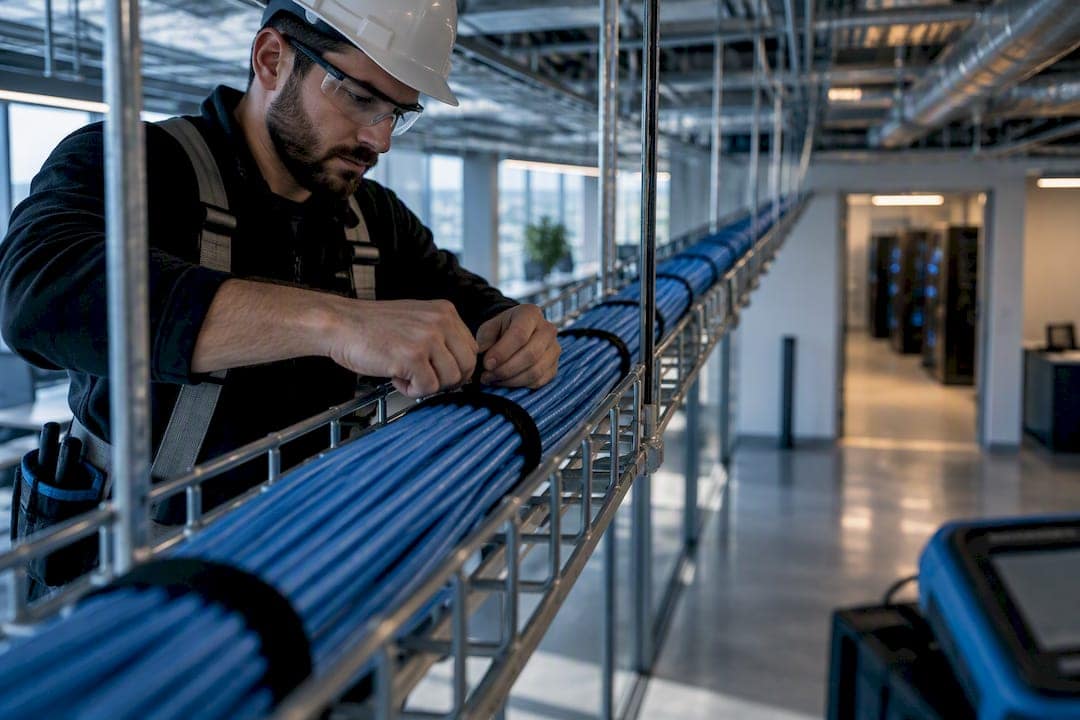
10GBASE-T runs 10 Gbps over four-pair twisted-pair copper, and Cat6A (Class EA) is the reliable choice when you need a full 100-meter channel. Cat6 can carry 10GBASE-T, but only under a shorter, guideline distance generally recommended around 55 meters, and it stays sensitive to alien crosstalk, bundling, and installation quality. Everything below covers the standards, the testing, and the installation habits that determine whether your 10G link actually holds up.
TL;DR:
- Cat6 is suitable for 10GBASE-T over short runs up to approximately 55 meters under ideal conditions, but it is sensitive to alien crosstalk and installation quality.
- Cat6A is the preferred choice for full 100-meter distances because it is engineered with tighter twist rates and better shielding to mitigate failure modes affecting 10G performance.
- Alien crosstalk is the main limiting factor at 10G over copper, and effective mitigation includes careful bundle management, shielding, and proper cable routing, or upgrading to Cat6A.
- Proper certification requires Level IV testing across the full frequency range, including alien crosstalk parameters, to ensure reliable 10G operation before deployment.
- Choose fiber for backbone or long-distance links and environments with high electromagnetic interference, while copper works inside floors and fiber excels in high-EMI or longer run scenarios.
What Is 10GBASE-T and Where Does It Fit?
10GBASE-T is the IEEE 802.3an amendment that defines 10 Gbps Ethernet over four-pair balanced twisted-pair cabling. The standard specifies the physical layer signaling and the link-segment transmission parameters a cabling channel has to meet, including insertion loss, near-end crosstalk, and return loss, all measured against a demanding frequency profile compared to older Ethernet generations. Instead of the two pairs Gigabit Ethernet leans on for some of its signaling tricks, 10GBASE-T uses all four pairs simultaneously with dense pulse-amplitude modulation, which is why cable quality and installation discipline matter so much more here than they did for 1000BASE-T.
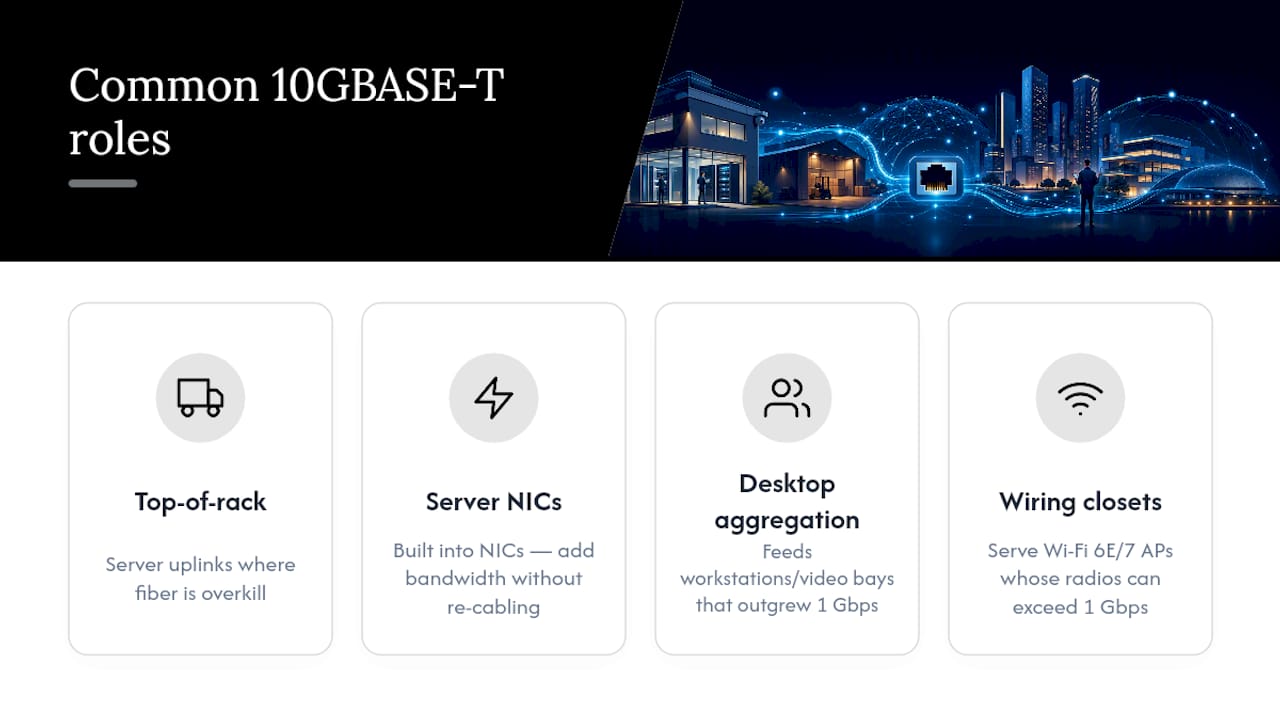
In real deployments, 10GBASE-T shows up in a handful of recurring roles. Top-of-rack switches use it for server uplinks where fiber would be overkill for the distance involved. Server NICs increasingly ship with 10GBASE-T built in, letting IT teams add bandwidth without touching the physical plant. Desktop aggregation switches use it to feed engineering workstations or video-editing bays that have outgrown 1 Gbps. And wiring closets serving Wi-Fi 6E or Wi-Fi 7 access points depend on it because those radios can exceed 1 Gbps in real throughput.
Multi-gig autonegotiation is one of the standard’s quieter strengths. A 10GBASE-T port will negotiate down to 5G, 2.5G, or 1G automatically depending on what’s on the other end, which means you can upgrade switches ahead of endpoints without breaking anything. That backward compatibility is part of why so many network refreshes now standardize on 10GBASE-T switching even when most ports run slower for the first year or two.
What Standards Govern 10GBASE-T Cabling Performance?
Three standards bodies define what makes a 10GBASE-T link work, and each governs a different layer of the problem. IEEE 802.3an specifies the electrical requirements of the link segment itself: insertion loss, NEXT, ELFEXT, return loss, and the alien crosstalk parameters unique to 10G, all measured across a signaling range that pushes well past what earlier Ethernet generations required.
ISO/IEC 11801 and ANSI/TIA-568 translate those electrical requirements into cabling classes installers can actually specify and buy. Class E maps to Cat6, Class EA maps to Cat6A, and Class F maps to Cat7. TIA’s TSB-155 addendum specifically addresses alien crosstalk mitigation for 10G deployments over Category 6, filling a gap the original Cat6 spec never anticipated.
A few technical details matter when you’re reading a test report or spec sheet:
- Reference impedance for all these balanced twisted-pair measurements is 100 Ω, and a mismatched patch cord or connector shows up immediately as a return-loss failure.
- The channel model treats the full 100-meter run as 90 meters of horizontal cable plus up to 10 meters of patch cords combined, not 100 meters of any single cable type.
- Certification means testing against the full parameter set for the claimed class, not just confirming continuity or wire-map accuracy.
A cable that “passes” a simple continuity check can still fail 10GBASE-T in production, because none of the parameters that actually govern 10G performance get checked by a basic tester.
Which Cable Category Should You Specify: Cat6, Cat6A, or Cat7?
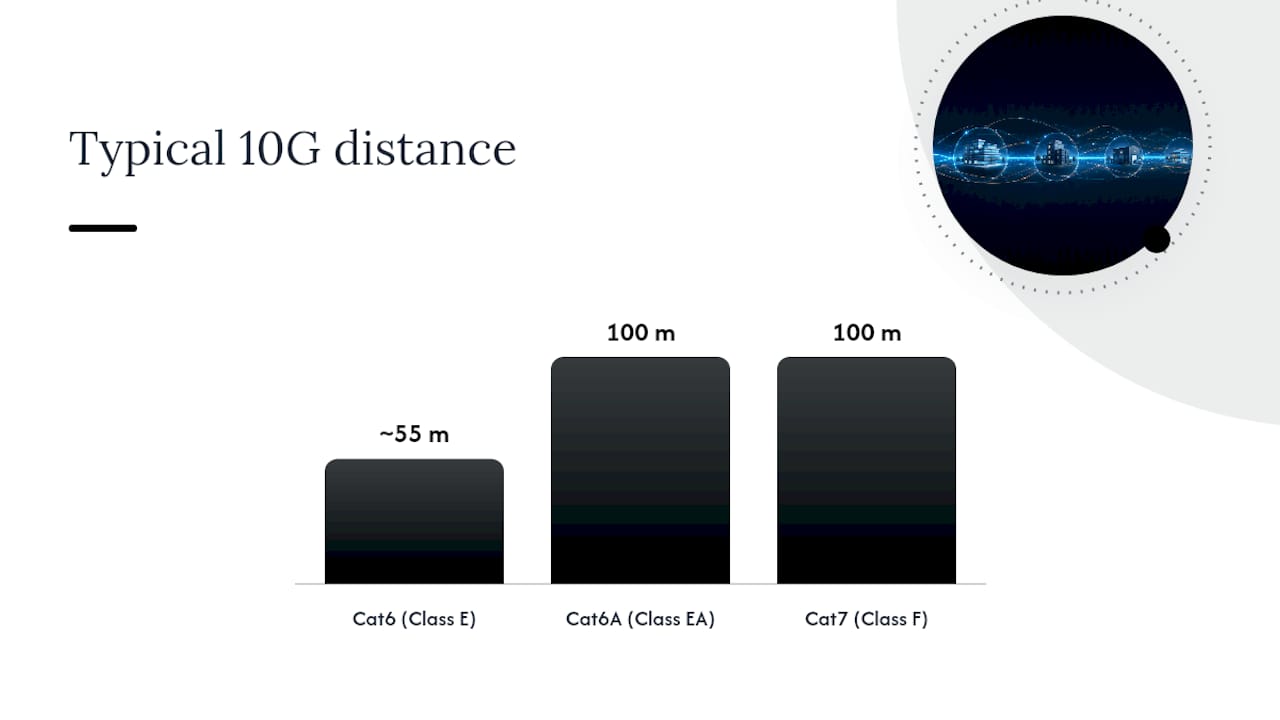
Cat6A is the right default for any new installation where 10GBASE-T is even a possibility, and here’s the distance math that explains why. Cat6 can technically support 10GBASE-T out to about 55 meters under favorable conditions, but that number assumes low alien crosstalk, minimal bundling, and controlled temperature. Cat6A/Class EA is qualified for the full 100-meter channel when installed and certified correctly because it’s built with tighter twist rates, better shielding options, and characterization out to higher frequencies than Cat6 ever needed.
| Cable / class | Typical 10G distance | Best fit |
|---|---|---|
| Cat6 (Class E) | Up to ~55 m (conditions-dependent) | Short office runs, budget-limited retrofits |
| Cat6A (Class EA) | Full 100 m channel | Data centers, long horizontal runs, AP uplinks, new installs |
| Cat7 (Class F) | 100 m channel, higher shielding margin | High-EMI environments, future-proofing budget allows it |
The gap between Cat6’s theoretical and practical distance comes down to a few factors that rarely show up on a spec sheet: alien crosstalk from adjacent cables in a bundle, ambient temperature in the ceiling or conduit, and how many stranded patch cords get stacked into the channel budget. Cat6A was engineered specifically to push those failure modes out of the picture, which is why Cat6A is characterized to 500 MHz versus Cat6’s 250 MHz ceiling, giving 10GBASE-T’s signaling scheme far more margin to work with.
Where does Cat6 still make sense? Short runs under roughly 45 meters in a single office floor, projects with a hard budget ceiling, or environments where 10G is a maybe rather than a certainty. Where should you insist on Cat6A? Any data center, any horizontal run approaching 80 to 90 meters, and any wiring closet feeding modern Wi-Fi access points that will realistically need multi-gig bandwidth within the equipment’s lifecycle.
How Does Alien Crosstalk Limit 10GBASE-T, and How Do You Fix It?
Alien crosstalk, measured as PSANEXT (power-sum alien near-end crosstalk) and PSAACRF (power-sum alien attenuation-to-crosstalk ratio, far-end), is signal noise that leaks from one cable into an adjacent cable rather than between pairs inside the same jacket. TSB-155 guidance treats alien crosstalk as the primary cabling impairment limiting 10G performance on Category 6, because it directly erodes the signal-to-noise margin 10GBASE-T needs to hold a clean 10 Gbps link. Unlike NEXT and ELFEXT, which get measured within a single cable, alien crosstalk depends entirely on what’s running next to it in the bundle, which is exactly why it gets missed by installers who only test individual cables in isolation.
Field mitigation follows a fairly predictable sequence:
- Loosen bundle ties and avoid cinching cables tightly together over long runs, since compression is what drives alien crosstalk up.
- Increase spacing between 10G-carrying cables and other bundles wherever conduit or tray space allows it.
- Place 10G runs selectively rather than converting an entire closet at once, keeping the highest-crosstalk-risk bundles for lower-speed links.
- Specify screened (F/UTP or S/FTP) cable in electrically noisy environments like mechanical rooms or spaces near large motors.
- Check patch panel and rack rear adjacency, since dense port fields with unmanaged cable stacking recreate the same crosstalk problem at the termination point.
Pro Tip: Alien crosstalk failures often show up only under load, not on a quiet test bench. Ask installers to certify with the adjacent bundle in its final, populated state, not before the rest of the cable plant goes in.
When mitigation still doesn’t clear the margin, usually in dense, long-run data center trays, the fix is to move to Cat6A, which is built with the physical construction to resist alien crosstalk in the first place, or to route that particular link over fiber instead.
What Installation and Certification Steps Confirm 10G Readiness?
A cable plant isn’t 10G ready until it passes a full parameter set, not just a continuity check. The required tests include insertion loss, NEXT, PSNEXT, ACR-F, PSANEXT, return loss, propagation delay, and delay skew between pairs, all measured across the extended frequency range Cat6A certification requires. Fluke Networks documents that field certification must cover both in-channel and between-channel alien crosstalk parameters before a link can be trusted to carry 10GBASE-T reliably.
That level of testing needs a Level IV field certifier, not a basic continuity tester. Fluke’s DSX series is the commonly referenced tool in this category, and equivalent Level IV certifiers from other manufacturers work the same way: they sweep the full frequency range and log results against the specific class you’re certifying to. A $50 wire-map tool will tell you the pairs are connected correctly. It will tell you nothing about whether the channel can hold a clean 10 Gbps signal under real crosstalk conditions.
Installation practices that protect certification results:
- Use connectors and jacks rated for 23 AWG Cat6A conductors, since undersized contacts on oversized Cat6A conductors are a common source of return-loss failures.
- Respect manufacturer pull-tension limits during installation, as overstressed conductors shift their twist geometry and degrade NEXT performance permanently.
- Maintain bend radius at four times the cable’s outer diameter minimum, tighter bends compress twisted pairs and raise crosstalk.
- Plan the patch cord length budget before the panel layout is finalized, not after cables are already terminated.
- Document every failed and re-terminated run so the as-built record reflects what’s actually in the wall, not just what was originally planned.
Skipping any one of these rarely causes an immediate outage. It shows up six months later as intermittent link drops that are far more expensive to diagnose than they would have been to prevent at installation.
Which Components and Channel Budget Choices Affect 10G Distance?
A 10GBASE-T channel is the sum of horizontal cable, patch panels, and patch cords, and each component eats into the same 100-meter budget. Stranded patch cords attenuate faster per meter than solid horizontal cable, so the TIA channel model treats the 100-meter figure as a system budget rather than a single continuous cable length, typically 90 meters of horizontal run plus up to 10 meters split between equipment and patch cords at each end.
Component checklist for procurement and installation tickets:
- Specify 23 AWG-rated connectors and jacks for every Cat6A termination point, standard 24 AWG hardware won’t seat the conductor correctly.
- Lay out patch panels with adjacency spacing in mind, since densely packed ports recreate alien crosstalk at the termination point even on Cat6A.
- Require Level IV certification results as an acceptance condition before signing off on any 10G-designated run.
- Track total patch cord length per channel on the as-built documentation, not just horizontal cable length.
How Do PoE and Heat Affect 10GBASE-T Cabling?
Higher-power PoE and elevated conductor temperature both raise insertion loss, and the two problems compound when they happen in the same bundle. TIA’s TSB-184-A addendum addresses this directly, giving derating guidance for bundled cables carrying PoE loads in warmer plenum spaces. Dense bundles of PoE-powered cables generate their own heat, and that heat raises the resistance of the copper conductors carrying both power and signal.
Practical mitigations:
- Separate PoE-heavy bundles (lighting, cameras, access points) from other cable runs where tray space allows it.
- Route bundles away from HVAC exhaust, light fixtures, and other heat sources in ceiling spaces.
- Specify Cat6A over Cat6 in any run carrying high-power PoE, since its construction tolerates the added thermal load with more margin.
- Consider fiber for uplinks in mechanical rooms or rooftop equipment spaces where ambient temperature routinely runs high.
When Should You Choose Copper vs. Fiber for 10G Links?
Copper Cat6A makes sense for the vast majority of horizontal runs inside a floor or a single wiring closet. Fiber becomes the better call once you hit a handful of clear thresholds: any run pushing past the 100-meter channel limit, environments with heavy electromagnetic interference, backbone connections between floors or buildings, or any link where the bandwidth roadmap points well past 10G within the next five years.
Cost and lifecycle trade-offs cut both ways here. Copper wins on connector and NIC cost for short, high-port-count deployments. Fiber wins when a single OM3 or OM4 multimode run replaces what would otherwise require expensive AXT remediation, extra shielding, or a doomed attempt to stretch copper past its 100-meter ceiling. A short backbone run between two closets on the same floor is often cheaper and more future-proof on fiber than on heavily engineered copper, even though the per-port electronics cost more upfront. For a deeper breakdown of that trade-off, the Cat6A vs. fiber decision framework walks through cost and bandwidth planning in more detail, and the fiber advantages overview covers the backbone use case specifically.
What Field Practices Prevent 10G Cabling Failures?
Most 10GBASE-T failures trace back to a small set of preventable mistakes, which is exactly why Cables and Chips builds every installation around the same checklist: a pre-installation site survey to confirm cable class and pathway conditions, correct cable and connector specification matched to the actual run length and environment, disciplined bundle management to control alien crosstalk, Level IV certification on every 10G-designated run, and documented as-built drawings that match what’s actually in the walls.
None of these steps are exotic. They’re the difference between a network that performs consistently for a decade and one that generates support tickets within a year. With decades of low-voltage cabling experience in New York City commercial environments, that discipline is the whole job, not an upsell on top of it.
What Actually Breaks 10G Links in the Field?
The failures that keep showing up aren’t exotic. They’re under-specified Cat6 pushed past its practical distance, skipped alien crosstalk testing to save an afternoon, and cable bundles cinched tight enough to guarantee a crosstalk problem nobody catches until the link starts dropping under load. If you remember one procurement rule, make it this: require Level IV certification on every 10G run and keep the patch-cord budget explicit on the drawing, not implied. Cat6A, properly tested, is the boring, reliable answer, and boring is exactly what you want from your cabling plant.
— Ken
Get Your Copper Plant Ready for 10GBASE-T
Structured cabling contractors planning 10GBASE-T deployments often follow best practices such as a site survey first, specifying Cat6A where the channel budget demands it, and requiring Level IV certification on every run before sign-off. That’s a meaningfully different starting point than hiring a low-bid installer who tests for continuity and calls it done, only to have you troubleshoot intermittent 10G drops six months later.
Cables and Chips handles the full scope a 10G upgrade needs: structured CAT6/CAT6A cabling installation, cable testing and certification, patch panel layout, and as-built documentation that keeps your network closet audit-ready. Every project starts with a no-obligation site survey covering existing pathway conditions, cable class, and realistic channel lengths before any hardware gets specified. If a run belongs on fiber instead of copper, that gets flagged during the survey rather than after installation. Visit the services page to see the full scope of work, or request a site survey to get a firm plan for your 10GBASE-T rollout.
Sources
- IEEE 802.3an (10GBASE-T) — IEEE Standards
- Twisted pair cabling and 10 Gigabit cabling — Fluke Networks
- Cat6a 10Gb Distance: How Far You Can Actually Run It | CrimpShop
FAQ
What Type of Cable Is Used for 10GBASE-T?
10GBASE-T runs over four-pair balanced twisted-pair copper cabling, typically Cat6, Cat6A, or Cat7. Cat6A is the recommended choice for reliable 10G performance across the full 100-meter channel, while Cat6 works only for shorter runs.
What Is 10GBASE-T?
10GBASE-T is the IEEE 802.3an standard for running 10 Gigabit Ethernet over four-pair twisted-pair copper cabling. It autonegotiates down to 5G, 2.5G, or 1G speeds for backward compatibility with older equipment.
What Is the Difference Between 10GBASE-T and 10GbE?
10GbE (10 Gigabit Ethernet) is the general term for any 10 Gbps Ethernet standard, including fiber variants like 10GBASE-SR and 10GBASE-LR. 10GBASE-T is specifically the copper twisted-pair version of 10GbE, while 10GBASE-SR uses multimode fiber for short reach and 10GBASE-LR uses single-mode fiber for long reach, both without the alien crosstalk concerns copper carries.
Can You Run 10G Over Copper?
Yes. 10GBASE-T is specifically designed to run 10 Gbps over four-pair copper cabling, and it has been commercially available since the 2000s. Reliable performance at the full 100-meter distance requires Cat6A or better, correct installation practices, and Level IV field certification.
How Much Power Do 10GBASE-T Ports Consume?
10GBASE-T transceivers draw noticeably more power than 1000BASE-T ports, and that extra power turns into heat inside switches and inside cable bundles carrying PoE alongside data. That’s part of why bundle separation and thermal planning matter more in 10G designs than they did in older, lower-power Ethernet generations.
Should I Choose Cat6A Copper or Fiber for a 10G Backbone?
Copper Cat6A works well for horizontal runs inside a single floor or closet, generally under the 100-meter channel limit. Fiber is the better choice for backbone runs between floors or buildings, high-EMI environments, or any link where future bandwidth needs will exceed what copper can support.